Antreas
Members
-
Joined
-
Last visited
Everything posted by Antreas
-
i cleared it and i still have the problem
-
How to clean my browser cache?
-
So always when I go to a topic for example to a mod topic and when I press the download link it takes me back to the topic and sometimes I see a box with a circle moving around and nothing loads... any ideas why?
-
Sam we do not give you permissions to sleep, you need to work 24/7 on LCPDFR! ( :3 )
-
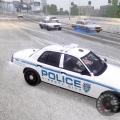 is it possible to remove that thing that is in front of my car? the blue thing..
- 66 comments
- 20 reviews
-
-
What are you working on now?
-
God damn seriously... I cant wait anymore for it to be released.
-
I dont know, is still hard for me to believe.
-
How can we really know your are working on lcpdfr for gta 5? The video doesnt show anything..... it just shows cops chasing someone.. which in singlaplayer is possible to see cops by chasing someone. And u didnt give any screenshotz.
-
what kind of general improvements?
-
what are the new updates on the rapid response?
-
Never mind I fixed it.
-
So when I try to join GTA IV.. when my character loads my gtaiv crashes or sometimes in the middle when i play and when it crashes it says: http://tinypic.com/view.php?pic=bhbw6&s=8#.VUTcZpPkXew anyone knows?
-
everything works now.. but i installed els 8.5 and i came in the game and the police cars dont have the siren bar anymore.. any idea why? nvm :D you can close this
-
Everything works.. but for some reason in the right button corner it says A new version is available :0.95RC2 I dont get it? which is the newest version? can u sent me a link please?
-
1. is not cracked. 2.yes. my gta iv is updated. 3.I Do run the game as administrator 4.When I remove the read-only on my gta iv folder and press okay... it becomes read-only again on itself.. (not sure if is supposed to happen) 5.DSOUND.DLL and scripthook are in my gta iv root folder 6.There is a folder named LCPDFR 7.everything is there 8.I installed 1.1 lcpdfr 9.I already have them.
-
When When I remove the read-only on my gta iv folder and press okay... it becomes read-only again on itself.. is that supposed to happen?
-
I moved all the files I had from LCPD First Response to my gta iv.. tried to start gta iv didnt work.. then I tried to remove the DSOUND.DLL out of my gta iv folder and then gta iv worked! but when I press ALT+P the mod doesnt work.. I am not sure if is because I removed dsound.dll. any ideas? Is it maybe I dont have DirectX? Edit: Never mind, I think I do have the directX. Never mind, I was installing the 1.0 lcpdfr... but still.. now I installed 1.1 lcpdfr and is still doesnt work.. I did move all the files from LCPD First Response to where my gtaiv.exe is and still doesnt work.. even if I remove dsound.dll now it wont load anyways... please help.
-
Sam could you release more pictures or even a 2 second video! The reason I got gta v for pc is only for the mods :3.
-
what kind of super cool thing? xD
-
I did all that and that is what it shows [Asi loader] No loader found [ScriptHookDotNet] Not found [System dependencies] Verifying dependencies integrity [System dependencies] Checking MSVCR110.DLL [System dependencies] Checking dependencies (32-bit required: True) [System dependencies] Resolved KERNEL32.dll to C:\Windows\SysWOW64\KERNEL32.dll [System dependencies] Check passed [System dependencies] Checking MSVCP110.DLL [System dependencies] Checking dependencies (32-bit required: True) [System dependencies] Resolved MSVCR110.dll to C:\Windows\SysWOW64\MSVCR110.dll [System dependencies] Resolved KERNEL32.dll to C:\Windows\SysWOW64\KERNEL32.dll [System dependencies] Check passed [System dependencies] Checking MSCOREE.DLL [System dependencies] Checking dependencies (32-bit required: True) [System dependencies] Resolved KERNEL32.dll to C:\Windows\SysWOW64\KERNEL32.dll [System dependencies] Check passed [System dependencies] Checking SCRIPTHOOK.DLL [System dependencies] Failed to find SCRIPTHOOK.DLL [System dependencies] Checking MSVCR100.DLL [System dependencies] Checking dependencies (32-bit required: True) [System dependencies] Resolved KERNEL32.dll to C:\Windows\SysWOW64\KERNEL32.dll [System dependencies] Check passed [System dependencies] Checking D3DX9_43.DLL [System dependencies] Checking dependencies (32-bit required: True) [System dependencies] Resolved msvcrt.dll to C:\Windows\SysWOW64\msvcrt.dll [System dependencies] Resolved GDI32.dll to C:\Windows\SysWOW64\GDI32.dll [System dependencies] Resolved KERNEL32.dll to C:\Windows\SysWOW64\KERNEL32.dll [System dependencies] Resolved ADVAPI32.dll to C:\Windows\SysWOW64\ADVAPI32.dll [System dependencies] Check passed [System dependencies] Checking ScriptHookDotNet.asi [System dependencies] Failed to find ScriptHookDotNet.asi [System dependencies] v1.1.4322 SP0 1033 SP0 v2.0.50727 2.0.50727.5420 SP2 v3.0 3.0.30729.5420 SP2 v3.5 3.5.30729.5420 SP1 v4 Client 4.5.51209 Full 4.5.51209 v4.0 Client 4.0.0.0 [System dependencies] The .NET Framework is installed in an unknown version (> 4.5.1) [System dependencies] Checking ADVANCEDHOOK.DLL [System dependencies] Failed to find ADVANCEDHOOK.DLL [System dependencies] Checking ADVANCEDHOOKINIT.ASI [System dependencies] Failed to find ADVANCEDHOOKINIT.ASI [System dependencies] Checking SLIMDX.DLL [System dependencies] Failed to find SLIMDX.DLL [LCPD First Response] Checking LCPDFR installation [LCPD First Response] Failed to find LCPD First Response.dll [Log Check] Checking log files
-
Sam what are working on currently?
-
For gta5
-
So I guess Rockstar patched Script Hook today? which that means mods will not work anymore?