


Sophocles
-
Joined
Everything posted by Sophocles
-
I guess Murphy won :P. Good try ninja
-
Think of the one missing ford car.
-
Hint: Mark Fields is retired *Think VERY hard*
-
Inb4 this puts LCPDFR out of business
-
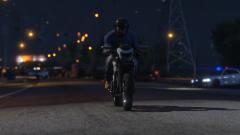 So put your name where it says "credit" not copyright. The "copyright" would be Rockstar. Credit is the photo taker.
 -
All right besides 6. #6 is the last one you guys need to get, I will upload a new batch once someone gets it. I might give a tiny hint if it becomes too hard :)
-
Well yeah its pretty obvious, but how will that change modding. A lot of people like to play online
-
 Thats just the regular gta iv view angles, just press v and eventually you'll get this kind of overhead view.
 -
1,3, and 6 are wrong. Good job though, dangg..
-
Just so you guys know, if you use this online, you will get banned.
-
No its gta iv lol
-
So, I wanted to start this little forum game. I will post a couple "snip-its" of a piece of a car, and you guys can have fun guessing what car it is. So, lets get started! Side Info: •I will choose 10 per week, and reveal the answers at the start of each week. •Anyone that guesses them all right gets their name in the Hall Of Fame •You can only have 1 answer per number, you cant say " #2 is either a taurus or an eclipse" Set List: •Set #1 4/26/15 •Set #2 ______ Hall Of Fame: •Murphy (Set #1) Set #1 (Click Spoiler) Set #2
-
-
You cant copyright an image you dont own
-
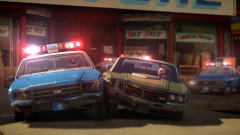 does cry 1 look better than 3?
 -
Im tired of solo queuing, I get too many Russians, and no matter how hard I carry, we still lose. I'm really done with match making lately, so if anyone wants to put a group together, feel free to add me. http://steamcommunity.com/id/athenadesign/. (im a SE, but i like to think im pretty good for a SE).
-
People don't just give out caprices, especially to people who aren't "famous" in the modding community. Sadly, the best shot you have is trying to work your way up to the top of the modding foodchain, and someone might give you one.
-
Hello, I've recently made the switch from ICEnhancer to Cry 3, and im wondering, is there any difference between the "High" setting and the "Insane" setting? I haven't noticed anything.
-
You could probably run it great on normal settings, from what I've experienced, normal and ultra arent that different, the textures are just a bit softer. I mean if you have the money, go for it. PS: Im not talking about 4k, Im talking about 1080p. I'd be suprised if a 980 could get a stable 60 on 4k.
-
The "Requirements" are not the "Needed for 60+FPS on Ultra Requirements". Keep that in mind.
-
Latest Liberty City News.
-
From the album: Weazel News | Athena
April 22nd, 2015. High speed pursuit ends at the harbor, turning into a large scale shootout. Multiple officers were shot dead before reinforcements could arrive. All suspects are deceased at this time. -
A laptop...seriously? Gaming laptops are way overpriced in this day and age...For 1,200 you could get your self a 970 or even a 980 rig. I would recommend building a pc, or getting one through cyberpower. I know you said you dont want something bulky..well there is Micro ATX cases you can get. Im not sure how well a 960m could handle gta v, there is no way your getting anything near 60 fps maxed out. Again, if you dont want to build, cyberpower is the way to go. Here is where you should start if I have convinced you to get a smaller case. If you want a laptop, then go ahead. Like I said, you wont be maxing out GTA V with that thing.
-
Mozilla/5.0 (Windows NT 6.1; WOW64) AppleWebKit/537.36 (KHTML, like Gecko) Chrome/42.0.2311.90 Safari/537.36
-
Im using chrome. Now it comes up with "you are not allowed to edit this profile" http://gyazo.com/4a5fc6a18422bd1a521fdd7f043d8fbd



