
Brian118
Members
-
Joined
-
Last visited
Everything posted by Brian118
-
 For sure, one of my favourite Mods in GTA V for all times! :) I love the freedom to switch between the rumbler and non-rumbler siren. It makes GTA V a lot more realistic :) And a great thank you to Starkka15, who helped me a whole day to get my RumblerAddon working! :*
 -
Yeah I also tried to reinstall them a few times :/ Would be very nice of you :) I will send the required files soon :D And i don't use SirenMastery, only ELS but this shouldn't be a problem.
-
Very great Addon at first! I loveeeeee it :D However, I have a very strange problem with this plugin: everytime when i am in the game and press the numpad buttons, nothing really happens. Sometimes there plays the siren of the sheriff granger (sheriff2) [Don't know why this happens, but that's not the main problem^^]. Seems like a bug or sth like that. At first i thought the plugin simply doesn't work at all, but after recording a video with it and testing the buttons for accident, I was very very suprised: the Rumbler is working and hearable IN the video! BUT I CAN'T HEAR IT INGAME! It sounds curious, I know, but i really DON'T KNOW how to fix this problem! Maybe ANYBODY can help me. (And before anyone asking: Yeah, I definitely installed anything right^^) And the log file says nothing special. It loads correctly.
-
Hay Leute, wende mich heute an euch, da ich sonst nicht weiß wo ich mich noch hinwenden soll.... meine Frage ist wie ich die Fahrzeug Kamera näher ans Fahrzeug bekomme. Mir ist natürlich bewusst das man mit der Taste V durchschalten kann. Ich will jedoch NOCH näher an das Fahrzeug aus der hinteren Sicht heran. So wie damals in GTA IV am besten. Damals war die Kamera noch sehr sehr nah dran. Zumindest bei mir :D Kann man das vllt. in der Vehicles.meta oder woanders irgendwie eintragen oder ändern ? Und wenn ja, wie genau ? Bitte echt um Hifle :)
-
-
Hey Leute, Ich spiele schon seit längeren LSPDFR und vor Jahren zuvor auch LCPDFR, und suche nun einen RP-lastigen Clan der auch zusammen die Streife ermöglicht. Alter sollte kein Problem sein da ich schon 18 Jahre alt bin, außerdem bin ich für ein TS-Gespräch gerne zu haben.
-
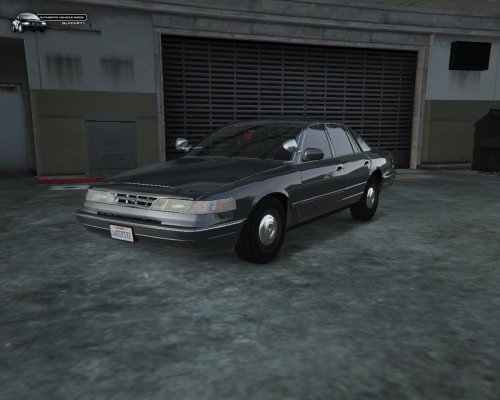 Hey, can someone tell me, if i need the special carcoals.ymt for this vehicle too like the marked version? Don't want to replace my existing one but i want this vehicle too. :/
- 21 comments
- 10 reviews
-
Perfekt! Wenn das jetzt endlich funktionieren sollte bist du mein persönlicher Held! :)
-
-
 Would be great if you could make this skin pack again with real cars ( Crown Vic, Ford Interceptor) :) But anyways nice skin pack! :D
- 3 comments
- 1 review
-
-

- 2
-
-
Hey guys, if i open the configuration file of lcpdfr and write down my Account settings (Username, Password) he trys to connect and then there appears an error: "An error occured while validating your account: (502) invalid gateway" I hope you can help me! :)