
Cosmo
Members
-
Joined
-
Last visited
Files posted by Cosmo
-
Hello everyone,
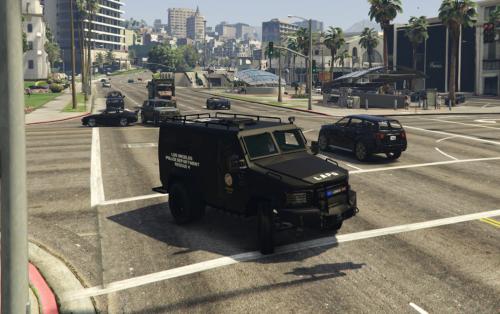
This is the DEV Lenco Bearcat by Cosmo.
INTRO:
I hope you enjoy it very much. This is for vehicle developers only who know how to edit vehicles! If you're looking to simply put it in your game, go to this page:
Please do not message me asking how to edit the vehicle unless it is about a specific feature of the bearcat, the extra seats, etc.For all other questions, please refer to GTA V car modeling tutorials.
Donations are always accepted and any amount is greatly appreciated. All donations go towards the costs of vehicle development (Purchasing models, zMod Subscription, etc).
FEATURES:
Ten fully functioning seats (Thanks to Yard1 who helped make that possible). All regular/expected car features such as dirt, window cracks, damage, etc.. Fully UV-Mapped and Templated. Custom Handling (Thanks to Sgt. Kanyo for the GTA IV handling line). Can attach boat and small trailers. 2k and 4k textures/templates
INSTALLATION:
A very in-depth installation is included inside the README in the download, please refer to that for the full instructions.
*** Don't forget to make backups or use a mods folder ***
Using OpenIV, you put everything from the folder Vehicle Files which includes riot.ytd, riot.yft, etc into: update>x64>dlcpacks>patchday8ng>dlc.rpf>x64>levels>gta5>vehicles.rpf You then place the vehicles.meta into: update>update.rpf>common>data>levels>gta5 You then place the handling.meta into: update>update.rpf>common>data You then place the vehiclelayouts.meta into: update>update.rpf>common>data>ai You need to put all of these files in the correct places or else that vehicle will not work properly.
Do not upload this file on to any other website without permission or claim this as entirely your own work.
(PS: Don't laugh at my terrible material/texture names... I already know they're bad lol)
- 3,045 Downloads
- 13 Comments
Updated -
Hello everyone,
This is the Lenco Variation by Cosmo.
INTRO:
I hope you enjoy it very much, if you come across any bugs then please feel free to let me know.
Donations are always accepted and any amount is greatly appreciated. All donations go towards the costs of vehicle development (Purchasing models, zMod Subscription, etc).
FEATURES:
Ten fully functioning seats (Thanks to Yard1 who helped make that possible). All regular/expected car features such as dirt, window cracks, damage, etc.. Fully UV-Mapped and Templated. Custom Handling (Thanks to Sgt. Kanyo for the GTA IV handling line). Can attach boat and small trailers. Two Lightbar variations (Arjent and Liberty) 2k and 4k textures/templates
INSTALLATION:
A very in-depth installation is included inside the README in the download, please refer to that for the full instructions.
*** Don't forget to make backups or use a mods folder ***
Using OpenIV, you put everything from the folder Vehicle Files which includes riot.ytd, riot.yft, etc into: update>x64>dlcpacks>patchday8ng>dlc.rpf>x64>levels>gta5>vehicles.rpf You then place the vehicles.meta into: update>update.rpf>common>data>levels>gta5 You then place the handling.meta into: update>update.rpf>common>data You then place the vehiclelayouts.meta into: update>update.rpf>common>data>ai You need to put all of these files in the correct places or else that vehicle will not work properly.
Additional Liveries
If you'd like to follow the progress of future updates, make suggestions, or report bugs, head over to this thread:
If you are a vehicle developer, feel free to make you're own version with the Dev Version, just remember proper credits:
Do not upload this file on to any other website or claim this as your own work.
However, you may include this model in a car pack as long as proper credits are given.
Feel free to edit the livery included (Bearcat_sign_1) however you'd like.
- 47,229 Downloads
- 80 Comments
Updated -
Super Volito Rescue
by Cosmo
Credits:
Model by Rockstar Templated by Cosmo (Template included in download) Minor model edits by Cosmo Rear seats pulled back for more room inside. TV and Drawers discarded. Other minor tweaks This model is unlocked which means you can edit it as long as you provide the proper credits to who originally made the template (Cosmo).
INSTALLATION:
Using OpenIV, go through your mods folder (you should have one if you mod the game) and go to:
mods/update/x64/dlcpacks/patchday10ng/dlc.rpf/x64/levels/gta5/vehicles.rpf
and replace the files inside with the files from this.
NOTE:
If you want multiple liveries, you must go into vehicles.meta and add the correct flag to the supervolito2.
There are many tutorials and resources which explain where it is found and exactly what to put in it.
May not be the most in-depth template but it will work for many skin designs easily.
Feel free to leave any questions or comments about what you think I should add or change about it.
I have no ideas what features would make this even better but I am excited to hear any.
- 1,402 Downloads
- 11 Comments
Updated -
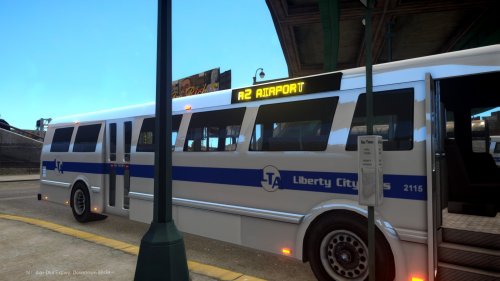
Over the course of about two weeks, I took the vanilla Bus and modified it to be better. Pretty simply but there were some challenges.
Main Features:
Over 10 different lightboard options! All using real in-game street names and locations. Much better interior (New seats, flooring is no longer a black void, and seat placement). Newer electronic farebox and computer. Sleeker body (No more useless bump on top). Full UV Mapping (Texture editing made possible, and easy). Multiple liveries with different bus numbers and plate numbers Two other generic bus textures included. Bus Template included (You can make your own bus textures now!)
Short video showing off the bus, disregard the low quality, I have a pretty bad graphics card. Refer to the screenshots for quality pictures.
Comments and feedback are very welcome, good or bad.
Please report any bugs in the comments section or send me a PM on here.
- 730 Downloads
- 11 Comments
Updated -
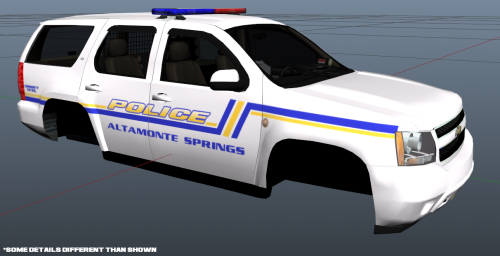
Here is the Altamonte Springs, Florida Police Pack (as requested by JerkeyRoope. http://www.lcpdfr.com/forums/topic/51454-altamonte-springs-police/#comment-343358)
Includes:
2010 Chevrolet Impala 2008 Chevrolet Tahoe ELS Config Handling Lines (Sgt.Kanyo's) Read Me Features:
ELS Enabled (All 3 light stages on both cars) Four different skins with different license plates and unit numbers
Future Possibilities:
Slicktop versions of both Switch out the rims for a better version on the Impala Seminole County Sheriff Ford Explorer and CVPI
Please feel free to comment with any feedback (good or bad) and especially tell me if there are any bugs so that I can fix them.
- 225 Downloads
- 10 Comments
Submitted -
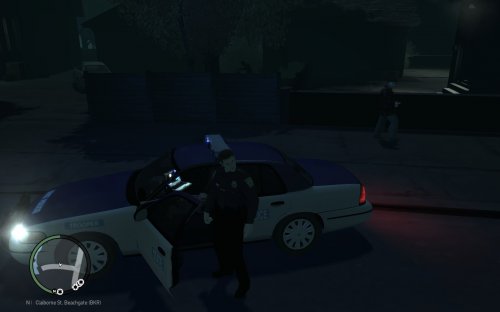
Today I bring you the Liberty State Police which was requested and it is based on Virginia State Police
Notes:
- Replaces any police car
- ELS V8 enabled
- Supports 4 liveries
- Contains 4 license plate variations
- Whelen Edge 9000 lightbar
- Two vehicle variations, one has antennas and no camera, while the other is the opposite.
(For some odd reason it would crash my game instantly if I had the antennas AND camera on the car at the same time. Anyone know why this happens?)
Installation:
- Same installation as any other car
- Just replace police.wft and police.wtd (Or another police car) inside your vehicles.img with the files provided.
- Always make a backup! I am not responsible if you mess up your game and you have no backup.
Pictures:
Change Log:
(1.0.0) Release
(1.1.0) Added: ELS config because I forgot it
(1.1.5) Fixed: Got rid of the blue background behind the word "Trooper"
Credits:
- Model is original Ford Crown Victoria by Schaefft, modified for and converted to GTAIV by Chasez.
- This version of the CVPI model has been modified by Bxbugs123 & Lt.Caine with permission by Schaefft and Chasez.
- Whelen Edge Modeled & converted for GTA IV by Bxbugs123
- Whelen Edge textures by Bxbugs123
- CVPI Wheel made & converted to GTA IV by Bxbugs123
- Decatur Genesis I Radar made & Converted by Bxbugs123
- Decatur Genesis I Radar textures By Bxbugs123 & DoTTGaMMa
- Panasonic Arbitrator model is scratch built by johnclark1102
- Panasonic Arbitrator texture is made by diablozer0d617
- Police Console made by PFCBarefoot
- Spotlight UV-Mapped and converted to GTA IV by JewishBanana
- Setina Body Guard Partition by Bxbugs123 (Shotgun by Grim)
- Antennas by PriMan
- Toughbook C19 by PFCBarefoot
- CVPI GrilleGuard by TraumaPak
- Livery textures by Cosmo
- Car assembled by Cosmo
This is my first released car.
Comment or PM me if you have any questions or comments
- 368 Downloads
Updated