




TWISTEDSCOPES
Members
-
Joined
-
Last visited
Everything posted by TWISTEDSCOPES
-
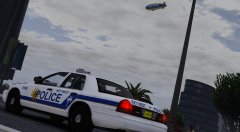
From the album: W.I.P Models (GTA V)
I fixed the problems on the slicktop time to redo the slicktop sedan© TWISTEDSCOPES
-
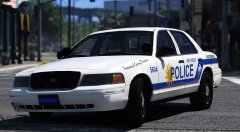 i reck it. i thought i fixed it.. but i guess not lol
 -
Yea im updating the CVPI right now
-
From the album: W.I.P Models (GTA V)
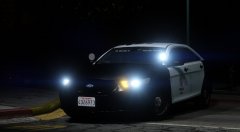
i've seen this thing with it's lights on back in 2010 i never actually thought that this would have red in blue lights but meh Actual Picture https://gyazo.com/8d809860d7e8aed9153697ad9c6b9d08© TWISTEDSCOPES
-
 thank you
 -
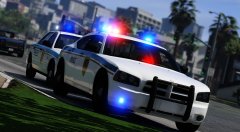 thanks. and it's *Twisted**
 -
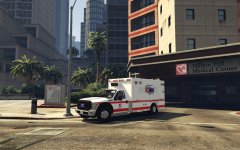 that ambo was made by him. he's probably not going to release it.
 -
From the album: W.I.P Models (GTA V)
sorry i couldn't keep these models hidden until the pack was release so here.© TWISTEDSCOPES
-
1 word (MEGA) is coming. LASD expedition will be release sometime after i get some projects out the way
-
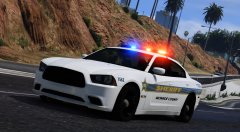
From the album: W.I.P Models (GTA V)
Finally....................................... i got my game to work© TWISTEDSCOPES
-
no it's my county sheriff and im doing the exact equipment on their cars
-
no to beta i just will have to approach you
-
Well now i'm officially closing beta testing spots.
-
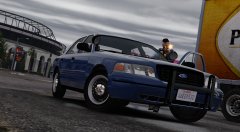
From the album: Random Pictures In GTA V
Finish with the 2000 CVPI now i got to start on the 01.. Might be released as a DEV Idk yet© TWISTEDSCOPES
-
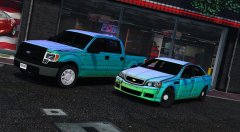 thank you. Twisted* :P
 -
yea sorry as much i would like to release this as a DEV model i have to listen what Georgie moon says
-
my bubble doors nope not at all not up to me your going to have ask georgie moon one was a test car the other is not the test car was the caprice which they dont have anymore.
-
no but one it is going to be a sheriff from my local sheriff
-
From the album: W.I.P Models (GTA V)
Just got done converting these. F150 is done Caprice still needs a lot of work.© TWISTEDSCOPES
-
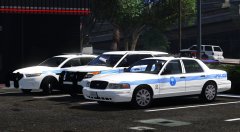 thank you. i cant when i people are commenting "i delete cars" after i'm finish with them... that's not the case at all.. those two just took it out of context. and people that jump on their bandwagon are just as ignorant as the person who started this whole storm anyways.
 -
prove one picture/gallery i posted that i said i'd release in a day or so later. this whole pack is done and ready to be released i spent 48 Hours on the utility usually i would of given up on it for a few days but i had motivation to keep working on it. and to see people saying i delete stuff after i say i'd release it.. kills my motivation.
-
I'm feeling that i shouldn't release this pack if that's what you want.
-
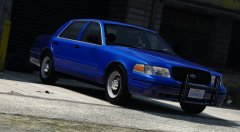 i already changed it
 -
oh thank you. i'll swap it back to the other grille. it will soon... there's still work to finish on it
-
i will change that out then. but i thought they did? i see 2000 CVPI's with honeycomb grilles


