


LSAWEAPON
Members
-
Joined
-
Last visited
Everything posted by LSAWEAPON
-
Awsome thanks for that!
-
Not sure if its a similair issue but when i have trainer active the lights dont come on straight away when i press J(i have to hold it down for a good few secs before it turns on), but if i have the trainer disabled the lights come on straight away on probs. Also when i try and switch on the lights panel(with trainer activated) using alt m instead on bring up the panel, it spawns a vehicle is there anyway of stopping this with actually having to disable trainer?
-
Yep just downloaded it works now thanks :smile:
-
Looks good but the d/l link doesnt work?
-
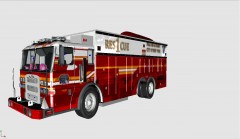 That looks epic! Cant wait for release!!
 -
-
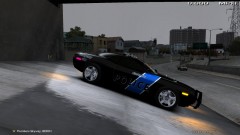 Liking the skin on the challanger! any chance of releasing it?
 -
Looks fanstasic bud! :thumbsup:
-
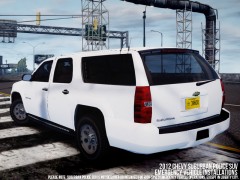 DAMN!!!! Looking foward to this one!
 -
Has to be a legit copy.
-
The skin fits perfectly thanks heaps mate! :thumbsup:
-
No stress dude i can wait til your better, your recovery is more important than this stuff :smile:
-
Hell yes!!! Can't wait for the caprice to be released how's the FBI command truck coming along btw?
-
No worries dude, thanks for the tahoe skin...looks great!
-
Any updates on the 2012 Charger & Tahoe Gresham skins bud?
-
-
Looks great dude! just needs a set of lights on either the parcel shelf or in the taillights & it'll look sweet!
- 20 comments
- 14 reviews
-
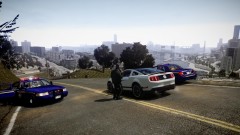 which map is that? looks awsome!
 -
No worries....look foward to it!
-
Loving the Gresham skins! looking foward to the tahoe one, will you be making one for EVI's 2012 charger?
-
The skins look great, which cvpi did you use btw?( the normal one not the slicktop)
- 11 comments
- 1 review
-
That looks like a great skin bud! Which cvpi unit is that one btw?
-
All the skins are looking great! Any chance you could make some for EVI's Dodge Challager?
-
That looks real nice dude, look foward to its release!
-

