majorpaine2015
Members
-
Joined
-
Last visited
Everything posted by majorpaine2015
-
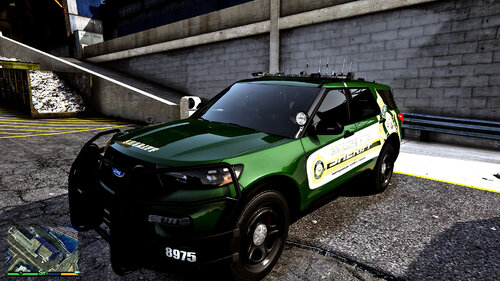 I've decided to go ahead and do a charger sliktop and patrol version for my sheriff pack....STAY TUNED
 -
It haven't crossed my mind but i may be inclined to if i get enough requests
-
-
Sorry if i am late answering this question, but if you want to just replace your vehicle rather then use as dlc then you will have to open the .rpf file in the folder and locate the vehicle files and then export them to your desktop. Next you will just rename the files to whatever vehicle you want to replace, (example leok9.yft to sheriff.yft) and import them into your dlc vehicle file replacing the original vehicle i.e patchday3ng or whatever location you prefer.
-
Yes, they were made to replace the sheriff and sherrif2 slots, but alot of people use addons nowadays. just change the name on the vehicle files, els, and vehfunc files and you're good.
-
It all depends on your ELS settings, but don't worry i'm working on an update to make the lights more casual and not synced.
-
Are you running a lot of mods. Check your update.rpf cause you may have done something wrong.
-
Can you show me this, you've peaked my interest.
-
Look in the els file that came with the vehicles
-
The top lightbar is actually the bake lights, the top lightbar also has turn signal lights. To disable the brake lights in the lightbar you have to go to your els file and under acronas section set tailight to false. Then it won't flash when lightbar is activated. What do you mean. It does have spotlight that moves/rotates I actually did make one before i released the vehicles. I just didn't add it because the vehicles were for sheriffs. This is the trainer i use, just hit F3 to open the trainer, go to spawn vehicle, the go to added vehicles and you should see them. https://www.gta5-mods.com/scripts/simple-trainer-for-gtav
-
Depending on what trainer you use. I for example use TrainerV and if that's the trainer you are you then just go to spawn vehicle and select added vehicles. It should give you a list of dlc vehicles you added to your game. It may work the same way for all the trainers but don't quote me on it. F.Y.I. make you you added the dlc to your dlc.xml file first and foremost.
-
Yes i can do that. Yes i can do that also There is a trunk mod other than stop the ped mod on this site that lets yo open the trunk. Thank you, That inspires me to keep going
-
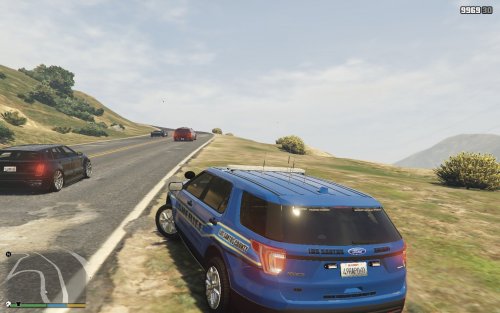
Good morning, afternoon, evening, or night depends on when you are reading this. I am back with my newest vehicle creation. These vehicles comes with the same animations as my previous release except now with working front windows you can roll up or down as you desire. It also comes with working interior dome light. These vehicles is based off of my imagination. I took extra care into making sure everything is up to par before release. F.Y.I. if you wish to know how to get the wipers to work just copy and paste the link into your search bar and download and install the script into your gta 5 folder and drop vehfuncs v folder in gta 5 folder overidding existing folder and that's it. If you wish to know how to roll windows up and down, on controller hold right on d-pad, on keyboard hold h. There's also a els texture for those who like all blue and being that the red and blue lighting sync with one another the lighting is therefore blue and white but amazing. Vehicles are dlc and also made to replace sheriff and sheriff2 slots. Here's a quick vid of vehicles.
-
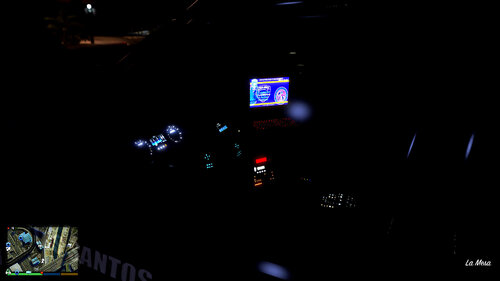 On my old released vehicle the windows can be rolled up and down by holding d-pad right on the controller. That's how it will work on my next released vehicles.
 -
Just the wipers, fan, and spotlight. Spotlight just press up and down on controller stick but i'm not sure about keyboard since i only use controller. I can make the windows roll up and down like in my old vehicle in the next released vehicle.
-
You're using the wrong script mod. click on this link........https://www.gta5-mods.com/scripts/vehfuncs-v And extract and copy to gta v installation. then just take the file and drop into vehfuncs folder. Quote
-
So basicly you removed sound of the normal and spec textures right?
-
I appreciate that, can you tell me how you did it.
-
The K9 has the passenger rear side of the k9 vehicle while prisoner has left. My next vehicles will have seats for partners and i'll try my best to keep the texture count as low as i can.
-
6 That's exactly what i was talking about. one dev part has 4 to 5 textures which in my opinion is not neccesary and to not use one of the textures just throws everything out of whack. The author of the parts i used is an excellent moddeler. Just wish he would've made them simpler. one or 2 textures would do. For example, the lprs i used have about 5 or 6 textures and it's ridiculous. Btw, this is my first DLC that i've ever made so if i missed something like a sound file then i apologize. I will find a fix for them.
-
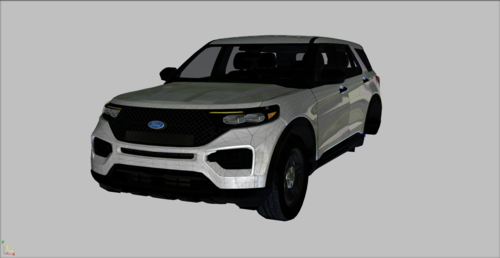 My next project is in fact the 2020 fpiu for the sheriff department. I tried my best to lower the ytds but everytime i removed a certain texture like a normal or spec that was used in most of the parts it would produce weird results like texture glitching and such. Most parts used were parts that i purchased that came with a ton of ridiculous textures.
 -
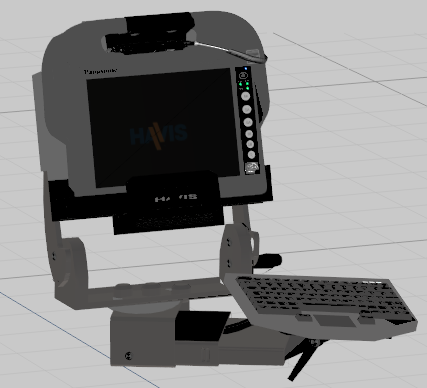
These 2 vehicles are based off of the 2 police departments in my county, with a sprinkle of imagination. The 2 versions are the traffic and k9. These vehicles feature operational front and rear wiper blades, rotatable working spotlights, operational k9 fan, rear openable laptop, pullout drawers. Please follow the instructions provided to have a successful install. This pack is drag and drop dlc, but is optimized to replace police2, police3, sheriff2, fib2. Antennas by GameModels.ru, Federal Signal AS124 by thehurk, Federal Signal Spectralux by y Cj24, Whelen Vertex by Five0/OfficerFive0, Hot N Pop by Unknown, Equipment By Vertex3D, Seat Organizer by Erin Lindsey, ammo box and gloves by unknown, Printer by Recon, Narcan by Unknown, Toughbook by Cap'n Crunch, trunk equipment made by mark, TOUGHBOOK by Ridgerunner Designs, Soptlight from NFS, YARDEN-N PA sys by Unknown, motorola and console by majorpaine2015, radar gun by majorpaine2015. Dome light by majorpaine2015, medicine and drugs by rockstar
-
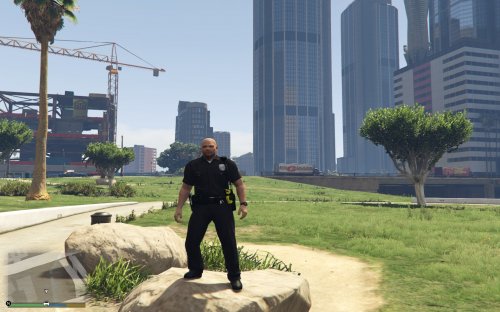 Actually no, peds have more complex structures. They use rigging and weights and do not require LODs which causes game crashes and unstable peds, as vehicles use LODs and collisions.
- 16 comments
- 5 reviews
-
-