


DaWoodz
Members
-
Joined
-
Last visited
Everything posted by DaWoodz
-
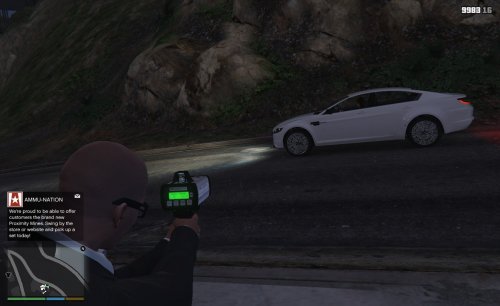 Is it even possible to have the back of the screen of the radar actually read what the speed is instead of just a paste of a speed?
- 13 comments
- 1 review
-
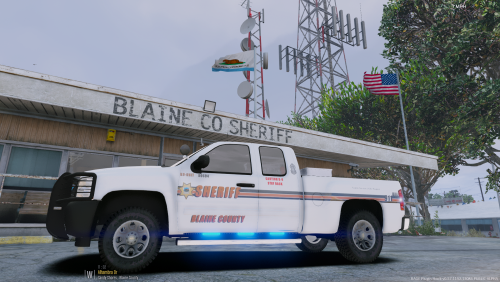 Would you be interested in converting a skin of my local law enforcement from a 2013 to 2016 FPUI??? If so msg me I have the files
- 2 comments
- 2 reviews
-
-

- 1
-
-
I have a question will it be compatible to work on the older rage .56 ??
-
I need help just like the title says with a skin I already have. Would like it in 4k texture and make it a suitable fit for a 2016 FPU I instead of 2013 message me thank you
 Can't anybody make a model or ask permission to convert to GTA5 because pointing a gun not a radar gun is not realistic enough for me I like to keep my game as realistic as possible
- 3,646 comments
- 306 reviews
 @Gump How soon can we have the FPIU for the front of the pushbar I have no lighting or Take down lighting properly I love the model has anyone figured out a fix it's a very nice model just hope someone can figure it out
- 80 comments
- 27 reviews
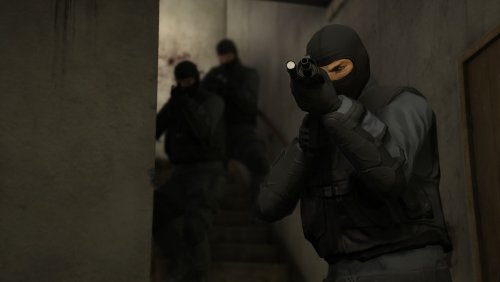 I just tried it without any other plugins or call outs and it's still suspended in the air. Sorry to be a pain in the ...
- 53 comments
- 14 reviews
-
-
- 1
-
I have version gunrunning V 1103 I'm using an old rage plug-in hook .63 or .67 I have increased traffic intensity my which increases traffic and it's really fast where you can get hit on the highway so idk. If you want I can take a screen shot of them suspended in mid air- 53 comments
- 14 reviews
I like that we have ability to move the cones but they are still a little bit in the air can we have a option to lower gentle instead of drop because the fall on their side but after the fifth time or so the drop alright thank you for the great script- 53 comments
- 14 reviews
I have a slight issue with the cones suspended in mid air .... the scenario never begins when I get the checkpoint...- 53 comments
- 14 reviews
-
-
- 1
-
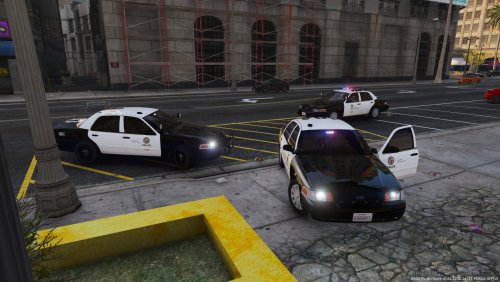 Yes I did I had to rename the police name and vehicle meta stayed the same for police4
- 28 comments
- 8 reviews
Does it have to be on different setting than siren setting 1. I also have blue and red blinking on the hood in first stage ELS and nothing toward the back windshield.- 28 comments
- 8 reviews
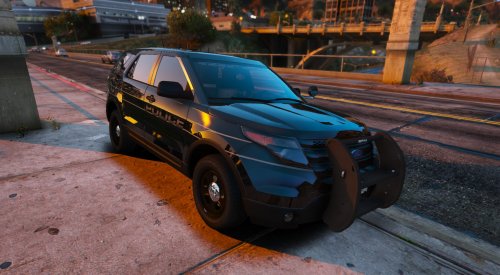 I don't know if you saw the files I sent but those are the original files that I gave to the author so I'm the one that originally created it the author just did it for me cuz I didn't have the program and I was asking you the same cuz he didn't put it in 4k texture
- 10 comments
- 1 review
well I gave it to the author to make he did that a long time ago for me for 2013 so I mean it's originally my idea cuz it's from my city... would you like the actual photo I gave him where originated from where I give me ideas I can do that cuz all the icons and everything that are on that is what I gave him to make like I took a picture of one of the patrol cars with my phone and I sent him a photo I basically saw a textures that you made for some cars in my ass just like I'm asking you basically that's what happened and I just gave him photos I took off my phone of the actual real vehicle the police and fire is on the back by the trunk because my cities dept is cross trained to be a firefighter too the downsized a bit.- 10 comments
- 1 review
Would you be happy to do a 4k texture on my home town for a current FPIU?? I have a file for 2013 if interested?- 10 comments
- 1 review
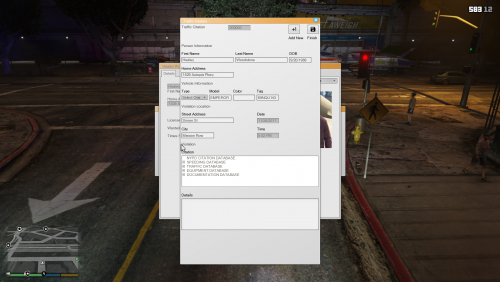 this is a long shot but I do think you did a really good job on this I would like to know if you could do a LAPD version cuz my city is all based on LAPD if not I understand
 okay I got the menu to work but after the menu when I ask the the driver to come back he doesn't come back backwards at me he just stands there and then walks forwards and then goes back to the same position I tell him the command again am I supposed to press another button for the mode please respond thank you
- 241 comments
- 18 reviews
 I know this has been out for a while but I know this has been out for a while but I'm using not the newest patch but the older patch I'm having an issue where I am able to add all the vehicles everything runs smoothly except my police radio when I run a plate it doesn't always show the display for the information of the description of the vehicle and it just plays the audio also for some reason part of the vehicles that spawn from your mod is like a flat paint instead of reflective paint I have the graphics mod natural vision remastered and I had to change the caracals file 04 Chevy Caprice I think it's causing the problem with the paint being flat on parts of the vehicle I'm not sure though it's not very reflective anymore if you could get back to me on this issue I'd really appreciate it thank you
- 266 comments
- 36 reviews


Account
Navigation
Search
Configure browser push notifications
Chrome (Android)
- Tap the lock icon next to the address bar.
- Tap Permissions → Notifications.
- Adjust your preference.
Chrome (Desktop)
- Click the padlock icon in the address bar.
- Select Site settings.
- Find Notifications and adjust your preference.
Safari (iOS 16.4+)
- Ensure the site is installed via Add to Home Screen.
- Open Settings App → Notifications.
- Find your app name and adjust your preference.
Safari (macOS)
- Go to Safari → Preferences.
- Click the Websites tab.
- Select Notifications in the sidebar.
- Find this website and adjust your preference.
Edge (Android)
- Tap the lock icon next to the address bar.
- Tap Permissions.
- Find Notifications and adjust your preference.
Edge (Desktop)
- Click the padlock icon in the address bar.
- Click Permissions for this site.
- Find Notifications and adjust your preference.
Firefox (Android)
- Go to Settings → Site permissions.
- Tap Notifications.
- Find this site in the list and adjust your preference.
Firefox (Desktop)
- Open Firefox Settings.
- Search for Notifications.
- Find this site in the list and adjust your preference.