




Zarcyne
Members
-
Joined
-
Last visited
Everything posted by Zarcyne
-
-
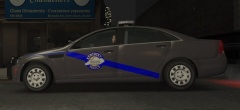 I completely understand where you are coming from. Originally when the Kentucky State Police went to the Ford Crown Victoria they ordered them in Dove Grey which is really light compared to the newer Chevrolet Caprice units they went to in 2012. In 2012 the first Chevrolet Caprices were lighter than the units ordered in 2013 and later. I personally prefer the darker gray but the color can be easily adjusted to your liking with any graphic tool. Thanks for the review. Here is the link to the image I was going by when making this skin... '>
 -
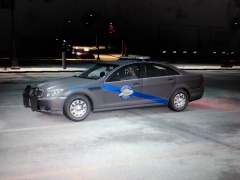 Thanks for the input.. I just realized I already had Overwolf installed and the resolution is so much clearer... Still learning here... LOL
 -
From the album: Zarcyne's Textures
Kentucky State Police 2013 Chevrolet Caprice PPV - Side View Updated Photo of vehicle taken in game using Overwolf to show more detail and clarity. -
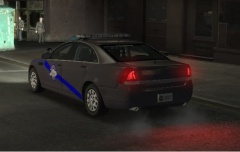
From the album: Zarcyne's Textures
Kentucky State Police 2013 Chevrolet Caprice PPV - Side and Back Updated Photo of vehicle taken in game using Overwolf to show more detail and clarity. -
Since I am very new to all this I decided to just start out doing textures first and then work my way into doing whole vehicles.
-
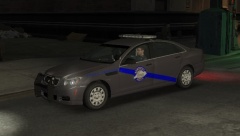
From the album: Zarcyne's Textures
Kentucky State Police 2013 Chevrolet Caprice PPV - Front and Side View Updated Photo of vehicle taken in game using Overwolf to show more detail and clarity. -
I used both PaintShop and Paint but found making textures to be very time consuming.
-
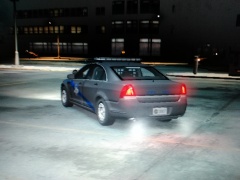
From the album: Zarcyne's Textures
Kentucky State Police 2013 Chevrolet Caprice Texture - Back and Side View -
From the album: Zarcyne's Textures
Kentucky State Police 2013 Chevrolet Caprice Texture - Front and Side View -
I had seen the Kentucky State Police Texture for the Dodge Charger and Ford CVPI, however as of 2013 most of the Kentucky State Police fleet was gradually being switched over to the Chevrolet Caprice model. I have not seen any on here so decided to make one. I plan on working on the KSP - CVE Texture shortly and also making Liberty State Police Texture matching the same formats. I ran across Officer Underwoods Alabama State Police and his vehicle matched our states SP units perfectly so after making new textures for his cars it looks pretty much dead on. I just made the KSP Texture and in no way take any credit for the vehicle I made it for or am using.
-
hey, whats up? I am new to GTA 4 and the LCPDFR mod but from videos I have seen on YouTube it looks awesome! Every time I try to install the LCPDFR mod onto my computer my McAfee Antivirus goes crazy and quarantines a few files as Artemis! Trojan... I have tried to flag the files as safe but it keeps quarantining them anyways.

