
TheDmac
Members
-
Joined
-
Last visited
Everything posted by TheDmac
-
.thumb.jpg.1db0be3e377ccefdd47e57a95ec56762.jpg) I'm still confused as to how people are getting this car working unmarked? I remove all the liveries except for the unmarked one and my car spawns white :(
I'm still confused as to how people are getting this car working unmarked? I remove all the liveries except for the unmarked one and my car spawns white :(- 239 comments
- 70 reviews
-
We use the VF Commodore and FGX Falcon over here (in Victoria, Australia anyway) as our patrol cars. What's stopping Chevrolet from turning the SS into an Interceptor? They've proven their reliability time and time again here in Australia so I'm sure it can pull it's weight over there.
-
I've attempted to do this by changing the 'sirensettings' on the respective vehicles, but all that did was mess up the light pattern and kept the siren the same! I'm assuming I was on the right track so I'm helping someone can shed some light as to how I can correctly go about doing this. Cheers
-
For now, I have one of my mouse buttons as siren/horn so it's easy to hold in to change them up. I have a Razer mouse that has a few buttons on the side. If you've got a similar mouse, that'll be your best bet for now.
-
Thanks for the reply! I did try that, no dice. Car is just white without plates.
- 239 comments
- 70 reviews
-
Am I doing something wrong? I want to keep this as an unmarked car so I delete every 'vicz_sign_' texture (that has Police markings anyway) except vicz_sign_7 but my car has no color or plates or anything. Just white.
- 239 comments
- 70 reviews
-
.thumb.png.e88f1892e13ddb98db35e668d465c34b.png) I have this in my police2 slot and love it. Could anybody shed some light as to how I would install this as sheriff2? My CVPI Sheriff cruiser and this Impala would complete my Sheriff department :D
I have this in my police2 slot and love it. Could anybody shed some light as to how I would install this as sheriff2? My CVPI Sheriff cruiser and this Impala would complete my Sheriff department :D- 182 comments
- 44 reviews
-
Absolutely beautiful car. My police2 slot won't be changed for a long time. When used with HerrPrometheus's LSPD skins it's perfect!
- 182 comments
- 44 reviews
-
-
I frequently see people playing with some form of police scanner running in the background. Was just wondering if this is a mod, or people just create custom stations with radio chatter on loop. Cheers
-
Hey guys! I'm after suggestions for vehicles that don't require edits of handing.meta, carvariations etc It's not that I can't edit it but it gets to a point where you'll need to uninstall a car so you want to revert a file back to vanilla but you remember another car you installed also has an edit so you need to find which one you edited, restore the vanilla and re-edit or re-add the line for another car you still have etc so it just gets a little messy at times.I know there's a few good looking cars that don't require any of those edits so I'm after your suggestions. And when I say no edits, I don't count skins and liveries. When it comes to what sort of cars I use, I like to replace majority of the police vehicles. So the 3 marked police cars, the 2 unmarked, sheriff cruiser, sheriff suv and that's about it. I've recently reinstalled GTA so I want to keep it a little more under control and clean. Thanks in advance!
-
 Sorry for the noob question, but if I want to install this under sheriff2 instead do I simply rename the files to sheriff2? Or is it a little more complex then that
- 563 comments
- 116 reviews
-
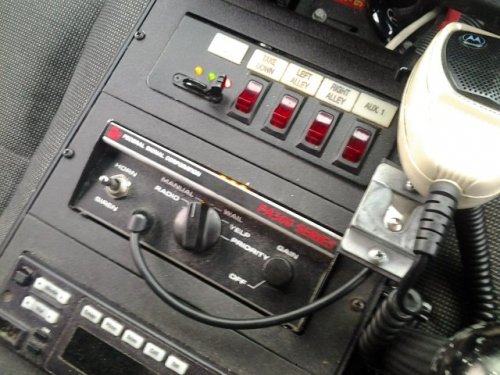
I'm not sure if such a thing exists (I know it does for GTA IV in the form of ELS) but I'm after a mod with a very basic siren function. I get sick of the wail sound and would like to be able to hold keep it on yelp without needing to hold the e key in. Does such a mod exist? Thanks!
-
Are you getting an error as soon as a game loads? I was getting an error (forgot what it said exactly) as soon as I loaded a game and LCPD:FR was unable to load. I copied and pasted the 2 dll's found in >this post into my EFLC folder and it fixed it

.thumb.jpg.1db0be3e377ccefdd47e57a95ec56762.jpg)

.thumb.png.e88f1892e13ddb98db35e668d465c34b.png)