michaelboot
Members
-
Joined
-
Last visited
Everything posted by michaelboot
-
-
-
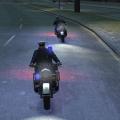
Police Bike By: BritishPoliceMods. Original Bike Skin: PaunchyZeus70, ReadTheRules1 New Bike Skin: michaelboot Replaces: Police Bike or Any Other Police Vehicle(EFLC) or Any Police Vehicle(GTAIV) Download the police bike here: http://www.4shared.com/file/ApbwH-FC/Bike.html Works with Bike Patrol Mod:https://www.lcpdfr.com/files/file/5925-bikepatrol/ How to install the bike. Dont forget to backup your original files! 1. open OPENIV or SparkIV 2. browse to models>cidmages>vehicles 3. Open vehicles.ide 4. search for a police vehicle(default: nstockade) 5. replace the original .wfd & .wft files by importing the new ones. 6. Save & Close OpenIV/SparkIV 7. Browse to root/common/data 8. edit handling.dat and vihicles.ide and replace the vehicle line(default: nstockade) by the new lines found in readme.txt 9. make sure in vehicles.ide the type of vehicle is set to 'bike' and not 'car'! 10. Save & Close 11. Done WARNING! The bike needs to be named after nstockade (or any other police vehicle) because in GTAIV there is no default police bike. LCPDFR uses the stock/default police vehicles to give extra tools like ordering other vehicles to stop. Also the optical warning signals only work when the bike is replaced by a existing (default) police vehicle. The Bike uses ELS 8! (Deafult settings) How to install the new paintjob/texture. 1. open OPENIV or SparkIV 2. browse to models>cidmages>vehicles 3. Open vehicles.ide 4. search for the bike(default: nstockade) 5. open nstockade.wft 6. replace the original paintjob by importing the new one. 7. Save & Close 8. Done