


OfficerFive0
Members
-
Joined
-
Last visited
Everything posted by OfficerFive0
-
-
-
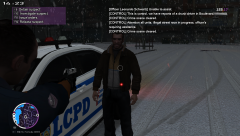 yea i found that a bit ago i just forgot to change it.
 -
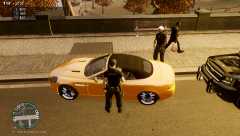
From the album: Daily Patrol Photos
peds used is the traffic taskforce cop -
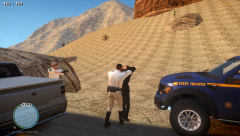 it was but i may edit it to nysp
 -
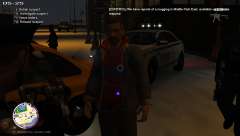 new photos every day!
 -
From the album: Daily Patrol Photos
-
i tweaked a few things and added the traffic part im working on a better version and a few other things so expect more in a few days
- 6 comments
- 1 review
-
yea here they do. but so does police so.. btw looking into it the nypd sells their old vehicles to chsp not give to them. in other words if a pmc buys us military surplus are they considered a part of the us military? no
-
-
-
sure here its the slicktop version http://goo.gl/aD67fk
-
these are both very minute details but the way they dealt with it was well...http://goo.gl/wOD2Fu very non comparative and being total a-holes. now im stressing to everyone im not on a "witch-hunt" i support these groups. they help the nypd and the community a lot.
-
yes they are an amazing group don't get me wrong but in one of the photos u see one posing with a car with red and white bulbs. they also had quite a few incidents with no license plates and improper parking in my opinion abusing thee powers given to them.
-
well the second car i tried only had one livery
-
well they have their own channel on the radio and respond to things like assualt mugging etc and i see what u mean by the light colors btw they also have go4s and mobile command centers btw i added some more pics
-
so near where i live there is the neighborhood watch and i recently noticed the had lightbars on their cars. my personal opinion is that that is wrong as lightbars should be exclusive to police vehicles only.(im not talking about ambulances.) they are similar to nypd auxiliary cops but they don't have training and are NOT a division of nypd. They are not armed. don't get me wrong they are a a great organization but i think this is where they push it. What do u think about it?
-
NYPD Traffic Van Livery A must have for your nyc pack! The model used is GMC Savana 2005 LCPD Edition by corleone Link to the model: https://www.lcpdfr.com/files/file/1126-gmc-savana-2005-lcpd-edition/ This texture is based off of 2005 GMC Savana NYPD Skin by taximan5 Link to the texture: https://www.lcpdfr.com/files/file/1164-2005-gmc-savana-nypd-skin/ Check out my youtube channel http://goo.gl/cP7Zr7 My Other Mods http://goo.gl/dCf1jh YOU DO NOT HAVE PERMISSION TO UPLOAD/EDIT THESE FILES WITHOUT MY PERMISSION
- 6 comments
- 1 review
-
ive already had that enabled long before this. i think its that some models wont support adding more liveries
-
lol
-
From the album: Daily Patrol Photos
New York state troopers arrest a white female for DUI and reckless endangerment. -
Yea i know and i did that. I think it was just the ambulance that was the problem. Because i had no problem when i added a 5th livery to my cvpi.
-
yea and it was the perfect car for my state trooper pack maybe someone else knows a fix for this
-
So im making this NY state trooper pack and while testing out a slicktop cvpi the els lights where way off position in front of the car.I only edited a livery and that shouldn't have anything to do with the els lights. I also had this problem before when i was testing out one of my own model cars. But i hadn't edited the liveries at that point. link for the cvpi:
-
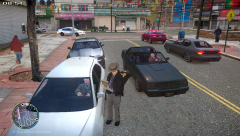
From the album: Daily Patrol Photos
Pulled over for reckless driving in a unmarked camaro link to black jesus's camaro http://www.mediafire.com/download/16qu8swvjevba7k/rbcamaro+final.rar message me if u want links for nypd textures




