DevKilo
Members
-
Joined
-
Last visited
Everything posted by DevKilo
-
 THIS IS A PLUGIN FOR FIVEPD! REQUIRES A FIVEM GAME SERVER WITH FIVEPD INSTALLED TO IT! Showcase: https://youtu.be/xGpThKEXedE Changes: - Adjusted spacing between animation loops. - Switched to Cfx's PlayAnimation Task for the built-in networking. (Animations should be seen for other players now) - The code has been refactored into a class, this should make updates a lot easier. - Fixed a bug with the cancel key not working. Installation: 1. Drag and drop the "CPR" folder into your fivepd/plugins folder! 2. [OPTIONAL] Install the CircleMinigame resource into your server. If you already had it installed in your server, you can either replace it with my version OR rename the resource folder to "CircleMinigame-CPR". That's up to you which you would rather do. FXManifest Changes (only if not present): Add 'plugins/**/*.json' to the files section of your fivepd fxmanifest.lua.
 -
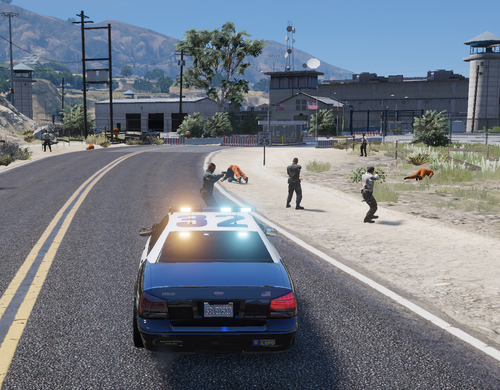 # THIS IS A CALLOUT FOR FIVEPD (FIVEM) # Requires FiveM Server & FivePD installed to it This is a dynamic callout where you (and some friends) will help return the prisoners, but things can go south! 😉 ## Installation: Drag and drop the "PrisonBreakByKilo" folder into your fivepd/callouts directory. FiveM Frameworks Supported: - FivePD This callout is open-source - Check it out on GitHub Looking for more callouts? Better By A Kilometer GitHub