killaman9200
Members
-
Joined
-
Last visited
Everything posted by killaman9200
-
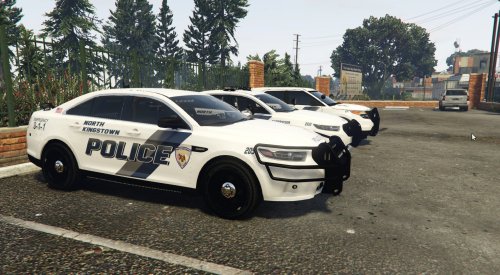 Thank you! Cool to see my home town on here
 -
1supermiguel is right, i have a ~$2,600 laptop (Dell Studio 1747 $3000 in 2010 at purchase) and it still runs GTA IV just fine so you cannot find a gaming laptop under $1000. As he said a MSI laptop would be good, it would be best because they offer upgrade ability for future upgrades and they are packed with power around $3000 that can game GTA V no problem as I am looking for a new laptop.
-
Do you have any mods installed?
-
Ok I had the problem of it corrupting but it got fixed by using ,dds but there is no texture to the lightbars in Zmodeler or in OpenIV or in game. I have tried deleting and re adding textures but that did not work. Any help would be appreciated
-
Ok it works in game but the lightbars that i have on it, are completely white and have no textures nor do they flash. yes i did the importing of the textures but i did it in .dds which was the only thing that seemed to work right. if you would like some pics in game and openiv id be more than welcome to
-
Thank you i will try that now
-
Fixed please delete and opened a new thread about other problem
-
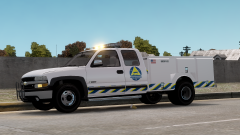 What is the original truck that this came to be from? Was it a dually because i wanted to slap a whelen edge 9000 on it (I'm new here do i don't think this is begging i hope) and i have been looking for a police dually silverado of this year