




TheAzerCZ
Members
-
Joined
-
Last visited
Everything posted by TheAzerCZ
-
Same here, after disabling LML everything goes well.Hi, so I was able to play last weekend normally, but after the GTA V update, i'm not able to load game at all. Spent at least one hour in order to find out the cause and it seems, that everything points to LML. I tried to disable all mods in mod manager but the game crashes with the same error: After deleting LML files, I loaded normally without no issues. Am I missing something or is this really the LML related issue after the GTA V update?Do you use LML?
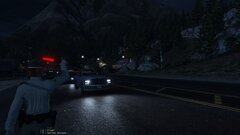
From the album: Night shift
 I tried to search in documentation and this forum, but I'm unable to find any information how to toggle the status message next to the map. I have "PLD" mod installed but no way to get it work. I haven't found any settings in the .ini file, so how can I set it up as you go it on your screenshot?
- 451 comments
- 50 reviews
I really didn't mean to make you angry nor make you feel like I wanna you, not all. I'm just saying that whenever mod requires me to replace dlls files that are already in my root game folder, I don't do that for a logical reason. So that means that I copied everything except RageNativeUI and mod still didn't work. Strange.- 451 comments
- 50 reviews
Yes, it is like that. I think we don't get each other. Your mod includes files that comes natively with RPH. From my own experience, I don't overwrite them, because some mods use older .dlls that cause RPH not working at all. That's the blocking from RPH I'm speaking about, although you use same dlls. Still they have to be overwritten and unblocked on RPH side. That's just my point of view, otherwise I don't get why it shouldn't work.- 451 comments
- 50 reviews
It's not that hard to find some screenshot. There's one for an example. I got the same message after replacing files with yours 🙂- 451 comments
- 50 reviews
Well, when I add new files to my game root folder, then launch RPH, it asks me to unblock those files. That's what I'm speaking about. Of course I haven't installed the mod while in game, that's obvious it can't work like that.- 451 comments
- 50 reviews
-
-

- 1
-
I just found a solution. The problem was related with Rage Plugin Hook blocking the files. I just made a backup of files that the plugin overwrites, overwrote them, unblocked them and after initial crash, the plugin succesfully loaded. And has to be said, the plugin is excelent, well done 🙂- 451 comments
- 50 reviews
-
-
- 1
-
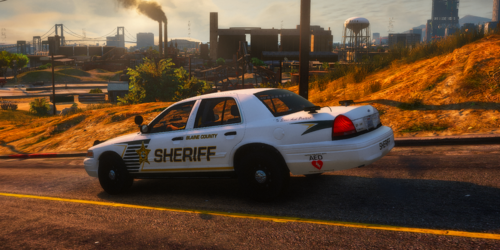 Do you plan to upload "red & blue" version as well? Would be cool, I really love this model 🙂
- 9 comments
- 1 review
Do you have any mods and plugins installed?Hello, so I've been trying to change primary siren sound for Policeb model. I think I'm the only person on the Earth who actually doesn't have these two files in x64\audio\sfx\RESIDENT.rpf\vehicles.awc. I exported vehicles.awc as openformats and had a look for these two sound files: 0x013F5FE7.wav and 0x17DDFB5C.wav which would be related according to forum topics here. The problem is that these two files aren't located there. Am I searching in wrong directory or what? When searching the internet, it seems everybody has these files in that directory, only I am the exception. Can anybody tell me, what's wrong here, why I can't replace these sounds and where I should search instead? Thanks for help 🙂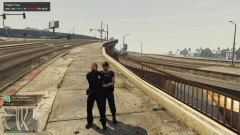
From the album: LSPDFR
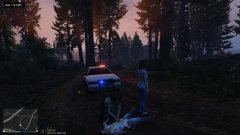
Some police officer decided to change sides and started fire at me.




.thumb.jpg.7291af5d7f1dd3511119cc23a3ad2a42.jpg)
