
xAzDKr
Members
-
Joined
-
Last visited
Everything posted by xAzDKr
-
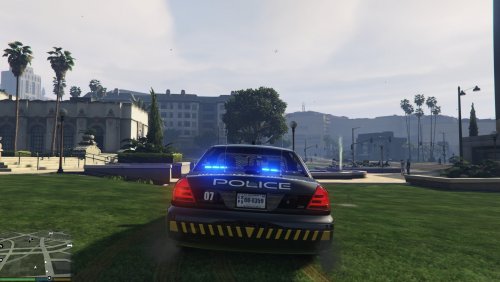
From the album: Tampa Police Department
-
-
From the album: Tampa Police Department
-
Good afternoon, is it possible to change where ELS pulls sirens from in the VCF? For example, I want Sheriff2(Granger) to use the siren of Sheriff(standard police) and I want FBI(standard police) to use the siren of Sheriff(Granger) In the VCF they are simply called SIREN_1 and SIREN_2 regardless of vehicle type which leads me to believe that my idea is impossible. https://gyazo.com/747620e03e86fa7fb0bd178168824034 Anybody ever tried this? My main motivation to do things this way is so I don't have to use siren mastery on top of ELS, makes things too clunky
-
The 2014 and 2015 Charger in the following link are closeish and what I use. Real FHP Rear decklight is orange and the lightbar is just red/blue. Slicktop explorer isn't bad. Crown vics aren't bad either but they're not ELS. For the siren, use a Code 3 RLS or mastercom B.
-
Most common siren for FHP is the Code 3 RLS/Mastercom B
-
I believe the Banshee is the successor to the Z3, if I am not mistaken it has the same tones+new low frequency ones
-
I know some FHP Cars are equipped with the Code 3 Banshee + Code 3 RLS/MCB combo No, it will be ELS.. https://gyazo.com/0a2c50efcbe5501bc30431b642b264d4
-
Hi everybody, I just got partnered on YouTube the other day and after taking a quick SWOT on myself I discovered that the biggest portion of my audience is on GTA, specifically one video that has nearly 26 thousand views. So now that I have more motivation to be active on my YouTube, I just posted my newest GTA video. Let me all know what you think about my videos and my content! I try to be funny and my sense of humor is somewhere between extremely dry and extremely sarcastic, so if you're into that sort of thing you're in for a good time! Have a great night!
-
Things are looking good! Looking forward to the pack. Do what you think is right, individual vehicles would be nice but I wouldn't be opposed to waiting for an entire pack.
-
Hi Taylor! Checking in since it's been a few weeks. How goes it?
-
Wow this is coming along great! Will the lighting patterns be more basic or will you try to get them to be "ELS style?"
-
yep that was the joke, thanks
-
I still can't believe a singer plays lspdfr
-
car lights are part of the texture dictionary, so if the texture dictionary supports it, then yes
-
Charger is looking great! Keep up the great work!
-
Second one sounds like of those Federal Signals that goes up to a really high pitch, maybe a unitrol 80k
-
spawn bodyguards in the SWAT uniform
-
-
-
I would love to be able to use a fully manual federal q like in the video below. Nothing like clearing an intersection with a q. Before it is said, I know this might not be compatible with GTA, I just want something that plays the audio when I hold down a button, it doesn't actually have to be functional in game. Anybody know of anything out there or willing to take on this project?
-
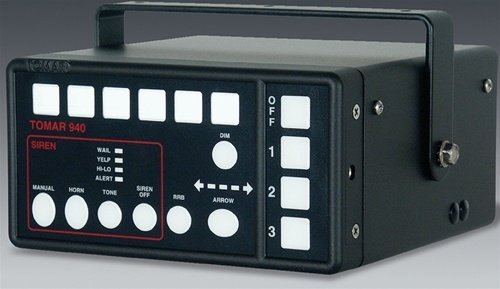
Here is my demonstration video/concept video for the Tomar 940L siren mod I am working on. All credit goes to tomar, audio files were pulled from Tomar's website. Is this siren worth fine tuning or is it such a rare siren that nobody is interested in it? (ps sorry if this is the wrong section, not sure where else to put it, only posting a WIP siren because it'll be a pain to cut down everything correctly) Real life: GTA Demonstration:
-
I love the 2016 lightbars, coloring on them is great. I was always iffy about the old javelin but now that it's finally warming up on me, it's being replaced lol
-
I just threw up in my mouth a little bit...
-
 Would be nice if you linked the models in the description, I see them in the readme but it would be convenient to have them in the description as well.