


TechSWS
Members
-
Joined
-
Last visited
Everything posted by TechSWS
-
-
-
Friday is a perfect time for release for me. Finals in the morning should be done by 10am then come home and play LSPDFR for the rest of the day and the weekend. #Hype
-
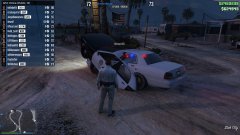 how are you using these mods online
 -
I think that this is the right place to post this. People are making skins and plane skins flying but I can't find any of Air Canada on GTA5-Mods.com so I was wondering if any of you talented people could make me on. The template is here : https://www.gta5-mods.com/tools/texture-editing-template-pack Thanks
-
It looks like you'll meet the minimum requirements. CPU:Intel Core 2 Duo 1.8GHz, AMD Athlon X2 64 2.4GHzCPU Speed:1.8 GHzRAM:1 GB for Windows XP / 1.5 GB for Windows Vista)OS:Windows Vista - Service Pack 1 / XP - Service Pack 3 / Windows 7Video Card:256MB NVIDIA 7900+ / 256MB ATI X1900+Sound Card:YesFree Disk Space:16 GB
-
When is he planning on releasing this? I'm dying to have it!
-
When will this be released?Dang, I didn't think it took that long to make a model or take it from another game and make it work in V.Does anyone know how long it will take for people to make LAPD CVPIS, Taurus, etc? I'm dying to get some D:Last night when I was playing GTA V it was perfect, 60fps solid now it freezes and stutters horribly and the sound stutters. It makes the game u playable. How can I fix this or what went wrong fogured out the problem: the power brick was not charging the computer it started then stopped.Well, it took me 20+ minutes to get my pre load off 99%. The game looks great although last night it wouldn't let me play online hopefully today I'll be able to.Yes. When I tried again it said I dont have eough permissions to move gta iv when im the only acct on my pc and its the admin acctHi, I'm trying to run ELS 8 and LCPDFR 1.1 together but LCPDFR works but ELS doesn't. Can anyone help me?I'd like a Royal Newfoundland Constabulary skin for this ford expedition http://www.gta4-mods.com/vehicles/2009-10-ford-expedition-ssv-v25f-els-f22293 I'd like the new liveries that say Royal Newfoundland Constabulary on them. Search Royal newfoundland constabulary car on google for pics.If you're talking about YouTubers. They have just as many crashes as non youtubers have. They're either A) edited clips or B) Got lucky and got the game running without lag and crashes for 20-30 minutesQuoted from the NYPD Utility DROT "To get the actual highriser to work on the car you MUST use the ELS config file that is included with the car itself. Just go into your slot control file in your ELS folder and change the police2 to DROT."We can keep wishing :(I also noticed this, I just keep spam spawning until I get the one I want :DHeists are released?Deleting those 2 files worked, thanks :)My game crashed and autosaved.. normal. Really love this feature but now it's biting me in the butt. Whenever I load into game I spawn in as Niko then automatically go back to my LCPDFR spawn point, but it stops at Loading, it loads for 2-5 times then it crashes and it keeps trying to put me in the autosave again and again, crashes. Is there a way that I can fix it?Just press show more options under the remove thing and select allow it and it'll run. I also have AVG and it detects it as a virus but it isn't.Yes, my video drivers are up to date. I have dual nvidia geforce 860ms (2x2gb) SLI enabled

