




fatfluffycat
Members
-
Joined
-
Last visited
Everything posted by fatfluffycat
-
133
-
-
91 tbh it should have been "count to a thousand before 2017"
-
-
Yeah but it would be nice not having to download 30 things every time R* updates the game.
-
-
You don't even have anything to tease us with?
-
-
-
-
 wat
wat -
59
-
1
-
It's also possible to make a train pursuit.
-
This thread is why we'll never get a new version of LSPDFR 4
-
 Must be a strike.
 -
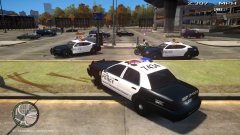 You can actually stop GTA 4 from crashing?
 -
5
-
10
-
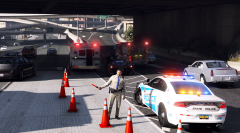 Where did you get that firetruck?
 -
 I never seen the ai cops spawn with the traffic vest, does the ai ever use it?
- 273 comments
- 61 reviews
-
 At least your tie is still clean!
 -
 wut
wut -
You wish

.thumb.jpg.30de2cdd6bdce371d029c527c67ad196.jpg)


.thumb.png.84adb823f7f653b8d654f1ab13098851.png)
