


foxtrot95
Members
-
Joined
-
Last visited
Everything posted by foxtrot95
-
Sounds good, thank you for the reply.
-
Is there a current updated gameconfig or are we all waiting on an update?
-
I was using EUP the first time, not the second. The second was clean install with RDE first, then LSPDFR, then the newest version of RAGE.
-
Hello, As stated in the title I am currently experiencing an issue with Realism Dispatch Enhanced. I recently attempted to install it and it resulted in my game crashing after the "Loading and Populating world" part of the Rage loading screen. I did a fresh install of GTA 5 (losing all of my mods and vehicles) and installed RDE first, then LSPDFR, then RAGE, and then launched RAGE. Same issue as previous, it crashes right at the "Loading and Populating world" mark of the loading screen. I've attempted to use RDE in the past (2ish years ago)with the same results (crashing) and thought with the recent update in September the headache of installing it would be resolved. Either I am clearly doing something wrong (very possible) or RDE is broken with the latest GTA 5 update. I've taken the following problem solving steps prior to creating this thread: -Fresh install of GTA 5, and installing RDE before any other mods -Downloading a gameconfig that allows for unlimited vehicles (not done it the latest fresh install) -Obtaining ScripthookVdotnet At this point I'm considering never using RDE and just doing a fresh install and avoiding RDE. I'd really love to use RDE, but I've only had problems with it. So any help would be greatly appreciated!
-
-
I have had this problem for the past 8 months, and I have been unable to play LSPDFR for those past 8 months due to this problem. I will detail the problem below: -When I launch GTAV using RAGE, the game will take a while to load, prompting the RAGE launcher to say "This is taking longer then usual" -Once the game loads, it is the vanilla game with RAGE not being hooked. -Upon Alt-tabbing from the game, the error message displayed is "GTAV Launcher failed to start" The following attempts at solving this problem are below: - Completely reinstalling GTA V multiple times (including a fresh LSPDFR install every-time) - Double and triple checking I have the latest RAGE installed. -Ensuring my OpenIV has updated the update.rpf -Running RAGE as an administrator - Locating ClientRegistry.blob and renaming the file to ClientRegistryOld.blob - Adjusting launch settings in RAGE (Direct X version, windowed mode) -Re-launching RAGE during game startup I am practically begging for help at this point. I see multiple posts on this forum regarding the same issue with no replies. I have made a thread in the past in July 2017 with the same, issue, and to no avail. There must be a solution to this problem somewhere.
-
-
Thanks for the reply, but unfortunately this did not solve my problem.
-
So the problem I'm having is that upon using the Rage exe to launch GTA 5 Rage loads, but takes a long time to do so, about 30 seconds to a minute. After this time GTA 5 will launch, but it is the non-Rage hook version (Vanilla GTA 5) that loads. When I close GTA 5, Rage displays a message saying that the game failed to launch, even though it didn't. I've done a complete reinstall of GTA 5 that included removing all mods I had. Even on a fresh install the game wont launch through Rage. I have installed a brand new graphics card recently and double checked I had all the requirements for Rage to run. There is no log file created by Rage, and running in administrator mode does not work. I also do not have an anti-virus software running, and no other overlay applications such as FRAPS running besides the Nividia in game overlay which displays my current FPS. Any help would be greatly appreciated.
-
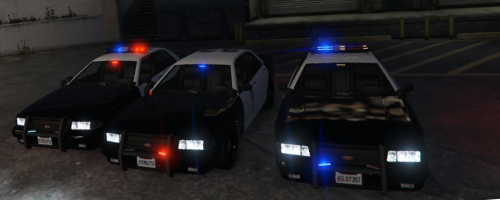 I intially installed this mod wrong and I was mad at the creator, then I realized I was the idiot.
- 6 comments
- 3 reviews
