Skip to content
View in the app

A better way to browse. Learn more.

LCPDFR.com

A full-screen app on your home screen with push notifications, badges and more.

To install this app on iOS and iPadOS
  1. Tap the Share icon in Safari
  2. Scroll the menu and tap Add to Home Screen.
  3. Tap Add in the top-right corner.
To install this app on Android
  1. Tap the 3-dot menu (⋮) in the top-right corner of the browser.
  2. Tap Add to Home screen or Install app.
  3. Confirm by tapping Install.

ArmaFire73

Members
  • Joined

  • Last visited

Everything posted by ArmaFire73

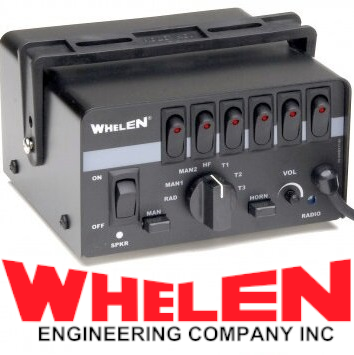
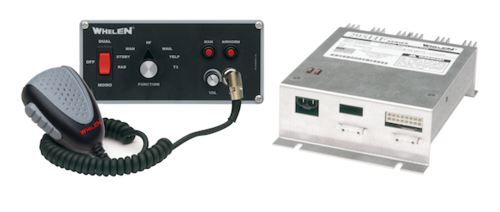
  1. Definitely should work on a whelen 295HFSC9 with the dual tone horns
  2. the Whelen 295HFSC9 is what boston ems uses
    love the siren, but the horn and primary are still to quiet
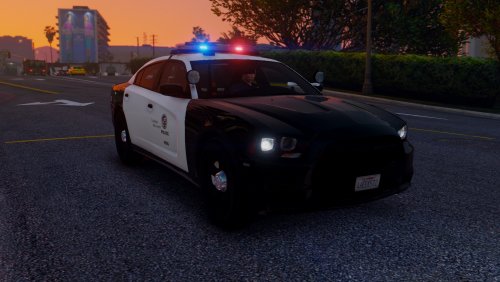
  3. Windows446 made a very accurate charger model for lapd
  4. I only have mpvalentines for carvariations, i dont have an mpvalentines2, help?
  5. Will you ever consider making a LACoFD skin for the truck
  6. Is there a way in foot pursuit that the npc cop can pass you while on foot?
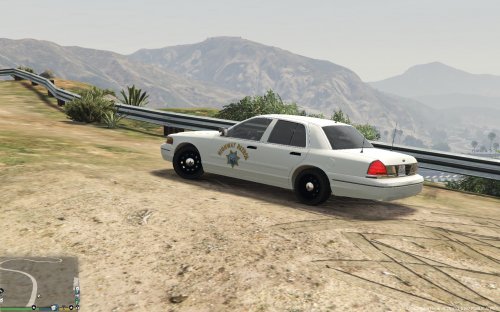
  7. is there soon a possibility you could add in the black and white version instead of solid white, cuz seeing a white sahp or chp cvpi makes me feel like im constantly commercial vehicle enforcement?

Account

Navigation

Search

Search

Configure browser push notifications

Chrome (Android)
  1. Tap the lock icon next to the address bar.
  2. Tap Permissions → Notifications.
  3. Adjust your preference.
Chrome (Desktop)
  1. Click the padlock icon in the address bar.
  2. Select Site settings.
  3. Find Notifications and adjust your preference.