


DAVIRE
Members
-
Joined
-
Last visited
Everything posted by DAVIRE
-
 Im using MVGA as my main graphics and the ReShade from NVR. Hey Ry! Thank you for the nice comment and I am thrilled to see your next stream include my skin/s. If you do, send me a link I will make sure to put it into the post aswell!
- 3 comments
- 1 review
-
FILES INCLUDED! - cvpi_sign_1 - tahoe_sign_1 - tau_sign_1 PREVIEW! INFORMATION! BASIC OPEN IV KNOWLEDGE NEEDED TO USE THESE TEXTURES! YOU NEED THESE/THIS PACK TO INSTALL MY TEXTURE/S! You've been invited to DɅVIRE SKINS! What do i do in my Discord ? Well the name of it explains alot, its mainly for GTA V and FiveM Communities which search for high quality skins and textures for their models. Provided will be: - Simple rules and TOS - Team of people that support you if you have questions. - Clean and SFW Chat/s - High quality skins - Custom orders can be requested https://discord.gg/N2UnsHU
- 3 comments
- 1 review
-
-

- 1
-
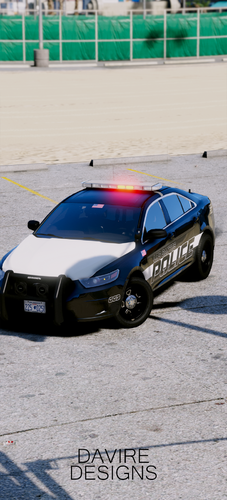 FILES INCLUDED! - cvpi_sign_1 - silverado_sign_1 - tahoe_sign_1 - explorer_sign_1 - tau_sign_1 - charger_sign_1 - chr2_sign_1 PREVIEW! INFORMATION! BASIC OPEN IV KNOWLEDGE NEEDED TO USE THESE TEXTURES! YOU NEED THESE/THIS PACK TO INSTALL MY TEXTURE/S! You've been invited to DɅVIRE SKINS! What do i do in my Discord ? Well the name of it explains alot, its mainly for GTA V and FiveM Communities which search for high quality skins and textures for their models. Provided will be: - Simple rules and TOS - Team of people that support you if you have questions. - Clean and SFW Chat/s - High quality skins - Custom orders can be requested https://discord.gg/N2UnsHU
- 1 comment
- 1 review

From the album: DAVIRE / WIP
© by DAVIRE
All my high quality pictures and NEW packs.
From the album: DAVIRE / WIP
© by DAVIRE

From the album: DAVIRE / WIP
© by DAVIRE

From the album: DAVIRE / WIP
© by DAVIRE

From the album: DAVIRE / WIP
© by DAVIRE

From the album: DAVIRE / WIP
© by DAVIRE

From the album: DAVIRE / WIP
© by DAVIRE

From the album: DAVIRE / WIP
© by DAVIRE

From the album: DAVIRE / WIP

From the album: DAVIRE´s Screenshots
© DAVIRE
-
Cold Blooded Murderer. #4
-
 Cold Blooded Murderer. #3
-
 Cold Blooded Murderer. #2
-
 Cold Blooded Murderer. #1
-
 dsa.png
-
 43851565_944713919053504_4608710301875961856_o.jpg
-
 43828478_944715695719993_8017453891400499200_o.jpg
-
 Police<3
-
 STABBING IN CHUMASH
-
 STABBING IN CHUMASH
-
 STABBING IN CHUMASH
-
 STABBING IN CHUMASH
-
 unknown (10).png
-
 PGTA51329033461.png
-
 PGTA5132903346.png
-
 PGTA513290334.png
-
 test.png
-
 PGTA51095781596.png
-
 PGTA5114431508.png
-
 PGTA510957815.png
From the album: DAVIRE´s Screenshots
© DAVIRE
From the album: DAVIRE´s Screenshots
© DAVIRE
From the album: DAVIRE´s Screenshots
© DAVIRE
Skins are not done by me, only light modifications. Stay tuned for more skins and peds.


Account
Navigation
Search
Configure browser push notifications
Chrome (Android)
- Tap the lock icon next to the address bar.
- Tap Permissions → Notifications.
- Adjust your preference.
Chrome (Desktop)
- Click the padlock icon in the address bar.
- Select Site settings.
- Find Notifications and adjust your preference.
Safari (iOS 16.4+)
- Ensure the site is installed via Add to Home Screen.
- Open Settings App → Notifications.
- Find your app name and adjust your preference.
Safari (macOS)
- Go to Safari → Preferences.
- Click the Websites tab.
- Select Notifications in the sidebar.
- Find this website and adjust your preference.
Edge (Android)
- Tap the lock icon next to the address bar.
- Tap Permissions.
- Find Notifications and adjust your preference.
Edge (Desktop)
- Click the padlock icon in the address bar.
- Click Permissions for this site.
- Find Notifications and adjust your preference.
Firefox (Android)
- Go to Settings → Site permissions.
- Tap Notifications.
- Find this site in the list and adjust your preference.
Firefox (Desktop)
- Open Firefox Settings.
- Search for Notifications.
- Find this site in the list and adjust your preference.