



DRD
Members
-
Joined
-
Last visited
Everything posted by DRD
-
.thumb.png.b76d1510be10664f7507749a3ae8f24a.png) 10/10 I never knew it was a police truck until I was in jail
10/10 I never knew it was a police truck until I was in jail -
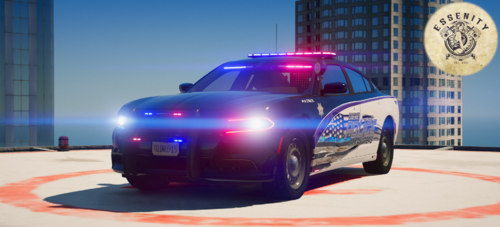 They can be colored. As a matter of fact there are several companys that offer color shift DRLs for many cars and trucks, including the charger. These can easily be programmed to steady burn white until triggered to flash between red, blue... even pink, purple etc.. One of those companies being Oracle. And if that's not what you're referring to, the pictures are with all the lights activated. They're white when the emergency lights are disabled

.thumb.png.b76d1510be10664f7507749a3ae8f24a.png)

