
CreepPork
Members
-
Joined
-
Last visited
Files posted by CreepPork
-
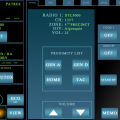
This is my second upload on LCPDFR, anyways this is a improvised Rockwell Collins laptop computer screen which I spent a lot of time working on and is somewhat accurate I could get it to look like.
It's made from scratch and it's designed for LCPDFR 1.0.
Plus it includes a .PSD file so you can edit it if you want to change something. You are also free to upload it anywhere and use as you like but proper fair credit is needed and the watermark is left in there.
Also there some Easter eggs!
- 183 Downloads
- 2 Comments
Updated -
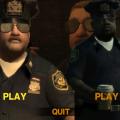
This mod is created just for fun and the looks of it. The mod was put in a hurry so I didn't pay very much attention, lol.
It was made only for GTA 4 not EFLC (Well I haven't tested it but I am pretty confident it wont work.)
If you have any suggestions what I should improve with this mod, please let me know!
How to install:
1. Go to your GTA 4 directory
2. Go to PC
3. Go to Textures
4. Drop that file in there.
5. Enjoy!
Credits:
Photoshoped by: CreepPork_LV
Images from: Google, but I think those images were from Custo's screens!
- 41 Downloads
- 4 Comments
Submitted