



Matt Eldridge
Members
-
Joined
-
Last visited
Everything posted by Matt Eldridge
-
-
 Great stuff man, i released a code 3 pack a few days ago, nice light set up, alprs and such!
- 110 comments
- 39 reviews
-
-

- 2
-
-
-
-
-
 UPDATE HAS BEEN PUSHED OUT, ADDING VEHICLES.META AND THE UPDATED VERSION OF THE EXPLORER, YOU CAN ALSO DOWNLOAD THE EXPLORER SEPARATELY.
- 114 comments
- 9 reviews
-
Yeah on the explorer it seems to be off a bit. I'll readjust it and put an updated version. Thank you! I enjoyed your vehicles heck ton awhile back. Readme is provided and if that doesn't work YouTube has good tutorials. You will require to download ELS too. No, but I can make it as a dlc addon a bit down the road. It would be really jagged to turn it into red and blue. Since zmodeler side most lights are set up to blue and the few ones that are white. However I might another pack that's probably smaller with r/b Check the readme Thank you!
- 114 comments
- 9 reviews
-
-
- 1
-
-
I HAVE FORGOTTEN TO ADD THE VEHICLE.META, I AM REUPLOADING IT NOW I WILL ADD IT SEPARATELY
- 114 comments
- 9 reviews
-
-
LOS SANTOS POLICE DEPARTMENT CODE 3 LIGHTING PACKAGE BE SURE TO READ THE READ ME COMPLETELY, I HAVE INCLUDED EVERYTHING THAT NEEDS TO BE KNOWN THERE. INSTALL, NOTES AND CREDITS. Special Thank you to @AvionGaming (Skins) and J. Edwards (Screenshots) for the efforts they did within this pack. Their contact info can be found in the credits. I have been working on this pack for quite sometime, finally got to finish it, this pack includes the following vehicles. 2020 Chevrolet Tahoe - sheriff 2 2018 Dodge Charger - police2 2014 Dodge Charger - sheriff 2016 Ford Explorer - police3 2016 Ford Taurus - police 2014 Dodge Charger Slicktop - policeold1 2018 Dodge Charger Slicktop - fbi 2016 Ford Explorer Slicktop - fbi2 2016 Ford Taurus Slicktop - police4 There may be a few hiccups here and there, some vehicles have toggleable rambars and wraps and some dont, ill get to updating that sometime, there are some nice extras on some vehicles, extra12 is spotlight, and extra9 & 8 vary from car to car.
- 114 comments
- 9 reviews
-
-
-

- 33
-
-
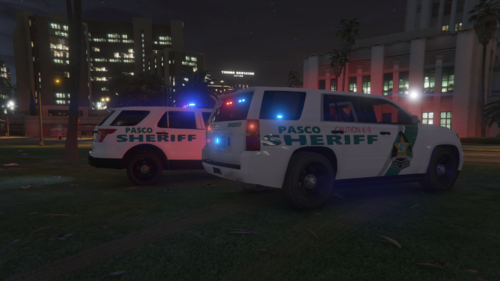 Hey man, Thank you for using my explorer, theres an upcoming pack thats way improved and better looking, if your interested.
 -
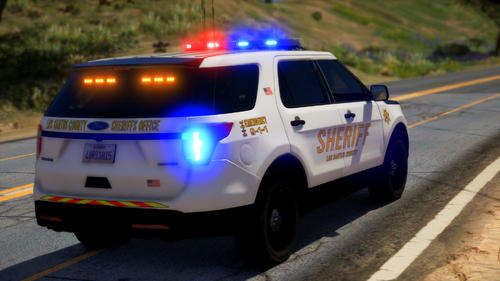 Its an issue with vehicles.meta and what the vehicle is set to, i dont know if you should edit base game files but you certainly can, make sure to back it up, explorer works well if place as police3, and charger as fbi (the vehicle model in vehicle.meta) and not name wise. @Deputy Gopnik Thank you for a lengthy review and the kind words, I am currently still in a learning phase, i am hoping that the quality of certain stuff will increase down the road, for certain lighting and what not i am trying to learn the els configs and what not, that see,s to be my main issue. @Condor96 Thank you for the kind words, inregards to LOD's as mentioned to Gopnik i am still in a learning phase, improvements should happen with upcoming content. @Asm424 Make sure you are using the correct els vcf for the appropriate lighting color that you chose. Also Expect a new pack soon all code 3 lighting package, will probably be a city based pack. http://i.gyazo.com/e016d354b1b876cfb719b9c769127105 http://gyazo.com/98382efdeabf86ffea1ea379d24fee8f http://gyazo.com/4108f87c2ba4a735b5380336d288a9d9 === 3/21/2020 === https://gyazo.com/9c57538f8e3e0908643968c96fcdf3e2 https://gyazo.com/32df2f42540924006aa38383941cfd2c (lights on the 2018 charger are fixed just forgot to add them in.) these are just wip pictures and not the final product give me a few days 😛
- 29 comments
- 6 reviews
-
You nee You need to replace the light textures via openIV, to the all blue ones.
- 29 comments
- 6 reviews
-
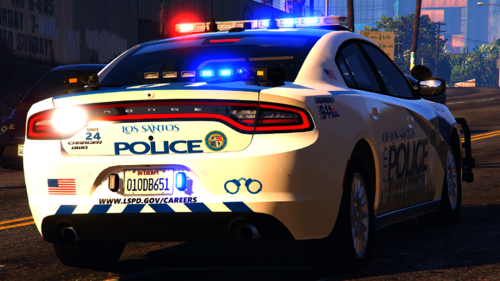 Vehicle looks nice, however dont you think the watch guard stuff you have are way out of proportion?
- 19 comments
- 1 review
-
Fairwell, i will change the car to sheriff slot once i push out an update. Thank you for the kind words.
- 29 comments
- 6 reviews
-
-
-
If i am not mistaken the current template on the vehicle is transparent therefore you can change the color with any trainer or change it to the specified one you want. inregards to the vehicle working, you might have installed it incorrectly as i test it on fivem and single player no issues.
- 29 comments
- 6 reviews
-
Thank you for the kind words, probably not for any more vehicles, i am just waiting on a lightbar so i can make a pack revolving around it, not sure when but i hope its soon.
- 29 comments
- 6 reviews
-
After a long time of the explorer being ready and me taking my sweet time to make a texture and take the screenshots its finally here, the skin is in no way perfect, if you want to make a skin i can include it in the pack. This pack contains two vehicles 2016 Ford Explorer 2018 Dodge Charger Two VFC files for each vehicle Red & Blue, Blue & Blue All texture files to change the lighting color follow the read me. The pack includes the old textures for the charger if you wish to use them they are in a folder named with old Design. Extra12 toggles the wrap around. I will be working on nicer vehicles soon just came back from a long vacation so i need to get used to zmod again. I might of forgotten credits, if i infact did message me and i will get it fixed,
- 29 comments
- 6 reviews
-
-
-
- 8
-
-
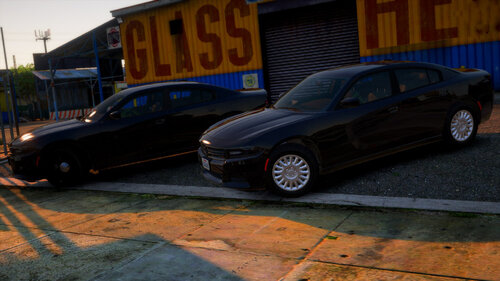 Thank you!
 -
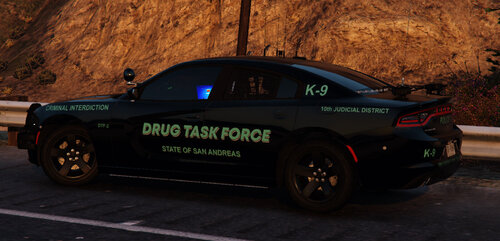 I think he meant Matt's base 😝 since mine is using Matt's charger then it works.
 -
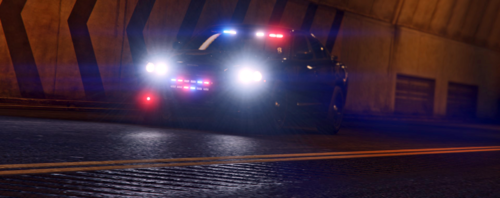 Thank you!! Quick update on the explorer that was meant to come out with the charger almost a week ago. I am currently traveling with no access to a pc. I might buy a laptop sometime soon and release it who knows.
- 5 comments
- 3 reviews
-
-


