Skip to content
View in the app

A better way to browse. Learn more.

LCPDFR.com

A full-screen app on your home screen with push notifications, badges and more.

To install this app on iOS and iPadOS
  1. Tap the Share icon in Safari
  2. Scroll the menu and tap Add to Home Screen.
  3. Tap Add in the top-right corner.
To install this app on Android
  1. Tap the 3-dot menu (⋮) in the top-right corner of the browser.
  2. Tap Add to Home screen or Install app.
  3. Confirm by tapping Install.

MeJorj

Members
  • Joined

  • Last visited

Everything posted by MeJorj

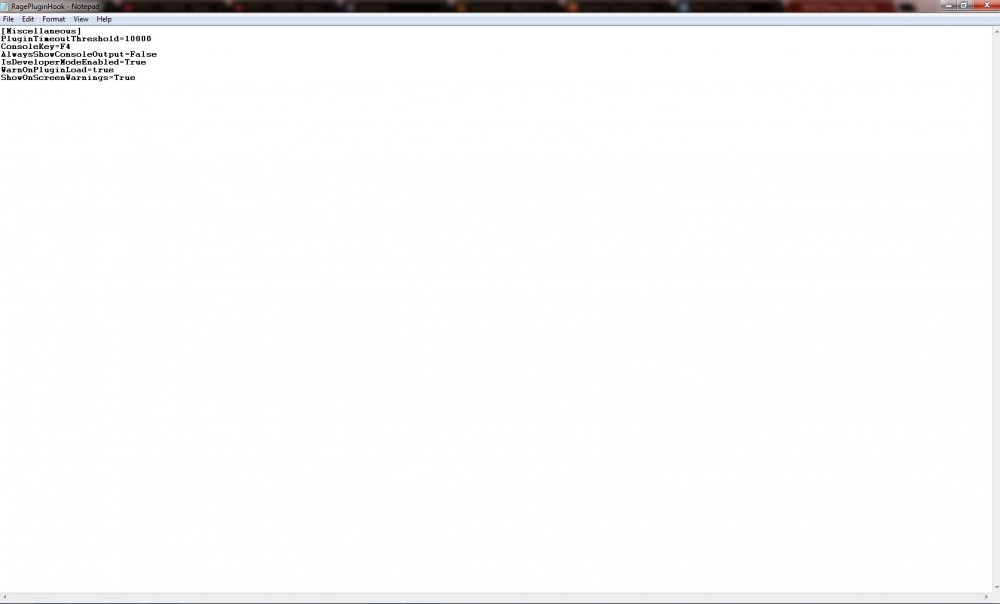
  1. I'm posting this so people know, as I had the issue in which the console does not appear when you press "F4" and I managed to fix it on the latest release of both RAGE and LSPDFR. Essentially all you need to do is make sure your RAGE config file looks the same (or similar) to mine. You can do this by editing it with Notepad or something of that sort. Hope that I managed to help some people who were having this issue.
  2. Great job guys! Thanks for getting it out so soon, and working so hard to fix any problems!

Account

Navigation

Search

Search

Configure browser push notifications

Chrome (Android)
  1. Tap the lock icon next to the address bar.
  2. Tap Permissions → Notifications.
  3. Adjust your preference.
Chrome (Desktop)
  1. Click the padlock icon in the address bar.
  2. Select Site settings.
  3. Find Notifications and adjust your preference.