


moneybags
Members
-
Joined
-
Last visited
Everything posted by moneybags
-
-
I am an explorer with OCSD, and this is very realistic looking. We are currently still using CVPIs, but they mostly have Edges, not Liberties. If you are to make an update, I suggest you remove the coronas from the taillights, and put strobes instead to make it accurate. Also, maybe add a version with a Go-Rhino for contract cities. Other than that 9.7/10.
- 12 comments
- 5 reviews
-
I doubt it, when I went in one of OCFA's trucks, I saw only code 3 equiptment....I just don't know what one
-
I need to know because I am making one based off of it.... All I know is that it is NOT a Touchmaster/Touchmaster Delta (the tones are slighty different, sorta echo like in my opinion).
-
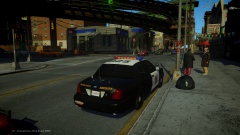 Yes, that would be amazing, I already modeled a cvpi whelen edge (and put it on the downloads) and a tahoe with the help of mustu. I love people who love ocsd :)
 -
I agree, I think this is a good idea. Most explorer academies last 5 days, so why not add in a couple EVOC days? Plus, vol. firefighters can have lights+sirens
-
![[WIP] Ford E-450 Ambulance](//s3-gallery.int-cdn.lcpdfrusercontent.com/gallery/album_1565/sml_gallery_65185_1565_65779.jpg) OMG plz pm me i must have this!
OMG plz pm me i must have this! -
-
These cars are with models modified by me to match realism.
![[WIP] Ford E-450 Ambulance](http://s3-gallery.int-cdn.lcpdfrusercontent.com/gallery/album_1565/sml_gallery_65185_1565_65779.jpg)