


SGT Rick Wishaw
Members
-
Joined
-
Last visited
Everything posted by SGT Rick Wishaw
-
Yeah I know what you mean. I've had a British fleet before just like you and the lights were pretty poor. You might just need to compromise. Rubbish lights with no graphic issues, or great lights with the issue.
-
Does it still happen when you have the graphics mod installed? VRAM running up to 4Gb shouldn't be an issue so I don't think thats the problem. I reckon it's one of your mods conflicting.
-
Are you saying that when you had LSPDFR at full settings, that it was running your VRAM up to 4 out of your 8Gb or was it maxed out at 8Gb? Does the issue still occur when you have MVGA or any other graphic enhancing mod installed? When did you first notice the issue?
-
Sometimes when I load a new 4K skin onto one my my vehicles, the map doesn't load correctly. I believe that happens because I have the game maxed out and the performance cant get any higher. When I add in the 4K skin onto my vehicle, the graphics can't seem to handle the 4K texture. Try lowering some of your graphics setting to see if that makes a difference. (Hope that all makes sense)
-
Thank you! I'll try it out!
-
Are you GPU drivers all up to date? Also, what specs are your PC and what settings are you running the game at?
-
Not lookng for a CVPI, I'm looking for a Ford Explorer Interceptor.
-
Hi everyone! Wondering if someone knows where to find the 2016 FPIU & the 2014 FPIU ELS vehicles? I'd prefer not to use thehurks 2016 FPIU as I'm not a fan of the light bar. Wanting to use this skin pack to make my police force complete!: Thanks for trying to help.
-
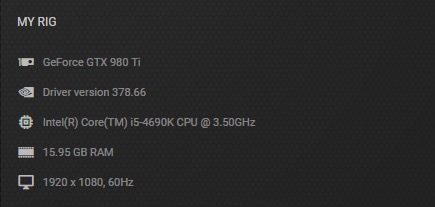
The vehicles were fine when I first installed them, only when I change the skins, I have the issue. I removed all my mods to see if that was causing the issue but it still occurs when LSPDFR is the only mod installed. The spec of my PC exceeds the requirements, this is what I have: I appreciate you trying to help. P.S I'm using the steam version and I've tried verifying the files.
-
Managed to get it working. GTA 4 was running an update that wasn't comparable or something so I just had to downgrade the game to the previous patch. Thanks for your help.
-
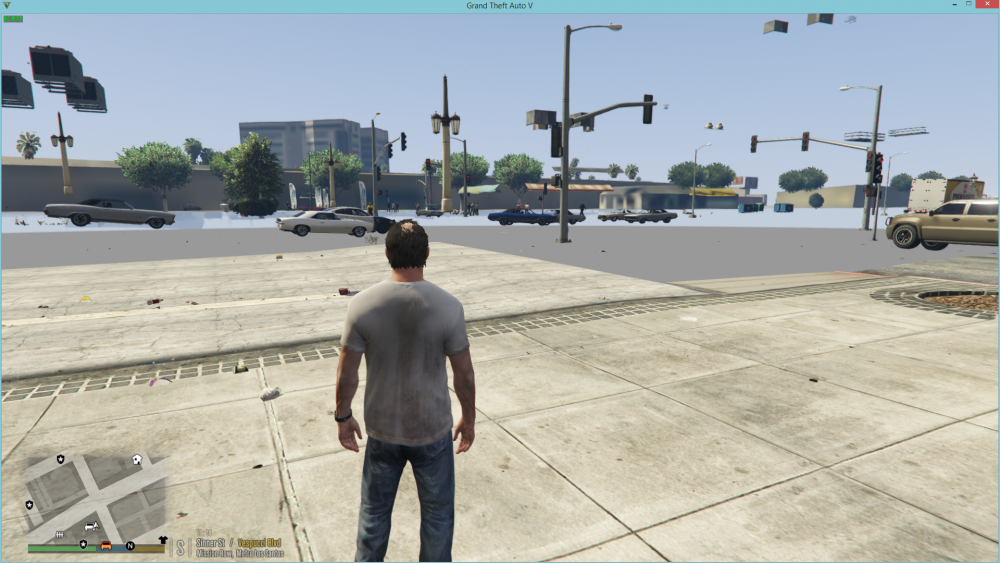
Hi everyone. So I've finally been able to get LSPDFR working again after the latest RHP update. When I start the game, the map looks like this!: Anyone know why this is? I have changed about all of my police, sheriff and FBI vehicles and changed their skins, could this be the issue? If so, any way on how to stop it from happening? Thanks.
-
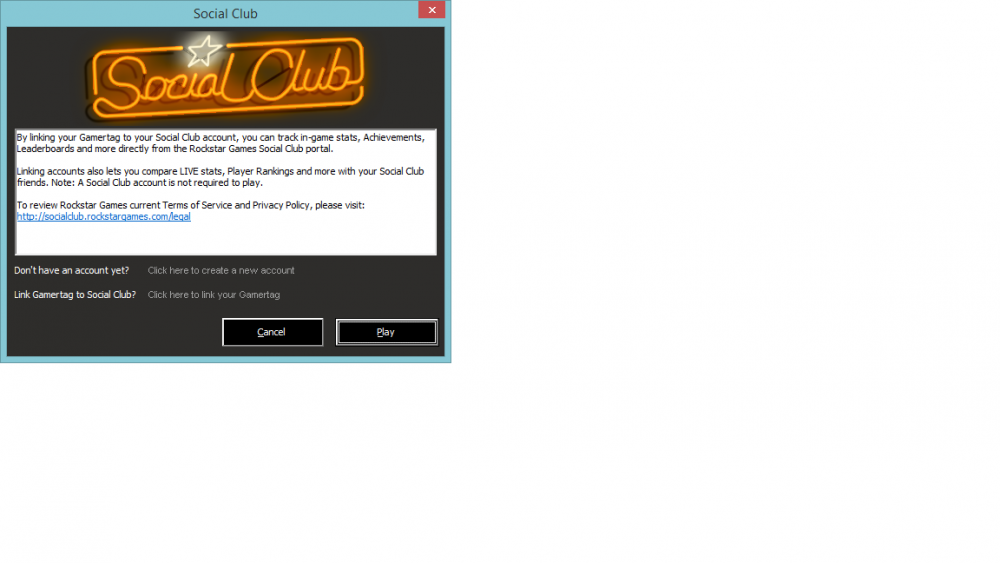
Hi folks. I'm trying to play GTA4 again but for whatever reason, it won't start. I have followed along with videos to try get it work but still no joy. I have put the game into compatibility mode and for it to run on 'Vista Service Pack 2'. I've tried to troubleshoot the launcher and I've got the most up to date version of GFWL (I think). Anyone else have any tips on how to get the game running? I have the steam version, and when ever i press 'Play', this comes up: I press 'Play', GTA4 on steam then says running but then just goes away a few seconds later. Thanks for any help you can give.
-
-
Hi everyone. I'm trying to make my GTA 5 LSPDFR to be a British at possible. I have recently downloaded a London black back mod that adds to this, the mod was created by Double Doppler. I saw in the video demo of the mod, that all the AI vehicles has UK number plates. I had a look for this mod but couldn't find it. What I am asking for is for your help, I'm looking for you to aid my search for this mod so I can improve my game even further, I would be forever grateful! Here is the link to the taxi modification if anyone is looking for it: Thanks in advance to everyone, Ryan.
-
Hi everyone. I've downloaded the British Police Vehicle Pack and i love it to bits. I notice that some of the vehicles have red markings on the light bar for where red lights would flash. I have noticed this in real life whenever I pass a police vehicle that is stationary, the vehicle has these lights flashing. I'm wondering if anyone know how to get these lights to be operational, whether it be by a script installed or some other way. Thanks in advance.

-
Hi everyone. Just a quick one. I've downloaded the British Police Pack and on some of the vehicles, the lights are A LOT brighter than some other vehicles. Is there a way to lower the brightness (or even turn the brightness up) on the police lightbar for the vehicles Thanks for your help.
-
Hi everyone. I'm needing to install a new siren as the one i have is getting old. I've picked on but when i go to install it through OpenIV, an 'Openformats Import Report' appears. Underneath that, it says this: Some files not imported, more information below. vehicles.oac(Line 1): Not supported format version, actual: "10" but expected "11". I am right clicking and pressing imprt openforamts and selecting the folder, and then selecting the vehicle.oac, then it appears. Anyone else run into this issue and know a way to fix it? Thanks!
-
Hello everyone. I love all of BXBuggs' vehicles that he makes, especially the Impala. However, I cannot get it to look the way i want it to look. Every livery that it comes with, it does not have the original San Andreas Licence Plates. I have seen other people on Youtube who have got a Licence Plate on the Impala that looks normal but i cannot find it? If anyone could help me out and send me the link to a skin where there is a SA Licence Plate or just tell me what i am doing wrong i would be forever grateful! Thanks a bunch.
-
 Great mod! Love it. Only thing is if i could get my character to talk when conducting a traffic stop of asking someone for ID. Is there something that IO'm missing. I know Jeff Favignano can get his character to speak when hes using this mod.
- 2,341 comments
- 236 reviews
-
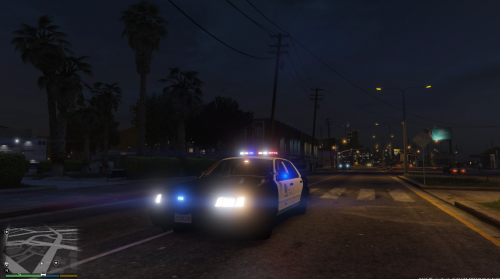 Great! Only thing i would ask for is it to made available for the police1 slot. When changing the files from police2 to police, the mirrors flash when playing.
- 99 comments
- 13 reviews
-
Thanks a lot dude! A big help.
-
Hi Guys. I am rather new to all this modding of GTA as I've only been PC gaming for a few months now. I've always been interested in the LSPDFR mod and it was the first mod that I installed once I had figured out how to install mods. My question is: How do I create my own police car? I see people have modified cars in gta and put lights and sirens on them and even a custom livery with police written all over it. I am wondering how i do that so I can make my own, and upload them to share with everyone. Sorry if I haven't made this very clear to understand, Thanks.




.thumb.jpg.53e6566fc11617e23f7fb13f2792cbbe.jpg)

