SGT Rick Wishaw
Members
-
Joined
-
Last visited
Everything posted by SGT Rick Wishaw
-
Hi folks. I'm trying to install Jeff Favignano's visualsettings.dat file that he includes in the description of all his videos. When I click the link, it take me to a site where I can download the code for the file. I then go into my own visual file and replace the code with Jeff's. I start my game then it comes up that the game is corrupt! I am also trying to install VisualV or MVGA along with the visualsettings.dat, so I reckon they are conflicting or something. Anyone know better than me how to install both files? Thanks. @Jeff Favignano
-
Watch this video.
-
So that fresh install didn't change a thing! Changed the PostFX option and it lowers the brightness, but doesn't look very good, think I'm just going to live with it. Thanks for all your help! @0sc4r & @sjain
-
To install the siren: x64>audio>resident drag the vehicle.awc (can't remember the file type) you've just downloaded, into that vehicle file to place the current one.
-
Try this. Go into your ELS.ini, and change: "ElsTrafCtrlOn = true" to "ElsTrafCtrlOn = false" This stops siren tones and horns from moving the traffic away from you in straight lines etc.
-
I'm doing a fresh install the now, will let you know what the outcome of that is. Thanks!
-
Glad it's working for you sjain, happy patrolling!
-
Sometimes I get massive texture loss when I replace the liveries on my vehicles to 4K liveries. Seems to me, that the 4K textures are too much for the game to handle, along with trying to load the game (which i have at similar settings to yours). I read that you've removed your mods folder so I take it that removes your custom vehicles and replaces them with the stock ones? If you do have 4K texture on your vehicle, try downgrading them to 2K or something smaller. I downgraded to 2K and it solved my issue!
-
Yeah, I've done that every time. I delete everything that is in this folder, and then I verify my files through steam to re-download it again.
-
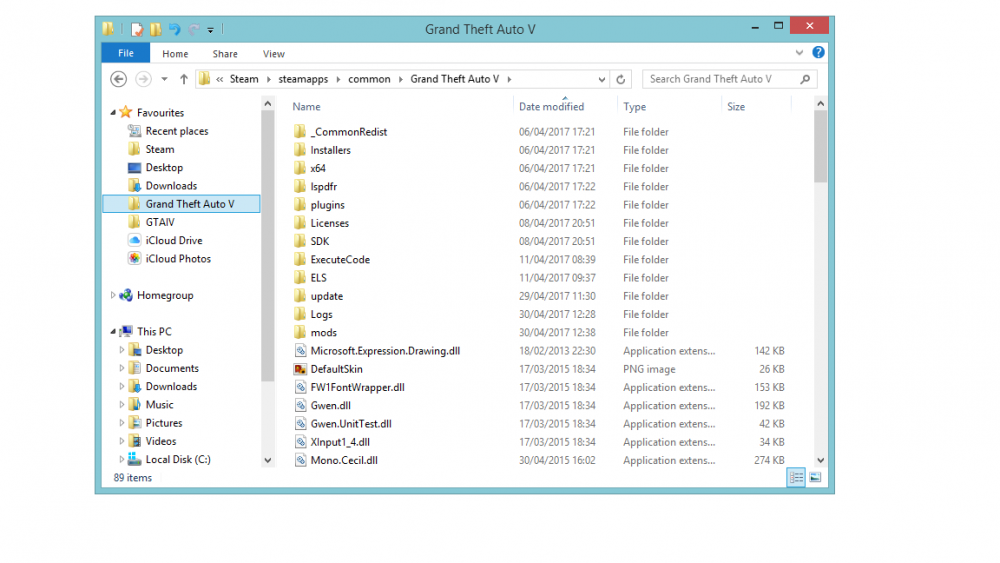
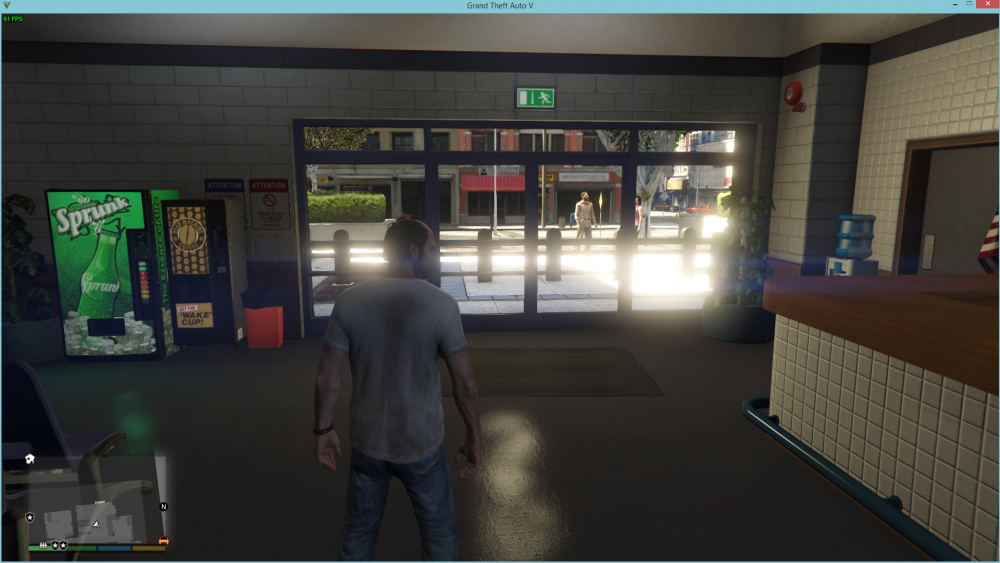
Hi again folks. I posted a thread like this a few weeks ago. I installed re-shade pack a while ago, it was Redux or MVGA, cant quite remember. Since then, I've done numerous fresh installs of the game, but I still seems to have textures that are enhanced from the pack. The ground seems a lot brighter than what it should be, I see bright licence plates from trucks. I'm now guessing that at the time of me installing the pack, I didn't have the experience I do now, and I installed it into the main directory, not my mods folder (scrub move)! If there anyone that has any idea on how to get these textures back to the vanilla one, please please please, let me know!
-
Thank you so much!
-
Hi folks. I'm in the process of changing everything in my GTA5 to British. I have the vehicles, sirens etc. I'm looking for the UK Coastguard peds and vehicles. I'm sure I've seen them before but don't know where. Thanks for any help!
-
You could try and use Simpletrainer to activate the lights. This is just a guess on my part and I'm guessing that it will be all the lights on at one time and then all off at one time. No stage activation.
-
No problem 😅! Try these skins, the title says it all. These are the skins that the LAPD use but instead of LAPD it says LSPD! I've used these skins a few time and I really like them: As for vehicles, try these. LAPD vehicles with the LAPD skin. Also with the Arjent lightbar that the LAPD use. I've used this and like it but not my favourite. You could always look at the vehicles that are compatible with the LAPD skin pack, that I've provided, and create your own custom vehicle pack! A little bit more work but I think would be a whole lot better!
-
I don't think these ELS enabled vehicles, just the style of ELS lights... Try removing ELS and the .xml files and see if it works.
-
Well of it worked before, just try and install it how you did before. I get the feeling it's something to do with the Advanced Scripthook file. Let me know how you get on.
-
So the way I work it and it hasn't failed me yet. Get OpenIV and the file with your vehicle files side by side on your desktop. Go to the most recent patchday and copy it to your mods folder (I now use patchday13 for all vehicles). (Lets use patchday13 as the example) Open patchday13 in your mods folder then simply drag and drop all the vehicle files that you want from the downloaded file, into patchday13. That should be you, try it out! P.S remember to put the ELS files into the els folder (you can do it through OpenIV or just through your directory.
-
That link isn't working for me, is it this pack you're trying to install? https://www.gta5-mods.com/vehicles/2016-lancashire-police-els-pack
-
What vehicles are you trying to put into the game, can you link me them? Also, what vehcike slot is it going into, like police2, sherriff or FBI?
-
Ok try this. Update>x64>dlcpack. Patchday13 should be in there.
-
I think you've went into the wrong file. See that second image you've uploaded, where it says patchday5? Count down 6 files until you see update, then it does to x64, then update.rpf. Go through those files until you find patchday13.
-
Go to OpenIV. Click tools and then go down to the manager bit (sorry if any of this is wrong, doing this from memory!). Make sure you all three of OpenIV tools installed, especially the one that enable your mods folder. Go to the dlcpack bit from your update.rpf folder, where it shows you all your patchdays, (make sure you are in edit mode before you make your way to the patchdays) and go to patchday13, copy it to your mods folder, there will be a message to automatically copy it, don't drag and drop it into the mods folder. Now, when ever you want to add a new vehicle to your game, just drag and drop the vehicle files from wherever to the vehicle.rpf in patchday13 in your mods folder. That should work.
-
Hi folks. There is is a certain ELS pack up for download the now and I'm really wanting to use it. All that comes with the pack are: numerous vehicles (all the necessary files), carvariation files, visualsetting files and vehicle meta files. No files to put into the ELS folder. Whenever I start the game up, all the emergency lights on the vehicle come on. I cannot change the pattern of them, can't turn them off. When I do put my siren on, all that flashes are the tail lights. Has the author forgot to put the .xml files into that pack or is it something that I am doing wrong? Thanks folks.
-
Just to clarify, are you trying to play LCPD:FR in GTA 4, or are you trying to play LSPD:FR on GTA 5? I also believe that your post is in the wrong section of the forums. Should be nice Support and Information in my opinion.
-
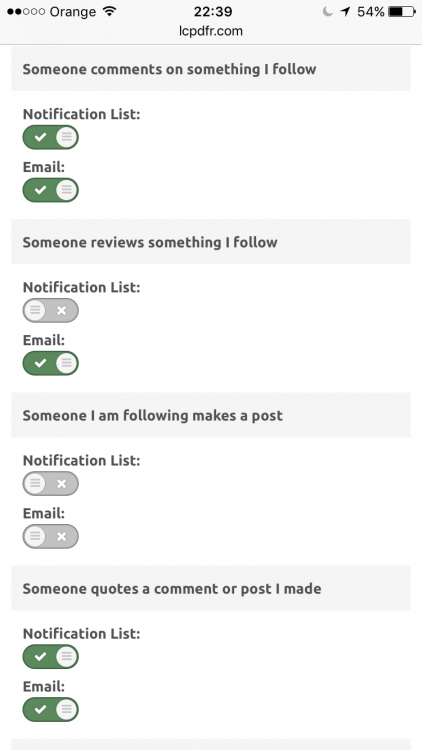
Hi folks. If you're like me and flick through the forums on your phone, reply to posts and make them, then you would probably want an easy way to be notified when something happens to that post, right? I've already asked the question "Is there an application that available, that will give me notifications on any activity on a post that I am active in?" The answer to that question was there is no such thing. However! Cyan (Co-Owner of LSPDFR) says that it is something that they are thinking of doing, exciting stuff! In the mean time though, I have found a work around. If you would like to get almost instant notifications to your mobile device whenever some activity happens on a post you are part of, just follow these steps! - Go to Settings, Account Settings, General. - Mark what settings you want to be notified about, and an email will be sent to you whenever something happens. - Add the LSPD:FR email address to your VIP list for your email. Simple as that! Now whenever someone comments, likes or quotes one of your posts, you'll get a notification by email instantly! I hope this is useful to someone and people can use this until we have a better solution to notify us. Thanks for reading.