


SGT Rick Wishaw
Members
-
Joined
-
Last visited
Everything posted by SGT Rick Wishaw
-
I am using chrome and i have cookies to be saved, I think. I am going into Settings>Advanced>Content Settings (under privacy&security). I have 'allow sites to save and read cookies' enabled. You know if this is right?
-
Hi folks. Just a quick one. Whenever I sign into my account, I always get an email saying that I have logged in. Is there a toggle in the setting to turn this off? Thanks.
-
Yeah thought it would be something like that. Thanks.
-
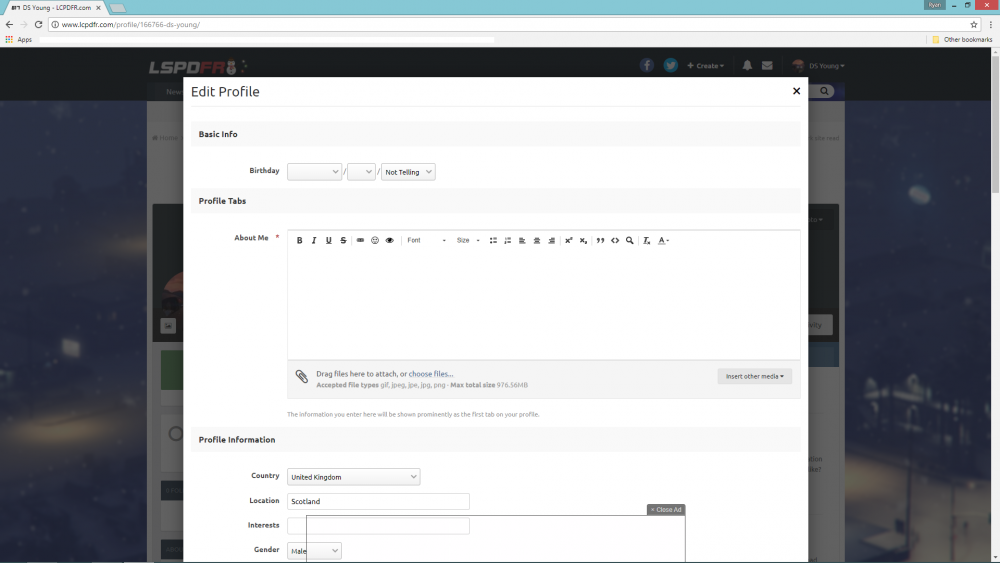
This is what i see when I click on edit profile: I'm sure it should be above 'Basic Info' but it's not. Any ideas?
-
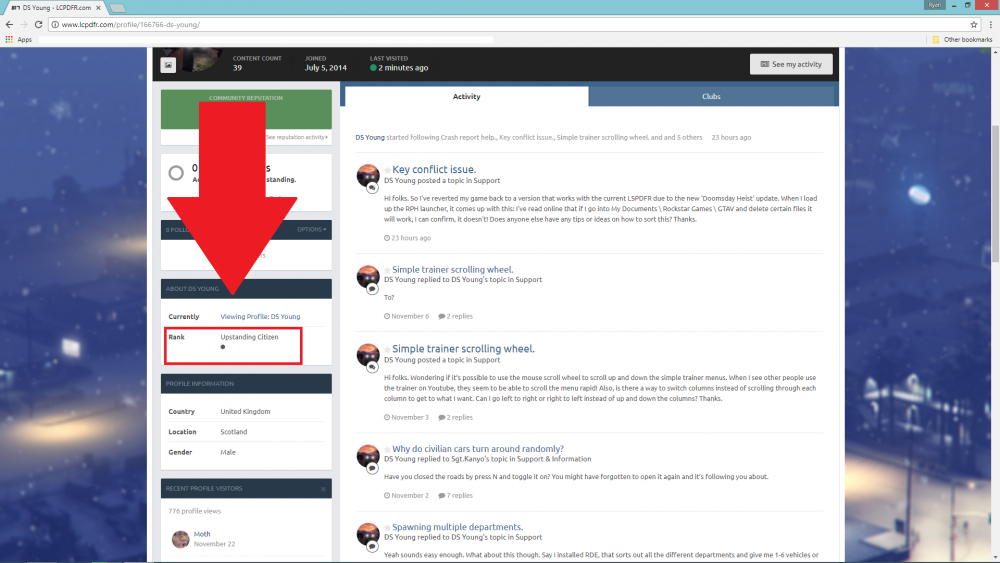
Hi folks. I see other people have different ranks underneath their usernames. I do not know if this is something to do with how much reputation I get, if it increases with the more I get, I don't know. Here is the rank that I mean on my profile: Is there a way to change this to what ever I like? Thanks.
-
Hi folks. So I've reverted my game back to a version that works with the current LSPDFR due to the new 'Doomsday Heist' update. When I load up the RPH launcher, it comes up with this: I've read online that if I go into My Documents \ Rockstar Games \ GTAV and delete certain files it will work, I can confirm, it doesn't! Does anyone else have any tips or ideas on how to sort this? Thanks.

-
To?
-
Hi folks. Wondering if it’s possible to use the mouse scroll wheel to scroll up and down the simple trainer menus. When I see other people use the trainer on Youtube, they seem to be able to scroll the menu rapid! Also, is there a way to switch columns instead of scrolling through each column to get to what I want. Can I go left to right or right to left instead of up and down the columns? Thanks.
-
Yeah sounds easy enough. What about this though. Say I installed RDE, that sorts out all the different departments and give me 1-6 vehicles or however many it is. I could change the name to whatever I like and spawn them through the trainer. Would it work with ELS vehicles?
-
Yeah that’s correct. Is it easy enough to install more vehicles? Could I get police 1-7 sheriff 1-7 fbi 1-7 SAHP 1-7 how easy would it be to have my setup like this? Would I be able to type hp1 or hp5 to spawn a highway patrol vehicle, would that work?
-
@Kallus Rourke you have any thoughts on this buddy?
-
Hi again folks. I have been watching polecat324 and his DoJ series for a while now and loving it. In his videos, whenever he needs to spawn a law enforcement vehicle, he types it into his trainer for the one he wants. For example, if he is going to be CHP for one video, he would spawn the vehicles by typing hp1, hp2, hp3 and so on until he finds a suitable vehicle. If he wanted to spawn sheriff vehicles, I think he types sheriff1, sheriff2 etc. Anyone have any any idea if I can implement this into my single player gameplay? You can see him do this around the 5 minute mark in this video. https://m.youtube.com/watch?v=H-xklcLFHx0 Thanks.
-
Might just need to get used to it, I do love those cars. If you could keep the post open to see if anyone else has anymore tips. Thanks.
-
Hi everyone. I’ve installed thehurks CHP pack. When I go code 3 and then exit the vehicle, the lights do not flash, they are on but just stay lit. How can I get the lights to continue flash as if I haven’t left the vehicle? Thanks.
-
Hi folks. I'm sure I've seen how to do this before but I can't remember where. With my new police vehicle setup, I need to press the J key three times to get the full code 3 lights. How can I change the ELS file so I can just toggle all the lights on and off? Also, when I exit the vehicle, the lights on the front do not flash, but the back lights continue to flash. What do I need to change to make the lights continue flashing when exit the vehicle? Thanks.
-
Figured it out guys, thanks for your help.
-
Any idea on how i would check this? I've had a look on the settings, but can't see anything to do with cookies.
-
If you press 'N' on your keyboard, you can switch through the menus and find a setting to shut the road. Means it just removed all the cars from the area.
-
I don't know if it changed it. When I change the key to F6, I press 'Save and launch'. The game starts up but the console is still bound to F4. Don't know if this is a bug or if it's something that they don't want us changing. I'm going for bug, don't see why they wouldn't want us changing it.
-
Hey folks. So wheneven I go to the LCPD:FR website, I always have to log into my account. I make sure I check the box that says remember me, but it never does. I use Google Chrome and my username and password is stored and gets imputed automatically. I use my username, not my email address. Any help is appreciated. Thanks.
-
I am having the same issue. The console key can be changed, I change it to F6 as F4 is for the native trainer. Would appreciate it if anyone could tell us a fix for this.
-
Ok, start again. Download the latest version of LSPD:FR from the website (v0.31). Next, download the latest version of RPH (v0.52). Drag the files from both folders straight into your GTA5 directory. Double click the RPH application in your GTA5 directory and accept any messages that come up. Go to the nearest PD to go on duty.
-
Yeah that happens with me as well. I've got mines set to the insert (ins) key.
-
You would press scroll lock to unlock the ELS controls. You can then use the default keys like J,K,L etc to change the lighting stages.
-
I installed it through the OIV installer in my mods folder so I only need to delete that folder for it to be back to normal. If I install the visualsettings.dat file first, and then the VisualsV pack, the VisualsV pack, overwrites Jeff's file. If I then go to replace the visualsettings.dat file with Jeff's, the game still becomes corrupt.


