


M.Davis
Members
-
Joined
-
Last visited
Everything posted by M.Davis
-
I was driving in downtown LS and just randomly crashed. (thanks in advance) Here's my RPH log: RagePluginHook.log
-
I didn't crash this time but whenever I die I get stuck in a loading screen
-
Ok, I changed it just now and ill report back any other issues
-
I went offduty, terminated the LSPDFR plugin, and i was running to a parking garage and my game crashed. If i need to post anything else let me know.
-
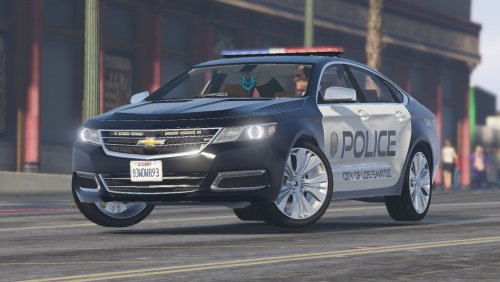 The model is great and so are the lights. The only problem/bug I've found is that the taillight coronas for when the headlights come on aren't in the right place. Also, I don't know if this is also a bug but I cant see the turn signals from the back either.
- 52 comments
- 7 reviews
-
Description of Crash/Problem: Cant Open GTAIV What Version of LCPDFR: 1.0d What Version of GTA IV/EFLC: 1.0.7.0 (should be) What Extra Mods are Installed: ELS, PoliceHelper Diagnostics_9.2.2017_9_37_55.log UPDATE: I Re-Dowgraded to 1.0.7.0 UPDATE (2nd): LCPDFR Error File LCPDFR.log UPDATE (3rd): Reinstalled LCPDFR UPDATE (4th): It will open now. But on the SC Page I can only go into Offline mode. When I load up it freezes.

