


tehnerd
Members
-
Joined
-
Last visited
Everything posted by tehnerd
-
-
-
Do we have a solution for this issue?
-
-
Ok I did that also. I also included a new log for you. Diagnostics_3.8.2015_11_10_40.log
-
There you go

-
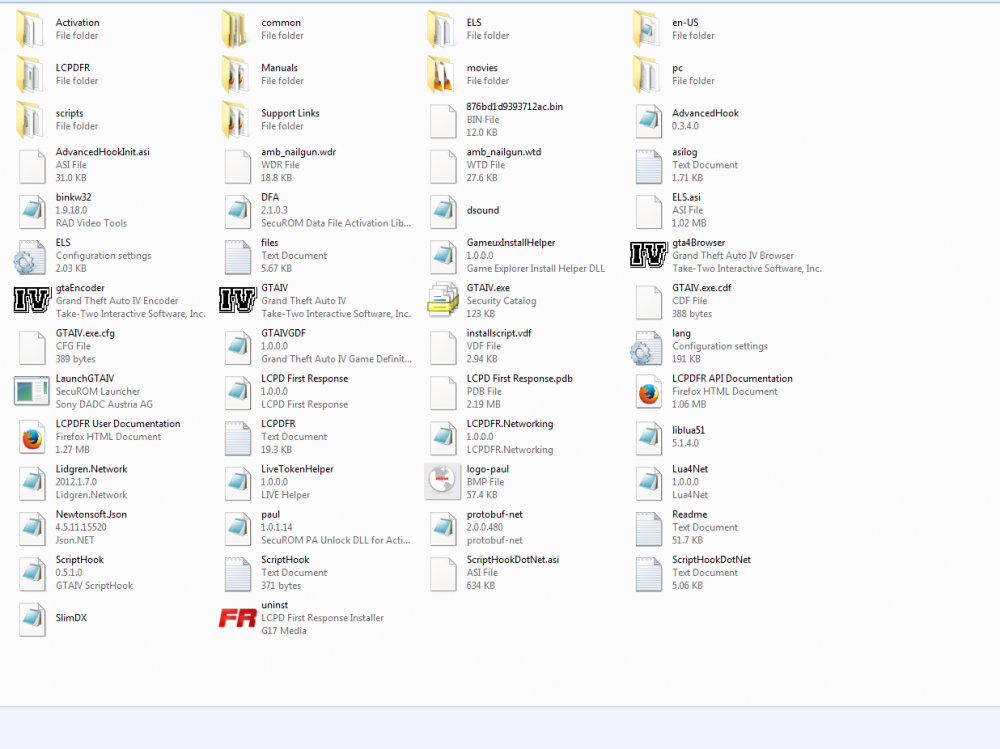
I deleted that file and I uploaded my directory
-
Yea I agree it has been a beast thus far.
-
I unblocked all the files Diagnostics_3.8.2015_1_56_45.log
-
It appears all the files are blocked -_-
-
New log file I installed the x86 most of those my pc told they are installed. Diagnostics_3.8.2015_1_40_33.log
-
This a good try but are way off I live 10 mins from that area lights are all wrong and cameras.
- 4 comments
- 8 reviews
-
-
That seemed to work better here is another log . Diagnostics_3.8.2015_1_25_34.log
-
Ok here is the new log file on the new version. What folder do I install this in to I have 2 folders on is GTA IV and the other is Grand Theft Auto IV Episodes from Liberty City Diagnostics_3.8.2015_1_11_48.log
-
1.0b I am downloading the new version now and going to retry didn't notice the different version will report back.
-
I have attached my log file any help is appreciated. Diagnostics_3.8.2015_0_45_16.log
-
AMD FX-6300 3.5GHz (Boost 4.1) 16GB Ram 1866 GeForce GTX 750 ti 2GB x3 1 TB HDD ASUS M5A78L-M/USB3
-
-
I have used automatic install everything I have as far as frame work is up to date. I hit ctrl+p and I don't get anything.
-
-
I solved the issue I ran HP display update I was using a DVI to HDMI adapter I removed that and used a real DVI cable and changed the bios to pcie and it works.
-
My bios is like the most basic bios ever and only has a option for Onboard card or pci e when I enable pci e I get not video what so ever but hear the sound of the computer starting up.
-
I have a video card I have installed it and have been trying to get it working for about 3 days now. It is a Radeon HD 4850 I have installed it and the computer sees the video card but it will not be primary and it I open the AMD control center it shows it as disabled. My bios setting if I set it to pci -e then I have no video until I remove the card. I have verified the card is working in another computer. My computer is a hp p6733w. Any help is appreciated.
-
Power supply unit is a 600W


