


maine304
Members
-
Joined
-
Last visited
Everything posted by maine304
-
-
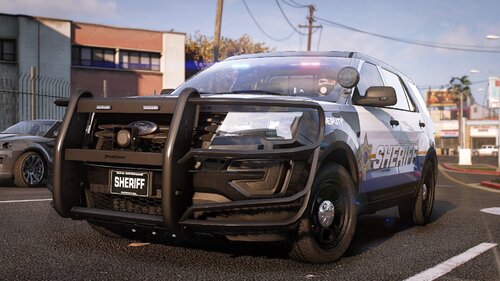 LSCSO V1 Skins are made by maine304 and are copyrighted by maine304. Vehicles used for these liveries are made by C13 To use these liveries on vehicles from other devs, you may need to rename the files to make them work properly. 16 FPIU- GeorgieMoon 20 FPIU- Kane104 Durango- GeorgieMoon Tahoe- GeorgieMoon ****** CREDITS *********** Liveries:Maine304
 -
Sorry this is happening. What are the specs of your computer? Has it always done this or did it just start happening ?
-
Thanks LMS, I'll give that a shot when I'm back at my computer next weekend.
-
Update: tried the fix LMS suggested however DPadLeft is still bringing up the computer Another update: I've seemed to find a temporary work around for this issue. If you hold and then release left on the DPad you can activate lights and not bring up the computer.
-
Thanks LMS I'll try that now
-
On the new update I am unable to change the key to activate the default computer. I would like to fully disable it as I use Computer+ and it conflicts with my ELS keys. No matter what I change it to in the ini file, left on the DPad brings up the computer.
-
No problem
-
It would not, you'd have the regular loading screens
-
When you use a mods folder and want to play multiplayer you can simply rename your mods folder to something else. This will allow the game to load the unmodified files. When you want to play modded again you just change the folder name back to mods.
-
I'm also from Maine
-
As long as you are only playing singleplayer you should be fine. Do you use OpenIV?
