LEGO OF MY EGGO
Members
-
Joined
-
Last visited
Everything posted by LEGO OF MY EGGO
-
-
-
-
-
-
-
-
-
-
-
-
-
-
-
-
-
-
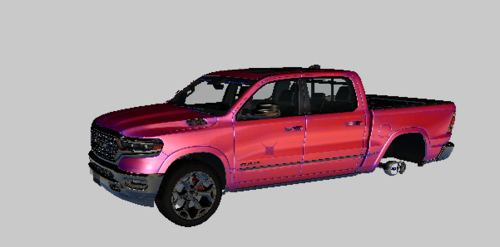 I will change the color of this ram to any color just dm me https://discord.gg/xWKeXQC krazzy#0930 template coming soon last gta v car for awhile im going back to gta iv cars any issues dm me ur gonna put all my cars in mods/update/64/dlcpacks/patchday17/dlcrp/x64/levels gta 5 drag and drop in there or if ur not using mods folder /update/64/dlcpacks/patchday17/dlcrp/x64/levels gta 5 then copy to mods folder also will require elsvcf and resource which i will include for fivem with all my new cars alll my cars go in to patchday17!!!!!!!!!!!!
- 51 comments
- 1 review
-
-

- 1
-
-
-
-
-
KRAZZY#0930
-
It’s very simple
-
Put it in mods patchday 17 So copy patchday 17 to ur mods folder in edit mode Contact me on discord too krazzy#0930 I’m at work currently if u contact me on dis ord I can help at 9 pm cst
-
What’s going on bud Drag and drop into open iv