


InFamouse
Members
-
Joined
-
Last visited
Everything posted by InFamouse
-
-
-
 Love the way the car looks. I cant spawn it in game. What command do i type into ragehook
- 95 comments
- 29 reviews
-
.thumb.png.e436e916367dd5b950520057d9057b55.png) I love it. Please try to make the lightbar light up the acuall chp cars. Thank you
I love it. Please try to make the lightbar light up the acuall chp cars. Thank you- 50 comments
- 23 reviews
-
-
-
-
-
-
 Please help me. I intalled this mod and lost all of my modded cars. (Police 1,2,3and Sherrif 1,2). I reinstalled the cars back and the game ressets it to the stock cars.Please Help me
- 2,341 comments
- 236 reviews
-
-
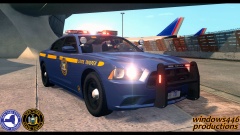 Please release it pls
 -
.thumb.png.8224f4208bfeb06a5440a451151780f8.png) will do. You can edit it to your liking ty
will do. You can edit it to your liking ty -
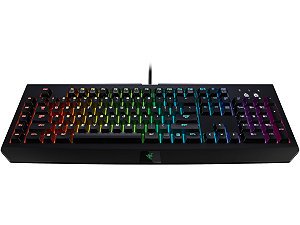
This is just a LCPDFR Theme Lightting profile that I made for LCPDFR. Please enjoy To buy the keyboard:http://www.razerzone.com/chroma How to install LSPDFR/LCPDFR lighting to Razer Synapse Configurator 2.0 MAKE SURE THAT YOU SET THE QUALITY TO 1080P OTHERWISE IT DOESNT LOOK RIGHT TY 1. Open Razer Synapse Configurator 2.0 2. Create a profile. Name it anything you like 3. Go to "Lighting" section 4. Click CHROM CONFIGURATE 5.On the bottem left their are 3 lines under each other.Select that and then select import 6.Find the LCPDFR Lighting file and open it. 7.MAKE SURE THAT YOU PRESS APPLY AND TURN OFF SPECTRUM SYCLING. Thank you for downloading my lighting effects MAKE SURE THAT YOU SET THE QUALITY TO 1080P OTHERWISE IT DOESNT LOOK RIGHT TY
-
 Yea rename it to make it work. I had no problem using the original name when I was testing it on my other pc
 -
I know. Didn't have time to edit it. I will fix it in the second lighting profile
-
thank you
-
Its the whole lcpdfr.
-
Yes but it is worth the momey in my opinion
-
Yes but it is worth the momey in my opinion
-
Hmmm. I didnt mean for it to be in the way. Just wanted to show poeple
-
Dammm that sucks. Love my Razer Chroma Keyboard. Whats what wrong with yours?
-
http://www.lcpdfr.com/files/category/5-other-modifications-amp-files/
-
Why not . Its under "Other Modifications & Files"
-
This is just a LCPDFR Theme Lightting profile that I made for LCPDFR. Please enjoy To buy the keyboard:http://www.razerzone.com/chroma How to install LSPDFR/LCPDFR lighting to Razer Synapse Configurator 2.0 1. Open Razer Synapse Configurator 2.0 2. Create a profile. Name it anything you like 3. Go to "Lighting" section 4. Click CHROM CONFIGURATE 5.On the bottem left their are 3 lines under each other.Select that and then select import 6.Find the LCPDFR Lighting file and open it. 7.MAKE SURE THAT YOU PRESS APPLY AND TURN OFF SPECTRUM SYCLING. Thank you for downloading my lighting effects
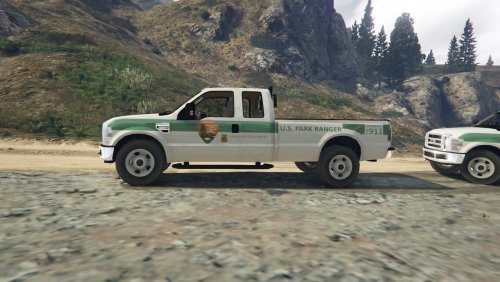
.thumb.png.e436e916367dd5b950520057d9057b55.png)
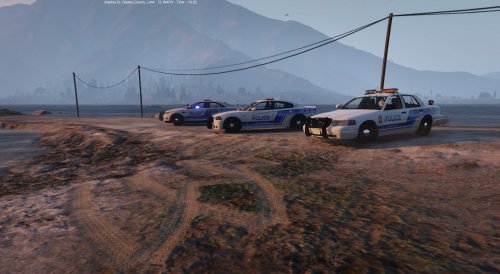
.thumb.png.5fbbb989547defaeeb5c22864df62b54.png)
.thumb.png.8224f4208bfeb06a5440a451151780f8.png)
