



FirstDue Digital
Members
-
Joined
-
Last visited
Everything posted by FirstDue Digital
-
I believe it's the OpenIV ASI loader. When I deleted Scripthook and that file, it launches and RPH/LSPDFR works perfectly. I reinstalled the OpenIV loader, and suddenly it crashed again.
-
Mine is also crashing after updating RPH and Scripthook V. And here I was so excited to finally have it working again... grr. UPDATE: I deleted Scripthook V and my trainer, game loads with no crash and RPH seems to respond just fine (won't spawn added vehicles for some reason).
-
The site's back up as normal now.
-
Yeah, that's what I just said. Lol. It just expired about 44 minutes ago. Give it a little bit and I'm sure they'll re-up on their license and then hopefully have a new update to work with Rockstar's newest garbage as well.
-
Ragehook's domain license just expired.
-
Definitely not the website. All of us would have the same problem.
-
.thumb.jpg.bb1e8ecec8228dbd477e7dcb330fb034.jpg) Just in time for the game to break..... Look forward to testing it out when we catch up with Rockstar's latest "screw you consumer."
Just in time for the game to break..... Look forward to testing it out when we catch up with Rockstar's latest "screw you consumer."- 97 comments
- 62 reviews
-
That CVPI looked amazing.... especially with those lights
-
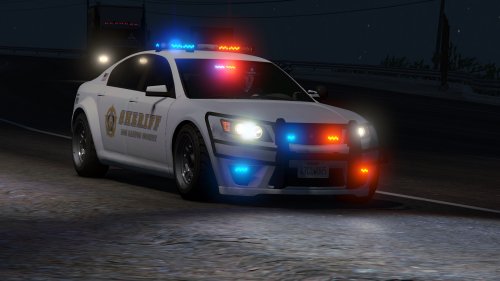 Great cars. I'd love to use the unmarked as a slicktop, and I'd also like to be able to use the wraparound pushbar on the marked version too, but apart from that, these are probably my favorite cars available right now. EDIT: It appears maybe my trainer just doesn't allow the option of using the wrap-around on the marked version.... Guess I'll look for a new trainer!
- 47 comments
- 15 reviews
-
-

- 1
-
-
 Car in the video looks sweet, but I have to be honest, I've driven a lot of Crown Vics... and that doesn't sound like a Vic to me.
- 49 comments
- 3 reviews
-
-
- 6
-
-
-
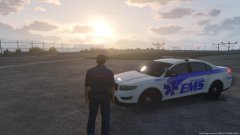 Showcasing my newest "toy." Available soon!
 -
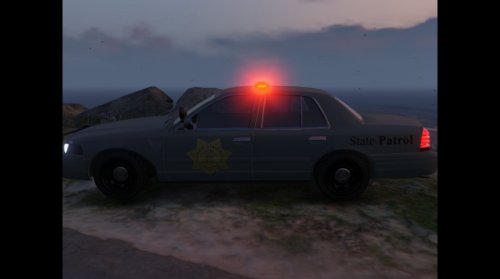 Yeah, and the Crown Vics don't even have the new paint job. That got switched after they phased them out. The Crown Vics should all still use the triangles if I'm not mistaken. Then again, I don't even know if my old patrol car looks the same any more... I've been away from home and things like that change.
 -
 The only real problems I have with these models is the inability to customize the livery. I don't use anything but the Gresley and Vic for that reason... overall, pretty good vehicles though, if you don't mind the paint scheme (not a fan myself).
- 371 comments
- 38 reviews
-
The Unmarked Gresley is awesome. I'd love to get a version of that you can use as a slicktop as well.
- 371 comments
- 38 reviews
-
I just wish we could get rid of those terrible Sheriff Peds.... whoever designed the vests for that model should be fired...
-
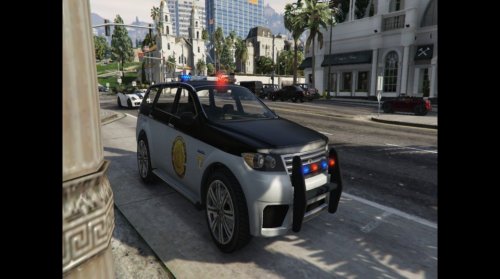 I've never seen a CSP car with that badge.
 -
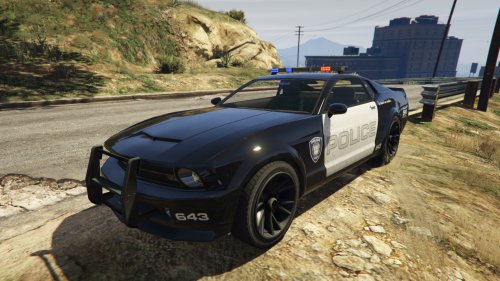 I LITERALLY just said the words "Why has no one made a Police Dominator yet?" 15 minutes ago (obviously before I logged on to the site).
- 35 comments
- 9 reviews
-
-
- 1
-
-
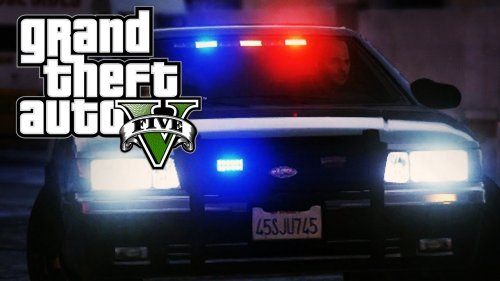 For what the mod is... I guess it's okay. It's nothing amazing, but at least it works... A few quick points though. I've never had a patrol car that flashed both highbeams/headlights at once. Wig-wags nearly always alternate (hence the name). Also, while some people have suggested that the lights be made to remain on when exiting the vehicle - I've never kept my wig-wags on during a traffic stop. Unless it's a high-risk stop, there's such thing as too much light, especially at night. We don't want to blind oncoming traffic with our many lights, and we don't want to blind ourselves walking back to our cars. So, that all being said - for REALISM sake, you don't want the lights to remain on when you're not in the car. But, I think it might be a good idea to have the OPTION of having them on outside the vehicle - you know, just in case I have a high-risk stop ;)
- 44 comments
- 11 reviews
-
-
- 2
-
-
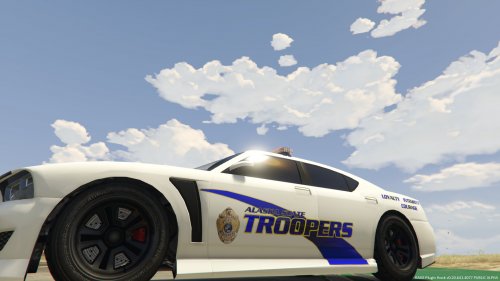 Hey all! Another texture for ya! As requested before, an Alaska State Troopers texture, created for Century's Buffalo S! I don't know about y'all, but I'm really loving having a vehicle with a real template! This texture is based on the new version of the Alaska State Troopers' paint scheme. Follow the instructions on the readme to install! Thanks, I hope you enjoy!
- 1 comment
- 2 reviews
-
-
- 1
-
-
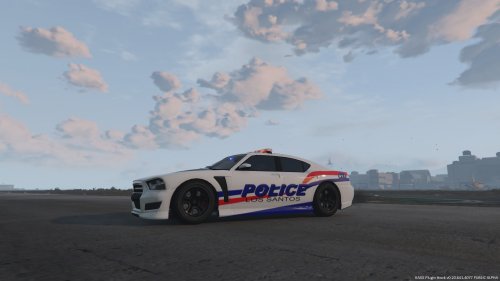 A fictional skin I made for Century's Buffalo S, loosely based on the Dodge Charger paints scheme of Fayetteville (NC) Police. Navigate to your Buffalo's .ytd files in OpenIV (ie, Update>x64>dlcpacks>patchday3ng>dlc.rpf>x64>levels>gta5>vehicles.rpf, Police2+hi.ytd, Police2.ytd, police2_hi.ytd), and replace the "policenew_sign_1.png" texture in the download. Feel free to modify the texture for personal use - if it's going to be redistributed at all please seek permission.
 -
-
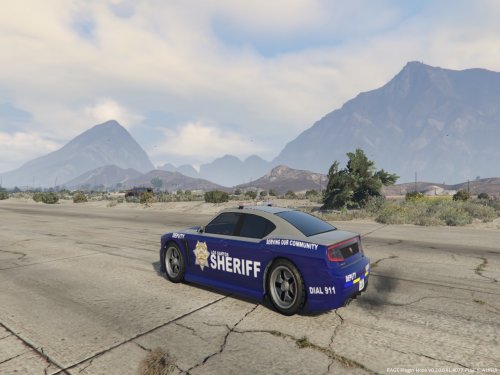 A fictional skin I made for Century's SAHP Buffalo, based loosely on Georgia State Patrol's grey and blue paint scheme. Navigate to your Buffalo's .ytd files in OpenIV (ie, Update>x64>dlcpacks>patchday3ng>dlc.rpf>x64>levels>gta5>vehicles.rpf, Police2+hi.ytd, Police2.ytd, police2_hi.ytd), and replace the "policenew_sign_1.png" textures with the download. Feel free to modify the texture for personal use - if it's going to be redistributed at all please seek permission. Thanks, and enjoy!
- 7 comments
- 1 review
-
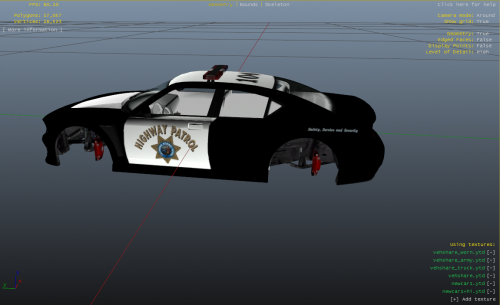 So you don't need to modify carvariations.meta at all?
 -
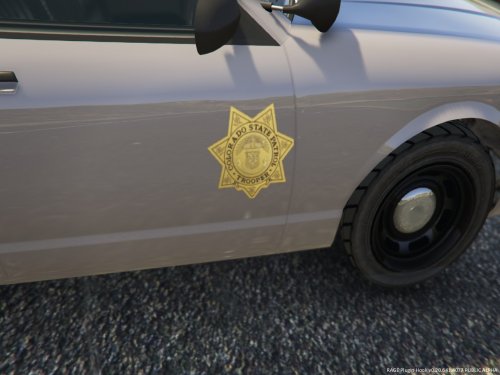 If you're referring to the CSP's roof and hood - they are black. In some weather settings in-game they don't seem to show that way, oddly enough. I don't think either of those are possible right now :( The way the textures map to the vehicles, even the most simple paint scheme like my own former dept are difficult to recreate.

.thumb.jpg.bb1e8ecec8228dbd477e7dcb330fb034.jpg)
