


wawa1896
Members
-
Joined
-
Last visited
Everything posted by wawa1896
-
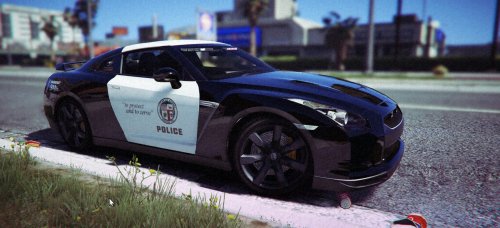 You must download the model: http://www.lcpdfr.com/files/file/11721-unmarked-nissan-gtr/ Then Use OpenIV to (Mods)/update/x64/dlcpacks/patchday3ng/dlc.rpf/x64/levels/vehicle.rpf/police2.ytd then you replace the template (tr_boya) by the mine in police2.ytd
 -
LAPD SLICKTOP NISSAN GTR This paint is for the unmarked nissan GTR by ALLENjr12. You must download the model: http://www.lcpdfr.com/files/file/11721-unmarked-nissan-gtr/ Use OpenIV to (Mods)/update/x64/dlcpacks/patchday3ng/dlc.rpf/x64/levels/vehicle.rpf/police2.ytd then you replace the template (tr_boya) by the mine in police2.ytd Dont reupload my paint. Enjoy

