


DatStarBoi
Members
-
Joined
-
Last visited
Everything posted by DatStarBoi
-
Hope I can get some help with this one. I have searched and tried everything from adding the trailer names to the vehicle.meta of the vehicles I want to tow trailers with. I even spawned the bison knowing that is by default a vehicle that can attach to trailers and still nothing. Any help would be greatly appreciated. =)
-
Why did all of a sudden GTA 5 decide to throw out an update and when I go to run the game after updating LSPDFR, Ragehook & Scripthook it wants to show me some BS (Pardon My French) Has anyone found a solution to this?
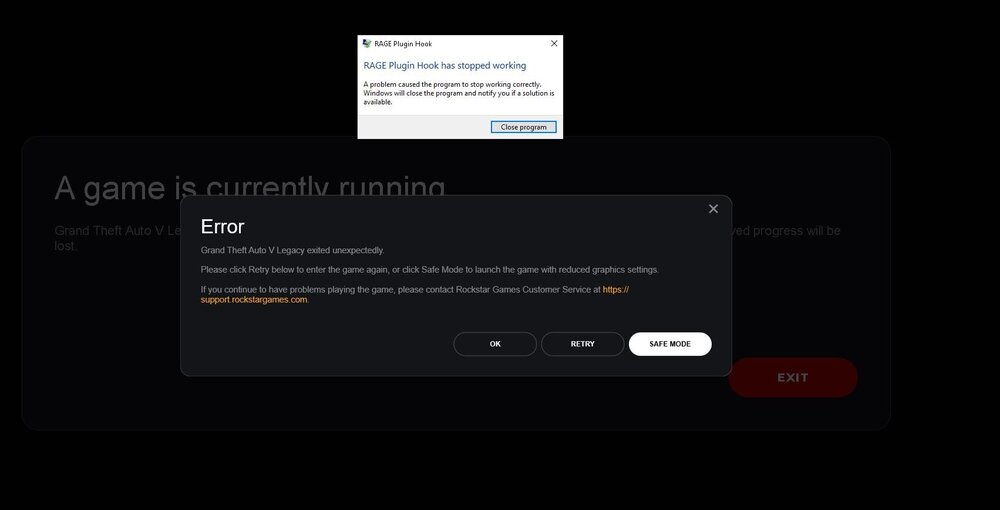 For some reason, my game has been working fine up until now when I force duty it give me this error in the log "unhandled exception occurred in console command forceduty" then a bunch of question marks. Any help would be greatly appreciated!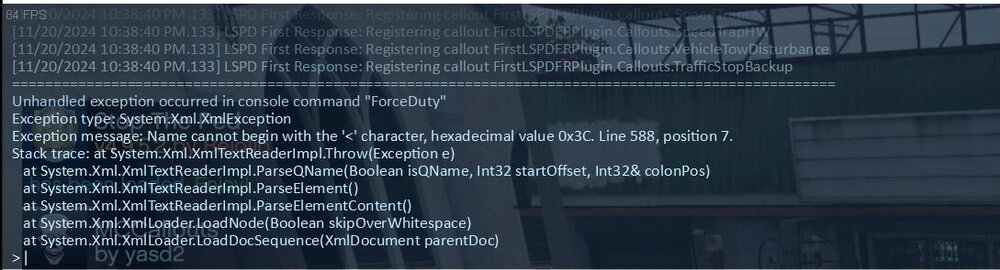
 I have been playing gta v for some time without any issue. Today, I updated lspdfr and scripthook v and loaded the game. Right after franklin's loading screen page slides through, I hear this error tone in the back ground and a pop up box stating some error about els.asi. I have not added any new mods or made any changes to the game since the last time I played.
 Great Mod! Already using it in game. Only thing I wanna ask is will there be an update on how to move the location of the speedometer like how you have the option in simple hud? It would be greatly appreciated!
- 447 comments
- 17 reviews
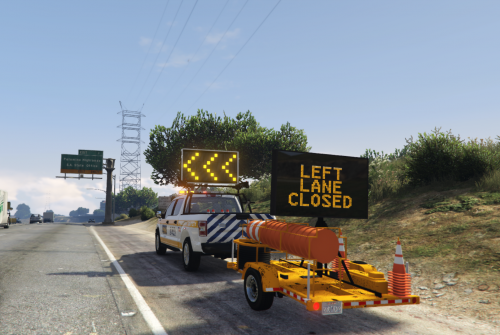
Game loads up fine. I can load LSPDFR in ragepluginhook but as soon as I Force Duty I get that annoying beep sound and the game just freezes. Appreciate any help. Thank you.So I'm not sure exactly what happened. I was editing and els file while in game and when I closed gta 5 and restarted it, it started crashing to the desktop right after the loading screen when you see the gta 5 girl. I removed recent vehicles I installed. I use lml to install add on cars into the game. I would really appreciate any help. Thank you. So I'm not sure exactly what happened. I was editing and els file while in game and when I closed gta 5 and restarted it, it started crashing to the desktop right after the loading screen when you see the gta 5 girl. I removed recent vehicles I installed. I use lml to install add on cars into the game. I would really appreciate any help. Thank you.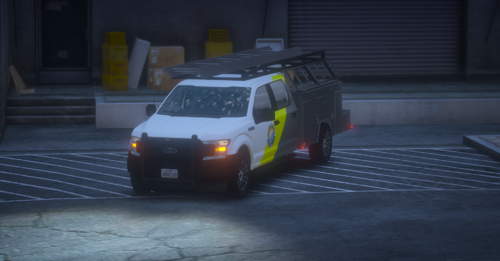 Very nice. Can you add some amber led strobes please?OK So I figured out what happened. After downloading LSPDFR opened the folder and dragged the files from there to my GTA 5 main directory. I was getting that pop up message that windows blocked the files and if ragehook wanted me to unblock them. I then would have the game crash to the desktop after forcing duty. SOLUTION: What I did after trying a million things was open the LSDPFR Manual install folder through winrar extract the files to another folder I made on my desktop then drag those files into my GTA 5 main directory and BOOM Working like a charm!Ok this is wierd. So I copied all the lspdfr files from the manual install folder back into gta 5 main directory and I got this message saying windows blocked the files and if I want ragehook to unblock them. I pressed ok and loaded back into the game. Forced duty and what do ya know? Loaded all the callouts and plugins smooth like butter. If anyone knows why windows is blocking the files and how I can unblock them instead of having to always transfer over the files everytime I wanna play I would greatly appreciate it.No change.Was wondering if anyone would be able to make an ELS version of a highway truck. It would include a message board where the arrow board is in the picture. If you can't find the scorpion system any bumper system would do. Let me know if you are up for the challenge!
 So I have been looking extensively for a crash/highway truck that is an els model with a scorpion system or similar but is no where to be found. Would anyone be willing to work with me in making this dream a reality?Hey, I know i'm a few years late lol was this idea ever made and was is released by any chance? Trying to add some new content to my channel 😊This is all I have in my scripts folder.
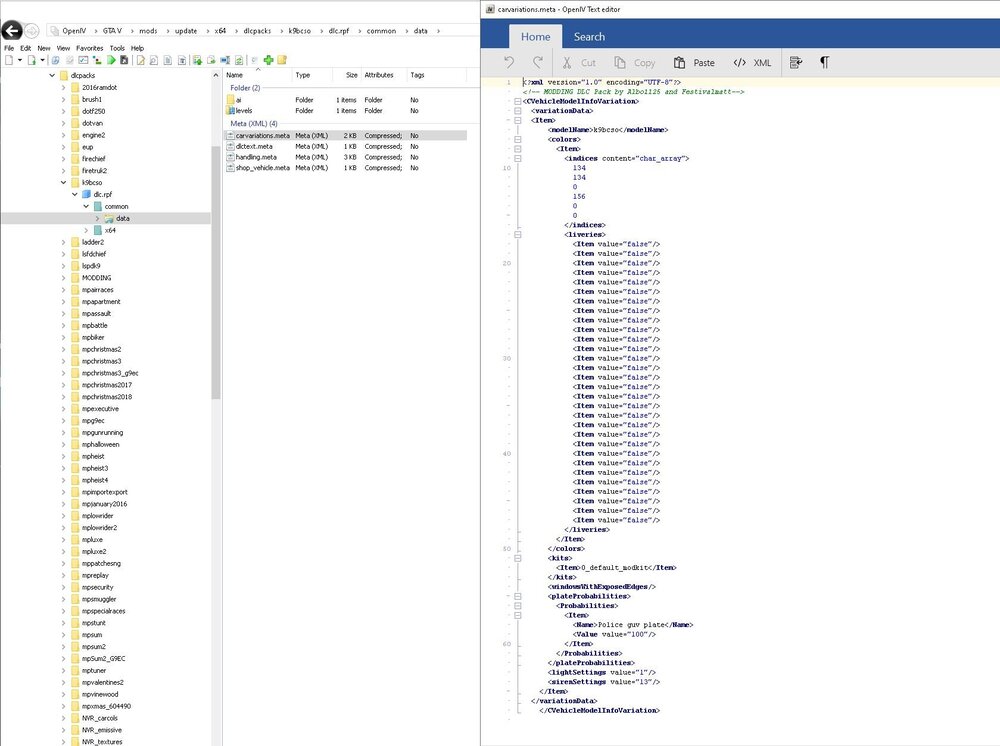
 So I've installed some els police vehicles as add on but I noticed they did not have carvariations with them. When I replace regular police slots like police 3 police 4 etc, they work fine. I tried copying the police carvariations and placing it into the add on common folder then renaming the model name to the one I'm trying to use but the vehicle still won't be recognized by ai traffic.
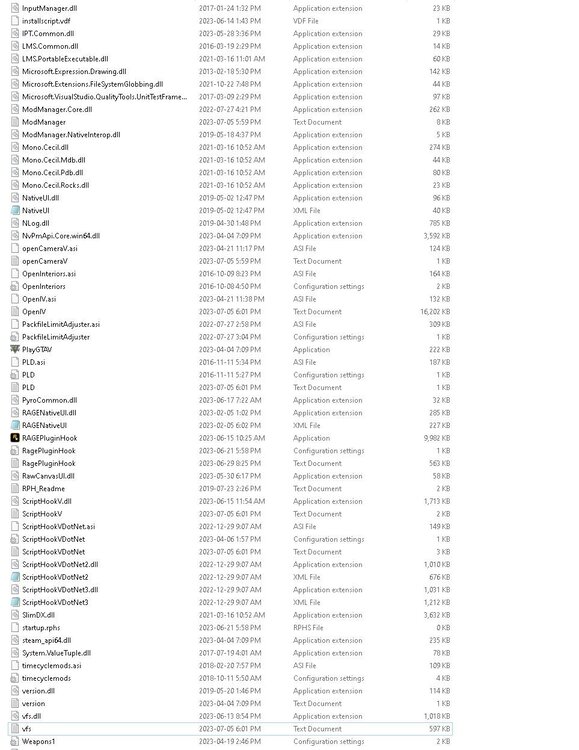
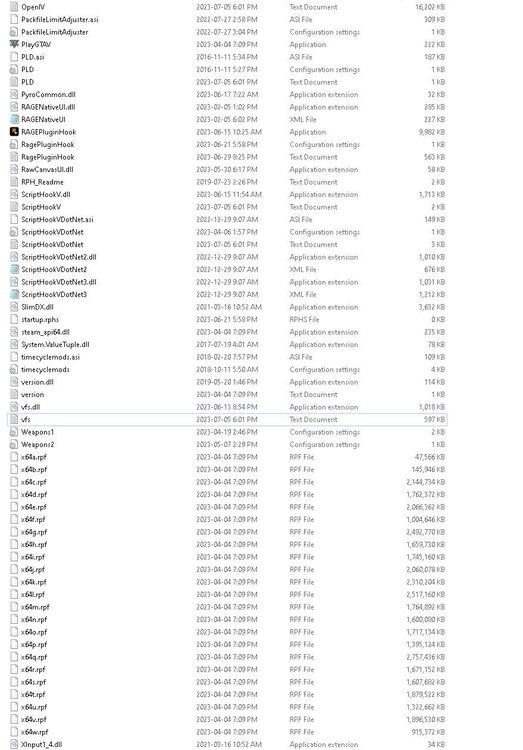
 Ok so I left trainerV and removed Scripthookdotnet and it does not spawn anymore. So it def isn't the trainer right?Sorry about the late reply lol I appreciate you helping me out. So I removed scripthookv and it seems that is the problem. Any idea what exactly it is? I need scripthookv for some of the mods I use.I wouldn't mind working with someone to make an cvpi alpr parking enforcement/security model. Not really anything out there. The idea I have would be amber lights and alpr's.I removed trainerV and i went into game and it still spawns it with numpad 3. I attached my game folder. Maybe there is something here you can find that I am missing lol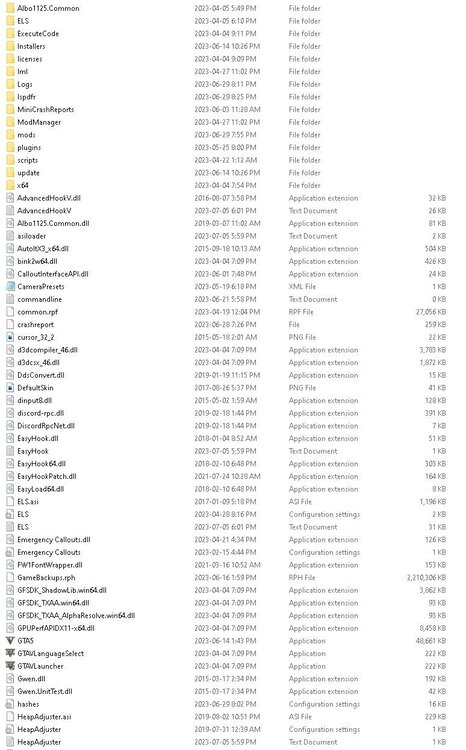




Account
Navigation
Search
Configure browser push notifications
Chrome (Android)
- Tap the lock icon next to the address bar.
- Tap Permissions → Notifications.
- Adjust your preference.
Chrome (Desktop)
- Click the padlock icon in the address bar.
- Select Site settings.
- Find Notifications and adjust your preference.
Safari (iOS 16.4+)
- Ensure the site is installed via Add to Home Screen.
- Open Settings App → Notifications.
- Find your app name and adjust your preference.
Safari (macOS)
- Go to Safari → Preferences.
- Click the Websites tab.
- Select Notifications in the sidebar.
- Find this website and adjust your preference.
Edge (Android)
- Tap the lock icon next to the address bar.
- Tap Permissions.
- Find Notifications and adjust your preference.
Edge (Desktop)
- Click the padlock icon in the address bar.
- Click Permissions for this site.
- Find Notifications and adjust your preference.
Firefox (Android)
- Go to Settings → Site permissions.
- Tap Notifications.
- Find this site in the list and adjust your preference.
Firefox (Desktop)
- Open Firefox Settings.
- Search for Notifications.
- Find this site in the list and adjust your preference.