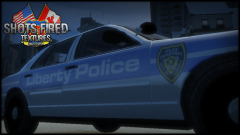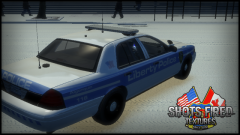

CheezyTheNerd
Members
-
Joined
-
Last visited
Everything posted by CheezyTheNerd
-
Is It bad I tried Redeeming the code?
-
I know him very well, he's been a good friend of mine for a pretty long time. This stuff happens on a daily bases an I always have to listen to It.
-
-
-
-
Grand Theft Auto V Style Cars.
-
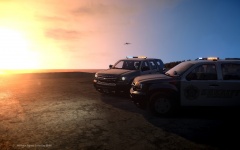
From the album: GTA V Style Cars
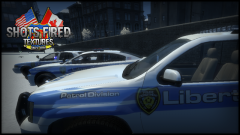
Model by: CheezyTheNerd Textures; By Damomsmom Teaser of one of the new cars we are making for are GTA V Style Inspired pack. which will Include CVPI Tahoe Charger Caprice Suburban Issues/bugs Doors are glitchy, player can walk through them Windows do not break when shot or smashed -
What LCPDFR are you Installing 1.1 or 1.0d hotfix
-
Played a little bit of It, I can say for sure It's more stable an less crashy, good job guys!
-
I know for a fact you will never get a copy from someone only a small amout of people have It, and I know for a fact aren't aloud to give It out. I am pretty sure that's either stinkfaces or BritishMods something. Sorry dude :/
-
If you are looking for RCMP Cars just click here It will take you to all the Tags/Downloads on LCPDFR With RCMP In It.
-
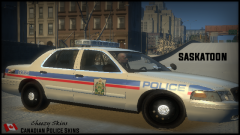
Different Type's of Canadian Police Car's, Message me PM For a request on a car!
-
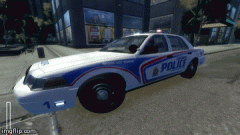
From the album: Canadian Police Cars
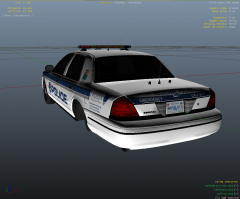
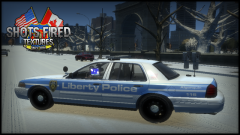
I have finished doing the lighting system for my Crown Victoria. Next I need to do testing to make sure It's stable. I am In love with London's cars more then my own town. (Yes I know some of the lighting parts don't match London but I did my best to find the right ones) Titanium Models® | Made by CheezyTheNerd -
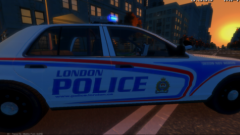 I am just doing some final adjustments and that car should be ready by next week.
 -
-
No you don't need that file, I just downloaded the hotfix and checked. What you need Is an more updated dsound,dll (2013). You can get that from ELS 8, So If you already have ELS 8 Installed then be careful when you drag an drop so that the dsound doesn't get replaced with the old one from LCPDFR 1.0d. If you need help message me back and I will do my best to assist you! (I will be making an updated version with the hotfix to help people)
-
The reason for that Is because's since they've released it, they released a hotfix which contained new files/folders.
-
https://www.youtube.com/watch?v=yQvDFxq3eu4 Today I made a simple Tutorial on how to Install LCPDFR 1.0d Now this does not fix alot of Issues but It helps fix a major Issue with dsound.dll Watch the full Tutorial to understand the walk through. Also PLEASE MAKE BACK UP FILES, If you have any questions I will do the best of my ability to answer them. *UPDATE FOR HOTFIX* If you are confused about the ASI Loaders file not being there DO NOT Panic. You did not do anything wrong, the developers didn't Include It in the newest hot fix, What you will need Is the updated Dsound.dll file (2013) which you can get from ELS 8. Anymore question message me or comment here! I get notified by email at each comment! I do plan on making at Hotfix video sometime later this week 22/02/2015.
-
From the album: Canadian Police Cars
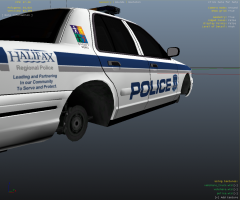
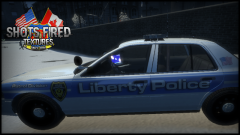
I have been putting thought Into, designing some new London skins for the updated cars they have for the city. This Is just a Beta skin I put together today. The car model needs to be re-done (The current one Is based from Sarnia Ontario) I will be most likely making the SAME Crown Victoria London drives with this skin. Work In progress. -
1. Buy game 2. Install It 3. attempt to play It 4. Take computer outside 5. blow up computer and record It. 6. then rob a bank. Just kidding.. But no seriously I will blow it up If it doesn't run.
-
I don't know why but these skins look beautiful, I would love to use them once you're are done.
-
Sure I wouldn't mind "Beta Testing" them, just Private message me.
-
-
My First rough Ideas for Making Fictional LCPD Pack's. Please leave feedback!
-
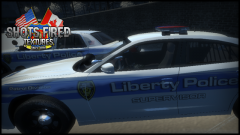
From the album: Fictional LCPD
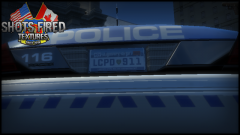
Textures are still being created, and tweaked. The final version will be posted! Follow me on Twitter to see live Updates so I don't have to spam LCPDFR 24/7! Shots Fired Teamspeak: vs26.tserverhq.com:7332 Cimatrix Media Teampseak: CIMATRIXMedia.enjinvoice.com (I am usually on from the hours between 12:00 Pm Eastern - 5:00 Am Eastern) YouTube Channel: Click here Facebook Page: Click here Twitter Page: Click here