jlouis89
Members
-
Joined
-
Last visited
-
-
-
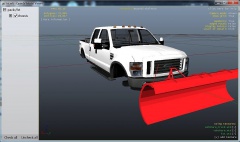
Hey guys, I've been working on my plow truck. I've managed to attach the plow before but then decided to start the model over. I have an issue now with attaching. I get the error parent cannot connect to child. What is the solution? I've tried attaching chassis to plow but then plow doesn't show..everything is textured by the way...any help would be appreciated thanks guys
-
Hey guys I'm working on a salt spreader. I would like to separate it into two different pieces so I can add different material and textures to the object. How can I do this in zmodeler?
-
THank you soo much!!! it worked!!!
-
hey guys, I've been learning 3d modeling and using zmodeler...still fairly new with it all. I have a snow plow that I want to attach to a truck. I've managed to attach it to the truck, I see it in open IV but in game the plow isn't showing. Now I think my issue has to do with textures and materials. I know with most models you need to import the textures but how do i create textures and materials for the plow? Thank you for your help. I appreciate it any advice would be awesome . I love learning and hope to make some really cool models like y'all are doing!