



CryptEclipse
Members
-
Joined
-
Last visited
Everything posted by CryptEclipse
-
 Thanks! I'm planning on releasing it with a pack that I'm working on
 -
Lets say I didn't, what would that cause to happen? Would I have to rename it the spot I want it in before I import it, then export it in the same name?
-
Thanks anyway. I'll keep trying.
-
I've taken a car into game and then it started moving weirdly and it acted like it was on a bumpy road
-
Thanks. Your help solved my problem!
-
I've been trying to do some cars but then the wheel always pops inside of the car and I've read some other posts about this problem and then it happened again. Also I've unchecked "collision" and "sliced model". Is that what I'm suppose to do?
-
I can't find the solution to this but for some reason there are these pink circle things inside of my cars and some of the parts are taken out and automatically renamed. I can't delete anything and so now I can't finish my pack
-
From the album: My Pack
I've had this photo for a while. I just never posted it yet until now. -
-
 Thanks for the comment. I did update the font and make a liberty city version I may release to LCPDFR with a cop ped skin too. Anyway, thanks
 -
Yeah I know but if I was to redo the skin, it wouldn't work because I didn't save it to photoshop but anyway thanks. I'll try to fix it anyway
-
From the album: My Pack
-
From the album: My Pack
-
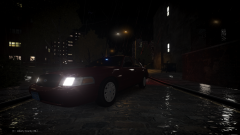
-
From the album: EclipseENB v9 (WIP)
-
Here you can view my photos on my latest and possibly last ENB that may become public to the community. I've taken time out of my life to make this ENB look really good. Although there may be some problems with it, remember it's still a WIP.
-
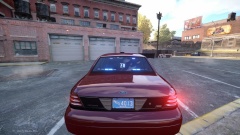 Here's a video!
 -
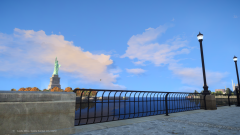 That's how it looks but I uploaded a quick video on the ELS
 -
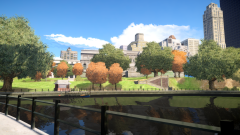 Thanks
 -
From the album: EclipseENB v9 (WIP)
-
Well hey, it's still in BETA mode so I can lower it no matter what
-
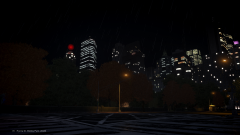
From the album: EclipseENB v9 (WIP)
-
-
-
From the album: EclipseENB v9 (WIP)




