



dworley
Members
-
Joined
-
Last visited
Everything posted by dworley
-
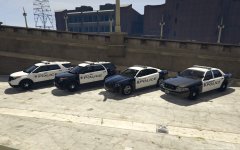
From the album: LSPDFR
© Runnin' Code Designs
-
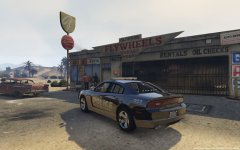
From the album: LSPDFR
© Runnin' Code Designs
-
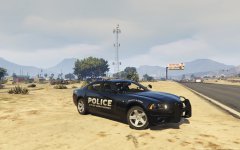
From the album: LSPDFR
© Runnin' Code Designs
-
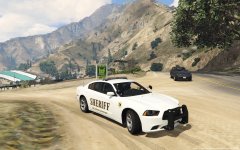
From the album: LSPDFR
© Runnin' Code Designs
-
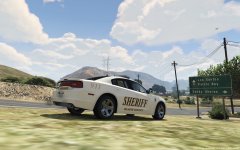
From the album: LSPDFR
© Runnin' Code Designs
-
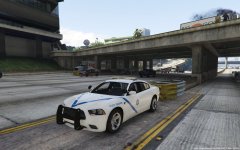
From the album: LSPDFR
© Runnin' Code Designs
-
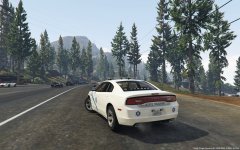
From the album: LSPDFR
© Runnin' Code Designs
-
From the album: LSPDFR
© Runnin' Code Designs
-
-
 I noticed in the read me file it stated that if I wanted to swap places with the CVPI and FPIS all I would have to do is change the file name. Does that go for all of the vehicles. Are we capable of changing the file names to put them in the order that we choose, or no?
- 779 comments
- 187 reviews
-
 Thank you neonlazer!
 -
I may have completely over looked them, but does anyone know the links to both of these cars?
-
 When I extract the files from the zip files I get an error message while its unpacking the "other officers talking" audio. It is telling me that path is too long and cannot locate it. Has anyone else had any trouble like this and if so how can I fix it?
- 3,646 comments
- 306 reviews
-
 Has this become available yet for download?
 -
I 2nd this! I love how easy it is to install everything, but would like to be able to install cars and handling lines individually.
- 779 comments
- 187 reviews
-
When will this CVPI be available?
-
I may have worded it a little weird as well. I was trying to do my best to explain what I had. I have went into a vehicles texture files and found "car_sign_1". I renamed two other textures to "car_sign_2" and "car_sign_3" and uploaded them into the textures folder. When I enter the game to play I will spawn the car and it has the "car_sign_1" texture on it. I go into vehicles options through the trainer and go to liveries. Normally I can hit 4 or 6 and scroll through them but it acts like they done exist. I believe a -1 shows in place of where there is normally a number.
-
If that is the case then that has answered my question! I will wait to see if anyone else says anything else but your the only person that I have been able to get an answer from so far. Thank you!
-
Ok, so I have downloaded a few cars and made a couple different liveries of my own using the templates provided with the cars. Example: I installed a new police car into the police2 spot. I have 4 liveries that I made that I want to be able to switch back and forth to. I have imported them into the texture files and so far so good. When I go into the game and use my trainer to scroll through the cars liveries, only two show up. How do I got into the carvariations.meta file and edit it to allow me to use multiple liveries? Any help would be great! I am assuming that the spot for police2 only allows 2 livieries at the moment that it why it only scrolls through the first two I imported into the texture files. I have not been able to find anything that explains this process clearly.
-
Every time I try to play with my clan my game crashes on me. I accept the game invite they send me and the game either loads and I am in a blank map where all the cars are parked and only peds are walking around or it tells me "cannot join a game that you have recently been kicked from". When that message appears it tells me that the game is restarting and starts all the way back over to the intro. Anybody have anything like this ever happen or can help me? I just want to play multiplayer with my clan.
-
Thank you very much for your replies. I finally figured out what was wrong and got it fixed! I can now play with out any problems. Now what I'm dealing with is I learned how to upload vehicle models via OpenIV. Are you able to have multiple models installed at once or only police and police2?
-
Ok I ran it during advanced mode and then it says browse game folder so I clicked it.
-
The only way I can run my diagnostics tool is my checking the advanced box at the bottom otherwise it tells me there is a critical error: 0x1
-
Most installation screens I have seen have gave you the ability to select check boxes on whether or not your want callouts installed and etc. Also I have seen a screen where you can also enter in your email/username and password and it will log you into you LCPDFR account. After I open up my program it asks where I want the program stored then will go the to accept terms screen. After I accept the terms it will immediately go to a load screen where the installing bar installs the game very fast and then tells me that the game was installed successfully. Then it never works while in gameplay. I have tried uninstalling and performing a new install both manual and automatic and still get the same outcome. I can post those pictures for you as soon as I can.
-
I have recently built a new computer to meet the requirements to play GTAIV with the LCPDFR mod. I downloaded the mod and did the automatic install but the install screens don't appear to be the same as from YouTube videos I've seen. When I hit Alt+P nothing happens. I began reading forums about that problem and tried everything I could but nothing seems to work. Any help would be much appreciated. I am completely new to this so not familiar with the mod. If I need to take screen shots of installation process and anything else that could help just let me know.

