


Xplicit92
-
Joined
Everything posted by Xplicit92
-
-
-
-
-
-
-
-
-
-
-
-
-
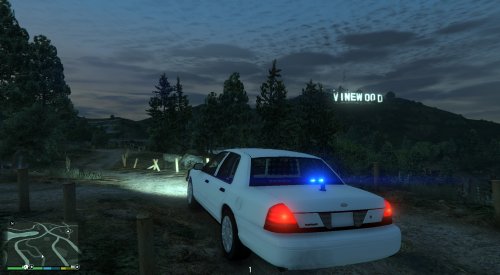 www.youtube.com/xplicitstormhd car is the same but doesn't have rambar or Whelen talon
- 35 comments
- 3 reviews
-
Thanks, much appreciated. I'm an amateur coder which is why there may be bugs :) Yeah you can have red/blue lighting at the front by editing the emerglights file in the .ytd. I will also upload a file for those who don't know how to edit them. The cruise light allows extra_1 and extra_4 to be turned on. They do NOT flash. They remain on. This can only be used when primary lights are OFF. The key to turn it on/off is ; on your keyboard. I will be making all emergency vehicles from ambulance, fire and police for people. It will take a bit of time but all will feature EVL lighting.
- 35 comments
- 3 reviews
-
Nice job mate. They sound good. Think il be using these myself for a bit.
-
Its okay, i just threw something together for people to use. Oh yeah i know you was mate :)
- 35 comments
- 3 reviews
-
-
Yeah it could be mate, i personally dont use anything apart from the Post-FX set to Ultra and the visualsettings.dat that i've uploaded, let me remind everyone that EVL doesnt produce the lights you see in my videos, that done by the files mentioned. EVL just makes the extra flash. :)
- 35 comments
- 3 reviews
-
Please go into game, press pause, scroll to settings, click graphics and scroll to post-fx, please make sure this is on high or ultra, i just turned mine onto normal to check and it looks like all yours, changing it back to high and ultra makes it look like mine in the videos
- 35 comments
- 3 reviews
-
Yeah same mate, that way i can patch the script to work on the latest version if it doesnt
- 35 comments
- 3 reviews
-
I'm not sure if I'm honest. Make sure that your replacing the visualsettings.dat in the update.rpf. I know there are visualsettings in the common.rpf as well but I'm sure I replaced the update ones. EVL isn't responsible for the lights, the script is just turning the extras on and off. The lights are from the games settings mate
- 35 comments
- 3 reviews
-
the visual settings make the lights look like they do in my videos which visual settings did you replace? There's one in the common.rpf and there's one in the update. I replaced the one in the update (if that don't work I don't know what's wrong. The script doesn't make my lights look like that. It's down to game settings) Go to modify- attach
- 35 comments
- 3 reviews
-
-
-
Yeah thats right mate You need to make sure that your post FX are high. Go to pause then graphics and there in there somewhere and also i would recommend changing your visualsettings.dat i can upload mine for people if they want?
- 35 comments
- 3 reviews
-
-

- 1
-

