


Murdnox
Members
-
Joined
-
Last visited
Everything posted by Murdnox
-
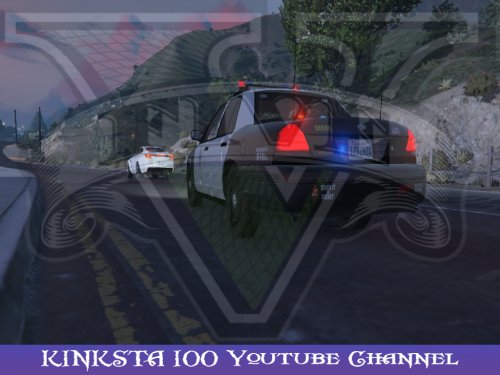 I've tried all (I'm pretty sure) of the CVPI mods out right now and this is absolutely the best. The lights are beautiful and mapped properly. The color is a real black, not a weird tinted gray. I'd love to see a LSSD skin so I can put it in my sheriff(1) slot also.
- 26 comments
- 13 reviews
-
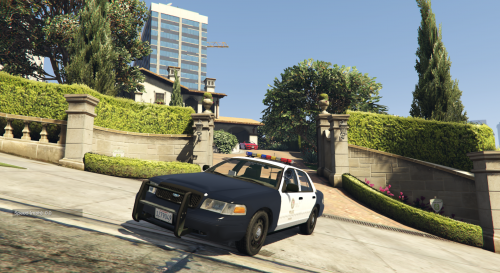 Nice model overall, however the lightbar is using halogen flairs rather than LEDs while in the "police" slot (not police2), making it look a bit off. Being completely compatible with the police slot would be great.
- 29 comments
- 7 reviews
-
 I'm excited to see this! I'll post a review once I play a few hours with it, but this is something I knew I wanted, and now it's here. Thanks!
- 91 comments
- 21 reviews
-
-

- 1
-
-
 PERFECT. No bugs (that I've come across.) Even when the transport spawns on a fence, under the overpass you're actually on, pinned between 10 AI vehicles, it will correct itself. That is the kind of proofing all scripts should have. I'm impressed.
- 1,915 comments
- 242 reviews
-
-
- 1
-
-
 I was at first irritated how every other driver was drunk or had an unroadworthy vehicle, and the blips on the map were too easy, BUT I opened up the ini and sure enough all my dreams came true. Awesome script! Seems to be very stable too. Edit: I seem to have found something a bit funny, that I don't really consider a bug; the traffic events effect service vehicles, or at least the coroner. I just had a coroner roll up with a smoking engine and blown out tire, and a little bit after that the coroner was talking on the phone as he arrived.
- 3,646 comments
- 306 reviews
-
-
- 1
-
-
Here it is: https://youtu.be/HNOxZR2ak0M
-
I have and I luckily had ShadowPlay running when it happened. Maybe I'll upload it.

