Skip to content
View in the app

A better way to browse. Learn more.

LCPDFR.com

A full-screen app on your home screen with push notifications, badges and more.

To install this app on iOS and iPadOS
  1. Tap the Share icon in Safari
  2. Scroll the menu and tap Add to Home Screen.
  3. Tap Add in the top-right corner.
To install this app on Android
  1. Tap the 3-dot menu (⋮) in the top-right corner of the browser.
  2. Tap Add to Home screen or Install app.
  3. Confirm by tapping Install.

Bruce

Members
  • Joined

  • Last visited

Everything posted by Bruce

  1. Bruce commented on Bruce's gallery image in GTA IV Galleries
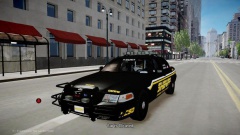
  2. Bruce posted a gallery image in GTA IV Galleries
  3. Bruce posted a gallery image in GTA IV Galleries
  4. Bruce posted a gallery image in GTA IV Galleries
  5. Bruce posted a gallery image in GTA IV Galleries
  6. Bruce posted a gallery image in GTA IV Galleries
  7. Bruce posted a gallery image in GTA IV Galleries
  8. Bruce posted a gallery image in GTA IV Galleries
  9. Bruce posted a gallery image in GTA IV Galleries
  10. Bruce posted a gallery image in GTA IV Galleries
  11. Bruce posted a gallery image in GTA IV Galleries
  12. Bruce posted a gallery image in GTA IV Galleries
  13. Bruce posted a gallery image in GTA IV Galleries
  14. Bruce posted a gallery image in GTA IV Galleries
  15. Bruce posted a gallery image in GTA IV Galleries
  16. Bruce posted a gallery image in GTA IV Galleries
  17. I have to say the "Nforce" would look sweet on a Charger.
  18. Can you change a car that has a red and blue light bar to an all blue light bar without having the blue light texture?
  19. Can anyone point me in the right direction of how to make police uniforms?
  20. I agree with "Elmo" it might just be the model or something may be wrong with the vehicle.ide
  21. Idk if anyone made a post about this, but i would like make player models. I have no idea how make them so can anyone help me? or point me in the right path. *P.S: I skinned cars before.*

Account

Navigation

Search

Search

Configure browser push notifications

Chrome (Android)
  1. Tap the lock icon next to the address bar.
  2. Tap Permissions → Notifications.
  3. Adjust your preference.
Chrome (Desktop)
  1. Click the padlock icon in the address bar.
  2. Select Site settings.
  3. Find Notifications and adjust your preference.
