


Dandado
Members
-
Joined
-
Last visited
Everything posted by Dandado
-

From the album: Dandado's Pictures
Medical Examiner was already at the location -
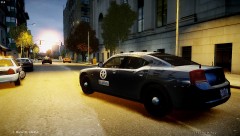
From the album: Dandado's Pictures
Medical Examiner was already at the location -

From the album: Dandado's Pictures
Medical Examiner was already at the location -
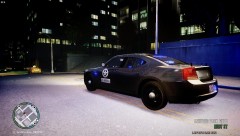
From the album: Dandado's Pictures
Medical Examiner was already at the location -
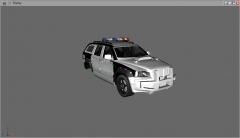 I remember this car coming in the wrong way in my direction
 -
 lol Village People cop
 -
 It works on EFLC?
 -
-
It's very cool I recomend
-
 Fast 5 was in Rio and using the civil Police a kind of Detectives Departament and it was using a Charger, we don't use Dodge Chargers
 -
Peguei desse site aqui: http://gta4carrosemodsbrasil.blogspot.com.br/search/label/P.M%20Brasileira Took it form this site
-
 wooooooooooooow it's freaking cool man
 -
From the album: Dandado's Pictures
Medical Examiner was already at the location -
 yep
yep -
Hey guys, I have a channel of LCPDFR videos and want to share with you. Here is my last video:http://www.youtube.com/watch?v=C1HAZRUZQfI&list=UUDYz1C2Hs5L3FYof7yncnvg&index=1&feature=plcp In my videos I try to always use different cars and make a cool video so if you subscribe in my channel I will be happy. In this topic I will post my new videos starting today. Thanks Video Updated
-
From the album: Dandado's Pictures
Medical Examiner was already at the location -

From the album: Dandado's Pictures
Medical Examiner was already at the location -

From the album: Dandado's Pictures
Medical Examiner was already at the location -
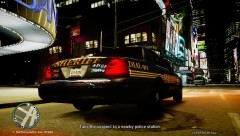
From the album: Dandado's Pictures
Medical Examiner was already at the location -

From the album: Dandado's Pictures
Medical Examiner was already at the location -
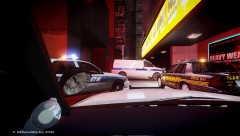
From the album: Dandado's Pictures
Medical Examiner was already at the location -

From the album: Dandado's Pictures
Where is him? -
Where is the light of the spotlight?
- 22 comments
- 3 reviews
-
- NOPD
- New Orleans
- Orleans
- Police
-
Tagged with:
-
It looks like a Whelen Edge 9000 series with a customized speaker and halogens
-
http://www.youtube.com/watch?v=TlGbsQjDXKk&feature=g-u-u

