



ASTK9
Members
-
Joined
-
Last visited
Everything posted by ASTK9
-
so am i like supposed to use that tool on the lightbar itself or the els?
-
Is there a way you can show me what you are talking about?
-
Thanks I'll try
-
I have the same problem with the ion as well. Does anyone out there know the reason for this?
-
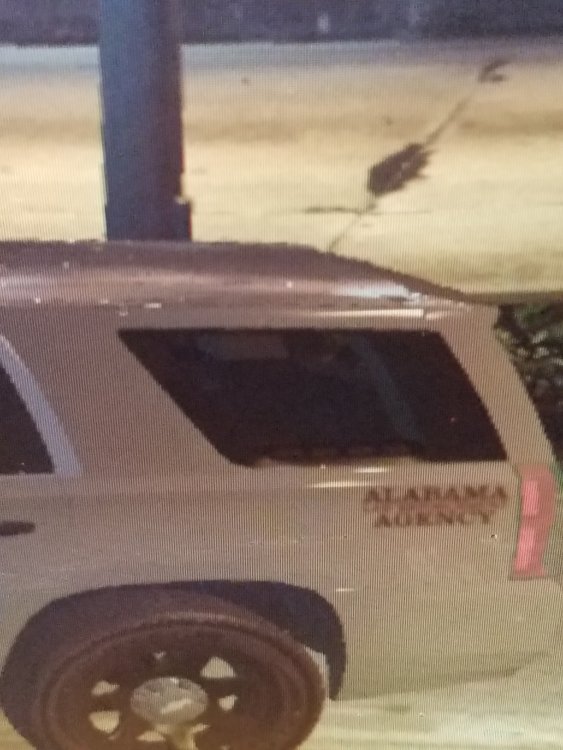
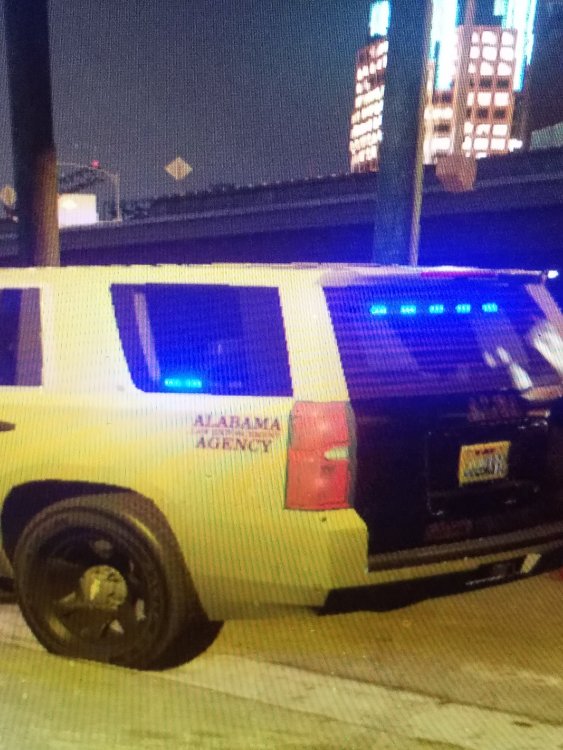
I'm making a Tahoe and I have the dominators on the side in the back windows. The els shows up at one angle but they don't show in another angle. I'll show you pics ( they are from my phone sorry). Can someone please help??
-
What says its been turned or or off?
-
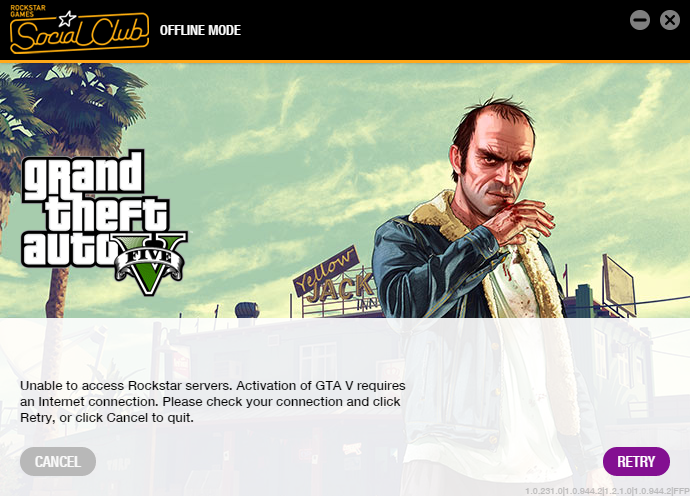
Everytime i try to play gta, It says that i need to connect online so that it can activate. But I'm connected to the internet and it keeps giving me that error. Ill have picture down below. can Someone help me please?
-
I noticed that when i had installed els, the lock key was on and when its on you cant do anything with els. The lcok key is the "scroll lock" key so hit that key in game then try to use els. Hope it helps. Also let me know if this works for you guys
-
Every time i try to play it says that I need to connect to the internet so i did. But it keeps saying that it cant connect to rockstar servers. Can someone help plz?
-
Thanks man
-
Is there possibly a way to change the speed of the els flash to make the lights flash faster? I do remeber it was possible on gta iv but I want to ask how on V?
-
-
I'm sorry but now it's doing it again... I'm lost now honestly Now it's doing it again and I'm just confused now...
-
i think reinstalled my mods folder and its working fine so far. I honestly dont know what it was lol.. thanks for your help anyway!!
-
well it happens when im in fullscreen and I still just dont know what the problem is
-
well i updated my drivers and its still doing the same thing a little bit when i first start playing. it just did it less times then finally quit.
-
yea thats what im doing now lol. ill let you know if it doesn't work
-
nothing that i know of. every since one of the rage hook updates it always went to windowed mode and the game played fine. i do remember a notification popped up on my pc to update my nvidia card and i never down it. i believe thats when my game started doing this
-
yea it always does that with rage hook no i dont ever click out. ill launch rage hook then its full screen at first then it changes to windowed while its loading. but itll quit messing up after i start playing for a while. I decided to try to update my graphics card to see if it helps.
-
When i start playing, my game will be in the "windowed" display then when i turn it to full screen it screws up. It will go black for a second but the sound is sill playing. then it comes back on an just repeat this process the whole time im playing. Its really annoying and Im just wondering if anyone knows what is happening?
-
nvm something happened and now it works, its all good
-
-
Now the game gets to the loading screen then crashes. Then the ragehook log thing comes up.
-
Mine won't even get to that point... it's stuck saying it's waiting for the game to start and it never does
-
I just installed rage hook 42 and updated my game and when I launch rage hook, it just says "waiting on game window". Then nothing ever happens. Does anyone know what's going on?


