
Lt Cornelius
Members
-
Joined
-
Last visited
Everything posted by Lt Cornelius
-
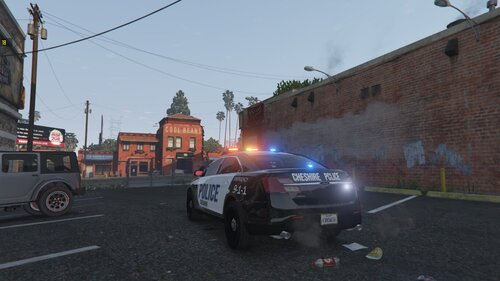 Being from CT, most of our plates coincide with some abbreviation of the town name. Cheshire has their plates as ##-CH. They're still mostly using those B/W designs with the blue stripe design, haven't seen anything different than that patrolling when I've been through there. Overall, looks good! Keep up the work!
 -
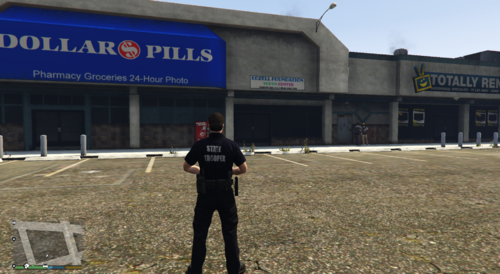 Been waiting for one! I'm from CT as well, and this is a great Christmas present LOL
 -
Haven't seen this posted anywhere that I can find: Looking for a pack of wheels that you can put on the cars with the Trainer. Specifically looking for Ford Interceptor hubcaps, AWD Charger hubcaps and steelies, and 2015+ Tahoe civilian package wheels like these ⬇️. If anyone knows where I can find the pack and/or is willing to make it for release, that'd be amazing!
-
-
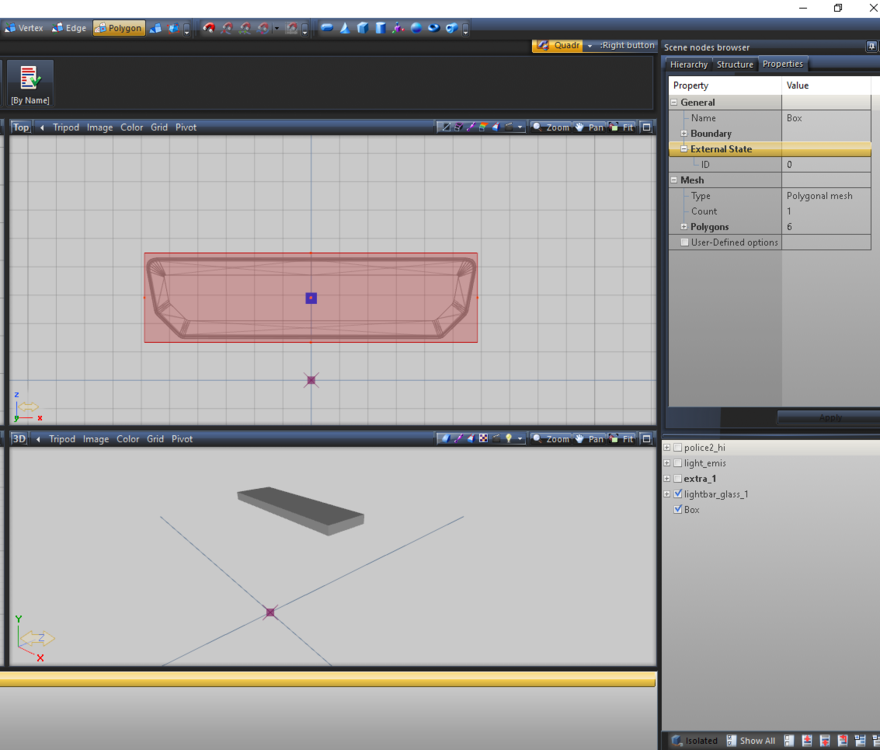
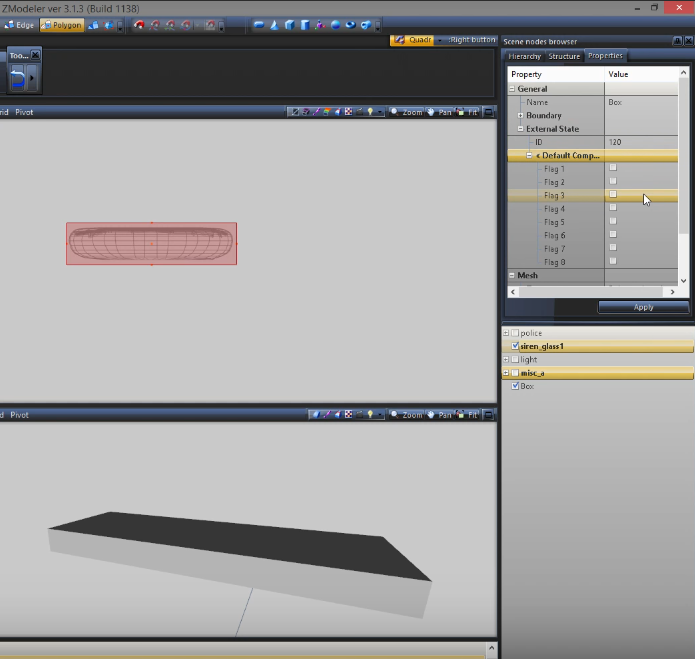
Looking to try and get some help with this. I was watching BlackJesus' video on making non-ELS cars, and in it he selects a box mesh being used as a collision for glass in polygon mode, opens the properties tab at the top, and then under ExternalState there is another drop down for DefaultCompatibility with a list of flags. I am unable to locate said tool on my Zmodeler (maybe due to the version?) and I wasn't sure if this is still necessary to do. If it's still necessary, because I know it has something to collision reactions, how do I enable it? BlackJesus Video screencap:
-
-
-
-
-
Looking for Setina PB4xx series pushbars for the 2015+ Tahoe, 2016+ FPIU and 2015+ Charger. They were on some vehicles in a pack that was released a little ways back, I'll tag it if I can find it. Potentially made by iansonwheels http://www.lcpdfr.com/files/file/16261-lspd-pack-els/?page=2
-
-
-
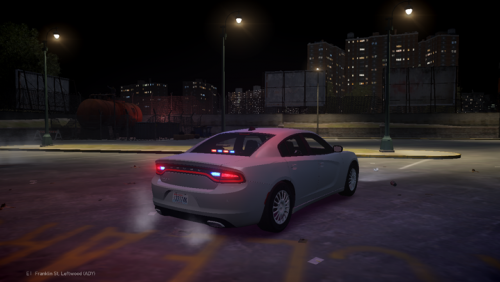 Rename the files to police, police2, polpatriot, etc.
 -
Explorer competition at the POST academy in Meriden
-
Police explorer from CT. Anyone going to stations day in May?
-
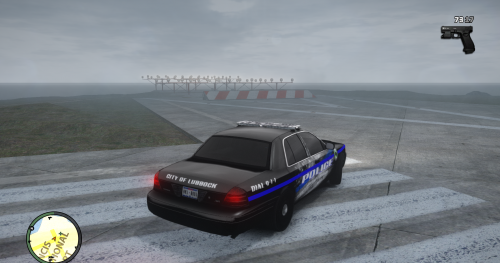 Also, lightbar is backwards. White flash to the front
 -
-
Minute error on my part. Supposed to be all Washington state but if it bothers you, feel free to fix it
-
-
-
02-22-2018 Lt. Cornelius OVERVIEW - Name: Northern Gardens Police Department Pack - VERSION: 1.0 ~~~~~~~~~~~~~~~~~~ CREDITS ~~~~~~~~~~~~~~~~~~ ====Vehicles==== 2011 CVPI: - Model is Ford Crown Victoria from Driver SF, converted to GTA IV by F5544, modified by KevinDV and Cj24. Indicators fixed by OfficerUnderwood - Wheels from NFS:MW and converted by trewq34, Textures by GreenAid. - Grille by GeorgieMoon. - Steering Wheel by EVI. Modified to have Logo, Horn, & Airbag badges by OfficerUnderwood - Gauge and other Dashboard parts by Grimm - Ford FlexFuel badge made by TheGTAMitch 2013 Tahoe: - Model from free 3D site, author unknown. - Converted and edits by GeorgieMoon. - Rim made by Bxbugs123, re-textured and re-scaled by GeorgieMoon. - Interior by 4x4 Hummer merged and textured by GeorgieMoon. - Edits by RipplyTiger151. 2015 Tahoe: - Credits to GeorgieMoon and any other contributors. 2016 FPIU: - 2016 Ford Explorer Purchased by Sobo and NYSP Clan - Crunched by VooDoo - Converted to GTA IV by JasonCT203 - 3D Grill made by VooDoo - Chassis from FPIU by Policefanatic 2015 Charger: - Converted into a Police vehicle by IronicRainbow - Converted into an AWD version by IronicRainbow - Rims by GerryStudio, IronicRainbow, & Bxbugs123 - Polygon filling by TheHurk 2014 Charger: - Dodge Charger R/T by Real Racing 3, ripped by DMN, converted to IV by GeorgieMoon. Edited into a PP by GeorgieMoon - Fixes by Him1250 & trewq34 - Taillights from Forza - Dodge Steel Rim by GerryStudio, converted to IV by Bxbugs123 ====Lighting==== Whelen Liberty SX by KevinDV Whelen Liberty II by DannyBoy1909, converted by IronicRainbow Whelen Inner Edge XLP by Hilth0 Whelen Avengers by EVI Whelen Mirror Beams by Traumapak, Heisenberg Whelen Slimlighter TIR6 by MasterYoda Whelen Vertex by Unknown Whelen ION by Lccop Whelen Dominator/Raider by Hilth0 Whelen TIR3 by Hilth0 ====Parts==== Panasonic Toughbook CF-31 by Ridgerunner Designs Console by PFCBarefoot FPI Hubcaps by RoegonTV Canine Kennel by DannyBoy1909 Setina Bodyguard 6/7 by Tim98 Setina PB200 + PB5 by Unknown Setina PB450 by Ridgerunner Designs Setina Tahoe by NickieB Unity Spotlight by Bxbugs123 Whelen SA314 by Bxbugs123 Dodge Charger AWD Hubcaps by RoegonTV NOTES If I have missed any credits, please message me the proper credentials. I do not mean to steal any work, and full credit is given to the original creators of the parts. It is recommended to use the ELS files provided to ensure the best lighting experience. Do NOT re-upload or re-distribute. This file has been uploaded solely to LCPDFR. You may NOT use this for a clan pack without my permission!
-
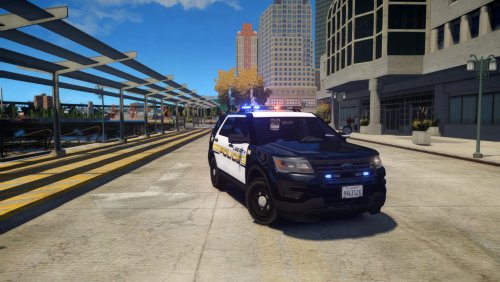 Once I get a new PC that can run V, I plan on porting this one over. I've got more packs coming, stay tuned!
- 33 comments
- 10 reviews
-
Ohhhhhhhhhhh that makes so much sense
-
I'd like to think I'm pretty involved with L*PDFR modeling, but I can't for the life of me figure out what LORE stands for. I know it has something to do with making mods based on IRL but also game friendly, but what does the acronym stand for?
-