Roey232
Members
-
Joined
-
Last visited
Everything posted by Roey232
-
Hello Frodo2405. I've the same problem. I want to check if I'm right. Can you tell me please if your LCPDFR dir is on "Read only"?
-
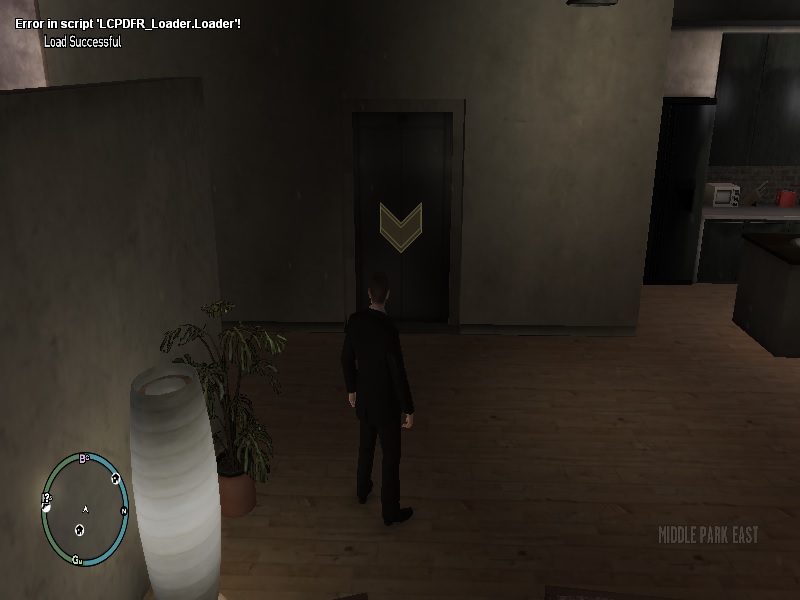
Hello guys! I'm sorry if I've posted in the wrong place. Please move my post to the right place and don't delete it. First of all. Thank you so much for the awesome mod!!! And second. I've a problem. (My system and PC rig are at the bottom) I install the mod. But when I load the game. I got a message: "the DDL MCVCR110.dll is missing. (It was before it entered the game) I download it and put it in the WOW dir. (I've win7 64BiT) Now I've a new message inside the game: I screenshot it. Please help me. Thank you so much! My system: Windows 7 64BiT .net 4.5 most updated All drivers are updated My rig: Processor: Intel 6600K I5 Motherboard: GigaByte GA-Z170-HD3P Graphic Card: a Single GigaByte 970GTX DDR 4 2400 Kingston SSD 120 HDD 1T