


agilliam
Members
-
Joined
-
Last visited
Everything posted by agilliam
-
Update. After using those 2 files and I restarted the gta v, Completed the mission again and saved. Reloaded and lspdfr seems to be working now Just doesn't seem to allow me to pull up the police radio and handcuff people etc. I gotta read the key settings now! thanks for all your help!
-
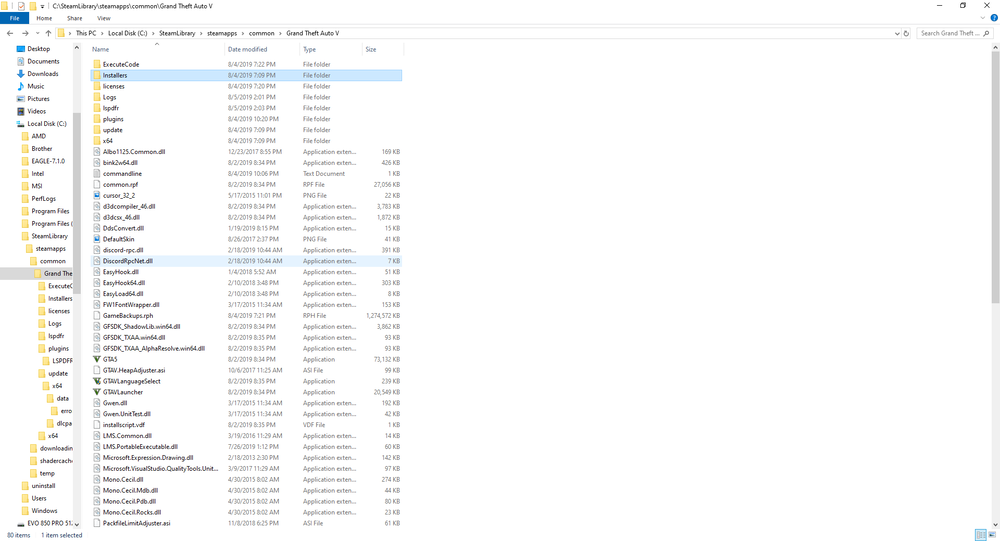
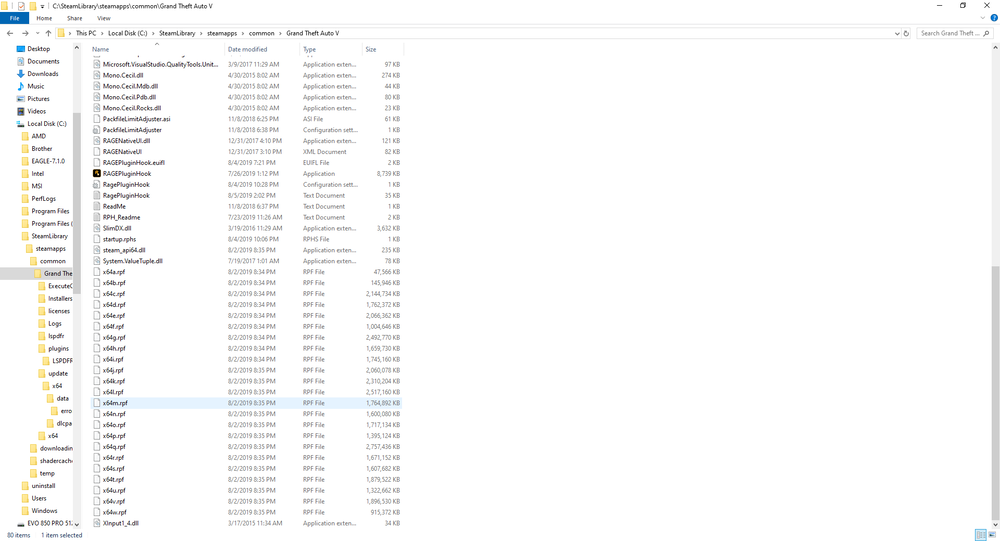
I have used the manual install, infact that's all I used for the first 10x. I thought I mentioned that but I guess I skipped that part. I used the manual install first MANY times., still no go., then tried the installation setup file. How do I save the game when I cant even get lspdfr to load? Or do I have to start GTA V normally and then save my game then? It did autosave while I loaded the GTA V in story mode. The scene I see is the 2 men sitting down talking about jerking off an playing video games. I skip that, then it says loading LSPDFR and the swirling circle. Then it just goes black. I did try without disabling any dx (I tried the default setup FIRST with nothing changed) then I tried many different things in the ragehook config that others have said worked for them. I enabled full debugging and it appears its supposedly loading in correctly, says faded in, but my screen is black. I have no problems playing GTA V online/story mode, ARK, Team Fortress 2, Farming Sim 19, The Sims 4, MudRunner, etc etc. I have other games that are pretty tough for most systems to run, but mine runs them fine. As far as the addon suggested, I installed the last 2, but do not see any directory that's listed in the readme. "Gameconfig Installation path : Mods/Update/update.rpf/common/data/ back up your gameconfig then change whichever you want" I do have an update.rpf FILE, not a FOLDER, but that's under GTA V dir, update. That's why I tried the link below. Still go no (I just tried that AFTER installing those 2 suggested files and not being able to find the path to install the first file. There is no mods folder under root GTA V. I found this https://www.lcpdfr.com/forums/topic/89300-missing-patchday-files-in-openiv-mods-folder/ That still didn't work, even though I made the mods directory, copied the files over. I checked the LSPDFR manual installation file and there is no mods folder in that file either. GTA V installs without a MODS Dir. According to this https://www.lcpdfr.com/lspdfr/04/install/ There is nothing mentioned about making a MODS folder, or copying anything over. Just copy the contents of the manual install into the root of GTA V, launch ragehook and go. The odd thing is, its not just my pc, its my friends too and a few others. They all have either 8gb or 16gb, I'm the only one with 32gb. I also forgot to mention ALL pc's are running Windows 10, mine is running Windows 10 Pro. Screenshot of my GTA V Dir will be attached. Thank you for your fast replies and willingness to help me out!! Its greatly appreciated.
-
Ive read through the forums and tried everything that's already been mentioned, and its not just MY system, I tried it on my friends system, as we purchased this game to play this specifically. I have a The following; Motherboard - Gigabbyte MX170-Gaming-5 CPU- i7-6700k RAM- 32gb Patriot Viper 3200mhz Extreme RAM PSU- 1000 Watt modular PSU Graphics Card-MSI Radeon RX580 MK2 8GB Resolution is set to 1920x1080, ive tried up to 3840x2160 (I do have dual monitors and both use same resolution 1920x1080) NOT MIRRORED, extended C:- NVMeM.2 512gb Samsung EVO 970 SSD 😧 512gb Samsung Evo 850 PRO E: 240GB SSD Patriot M.2 (Junk Drive/3d Printer Designs) There is plenty of space on all my drives, C is empty except windows. I Initially installed GTA V on D Drive, but had issues, it was ALMOST full due to ARK with all the expansions. So I uninstalled thinking that it was a bad install of GTA V (Even after verifying install on STEAM. I did create a backup using RAGE, but that didn't work either. After many attempts to fix it, I uninstalled GTA V from D Drive, and reinstalled on C Drive since it was empty. I loaded up GTA V got into story mode and was working fine. I quit the game installed the LSPDFR using the installer, ran through setup and I got the RAGE HOOK splash, it would say loading LSPDFR, then it would show the 2 guys talking and BSing. I skipped the video intro, and it said loading LSPDFR with the whirly wheel. After 40 minutes nothing happened. I checked my system task manager, and GTA V was using quite a bit of ram, and CPU as well.. I read on here that someone was missing the ragenativeui files. so I checked and was missing mine. Downloaded them and extracted to root GTA V install dir. I have tried safe mode, windowed mode, windowed mode with borderless mode, ive tried dx 11, dx 11 windowed and borderless, dx11 windowed.. etc. Ive changed ping time from 2000 to 60000, nothing. I tried it on my friends system which is not nearly as beefy as mine (mine isn't the newest but does what I want and expect) but we have the same issue with his as well. Ive tried to NOT AUTO LOAD plugins and manually initiate the LSPDFR using F4 command. After the 2 guys talk, I skip the intro and goes to a pitch black screen. I have to use task manager to kill GTA V. Im really frustrated and disappointed as this looks really fun and great work. But im at a loss here. Ive done IT work for many years, never did programming much, mainly security and network stuff. RagePluginHook.log

