


Niekay
Members
-
Joined
-
Last visited
Everything posted by Niekay
-
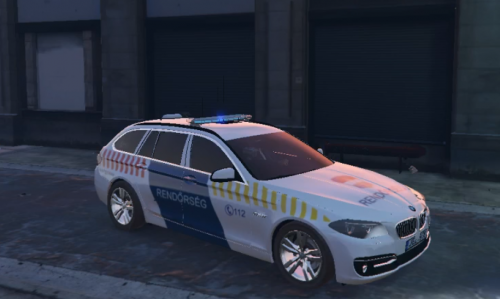 Heh, I am still new to this upload thingy, and it didn't really give me an option to give a description.. :( All right, it is fixed.
 -
This is a Federal Signal AS 320 Siren used by the Hungarian Police, as far as I know. I haven't found a single mod for it, so I've decided to make one myself. I have ripped the sounds from the following video: Installation: Copy all the files to \Rockstar Games\Grand Theft Auto V\plugins\SirenMastery\ Requires SirenMastery to work! Feel free to adjust the volumes in the .xml file provided if the levels are too low for you. I've used the following car for the sake of the screenshot and the video: https://hu.gta5-mods.com/paintjobs/hungaryan-police-bmw-525 Hungarian Police BMW 525 by jezus9 The video showcase: Do excuse me for the framedrop, my computer couldn't keep up with the recording. There is still a little clicky noise waiting for fix with the horn, but otherwise it is absolutely fine for me.
